
Participant
April 27, 2019
Question

Insufficient Data For Image as of April 26, 2019

  • April 27, 2019
  • 4 replies
  • 5480 views
  • I am working in Pro DC with Windows 365.
  • I regularly receive the insufficient data for image message.
  • The error is not limited to a certain PDF, nor from a particular source.
  • It happens to created, scanned, emailed, edited, unedited and downloaded PDFs. 
  • I have checked for updates.  The software says there are none.  Currently, I am up to date with 19.010.20100.
  • I have done a repair installation.
  • I have uninstalled and reinstalled the software.
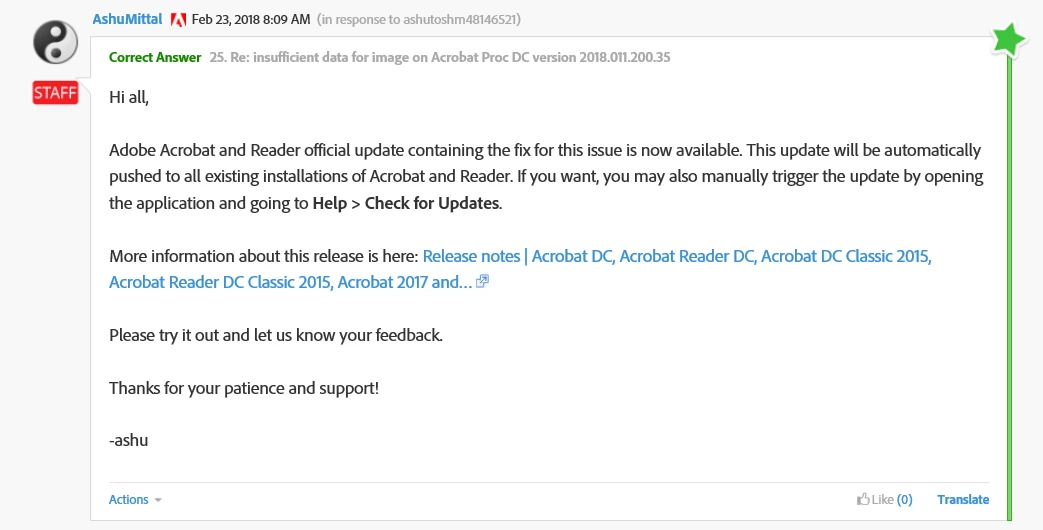
  • Below, from a previous forum discussion in February 2018, it was stated the fix was available, however, it has not seemed to fix the software on our end.
  • Our IT department has not been able to fix this problem.  Our office is suffering a severe impact from this issue.
  • Our firm management is considering switching from Adobe to pdfDocs.  I would like to preserve using Adobe if possible, but need to have this cleaned up to convince them to keep Adobe.

Any suggestions?
This topic has been closed for replies.

4 replies

Legend
May 10, 2019

Ok that sounds different. The network reads are failing for some reason. You can check this by making a local copy and seeing if the problem goes away.

May 10, 2019

Great I'll give that a try and respond back.

Thank you.

May 9, 2019

I have this same issue. Often only after a few minutes with a pdf open it will display "insufficient data for image" message, and when a print attempt is made some or all of the form will be missing. After that trying to save the file gives a message about a network connection error.

I have opened another question about this but haven't got any reply from adobe.

Participant
September 13, 2019
I have the same issue. We set up Acrobat Pro DC a month ago. This is especially true if we have multiple files open at once. Yesterday was the first time that a page was blank then did not return when the file was reopened.
Participant
October 17, 2019
We have had this issue for months now, local (C:) copies have no problem, but almost all network files will "blank out" if left open for longer than 1 hour. Tried Adobe support and they washed their hands of us after declaring it a server setting. we will be looking into an alternate pdf program next year if this problem persists.
Legend
April 29, 2019

If you happen to come upon a file that isn't sensitive (for example, if it's files you scan, then scan a page from a magazine...) it would be good to share it.

If all your files are essentially from the same source, then it could be the source. I have seen this when an accounts package is used for example, when it has trouble reading a company logo to put in the PDF.

Legend
April 27, 2019

There is not one cause for this. Usually, it is a problem with the PDF. Once, it was a bug in Acrobat and that was fixed.

Some PDF viewers don't report the error. Often they just skip a bad graphic without warning, which is worse to my mind.

If you have a file you'd like to share on a public site, sometimes people have the enthusiasm to analyse them and say whether the file is faulty, or if you have a new Acrobat bug. Multiple files from different sources may be useful.

Participant
April 29, 2019

Thank you for that insight.  I wish there was a file I could upload and share, but unfortunately, due to the types of files on which we work, that is not a possibility.  I neglected to mention that during our trial version of using pdfDocs, opening the same documents, we did not have any issues.  That leads me to believe it is not an issue within the documents themselves (as it happens to all of them when using Adobe, not just a select few).

Hopefully someone else will have a similar experience and it will be found to be a new bug that can be patched over.  I sure would like to keep using Adobe.