
Participant
March 21, 2025
Question

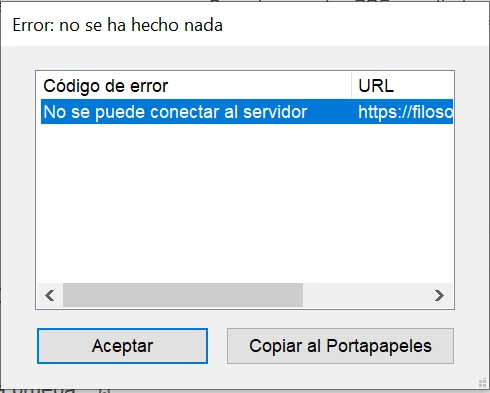
Intento crear PDF desde cualquier página web y da error: "No se puede conectar con el servidor"

  • March 21, 2025
  • 1 reply
  • 231 views

Hola a todos:

Estoy intentando crear un PDF desde una web con Adobe Acrobat DC Pro (porque necesito capturar varios niveles) pero me salta el error: "no se puede conectar con el servidor". ¿Cómo puedo arreglarlo?

Muchas gracias.
 

1 reply

AnandSri
Legend
March 21, 2025

Hello Ana!


I hope you are doing well, and we apologize for the trouble.


Please ensure you have the latest version of Acrobat installed on the machine: 25.001.2043x Optional update, Mar 19, 2025. Check for any pending updates from the Menu > help > check for updates, install the updates, restart the app and the machine, and check. For more information, see this: https://adobe.ly/4bRA43k

Disable Browser Extensions/Ad Blockers

  • Browser extensions (e.g., ad blockers and privacy tools) may block Acrobat’s server connection.

  • Temporarily disable extensions or whitelist Adobe domains.

  • Ensure the Adobe Acrobat Convert extension is enabled in your browser


Allow Acrobat in Firewall/Antivirus

  • Add exceptions for Acrobat.exe and your browser in firewall/antivirus settings. See this article for more information: https://adobe.ly/4bRA5UW

Reset Hosts File:

Sometimes, the hosts file on your computer can block connections to Adobe servers. Follow the instructions to reset the hosts file:
For Windows: Reset Hosts File.
For macOS: Use the Limited Access Repair Tool


Use "Print to PDF" as a Workaround

  • Open the webpage, press Ctrl+P (Windows) or Cmd+P (Mac), and choose Adobe PDF as the printer.

For more details, see this article: https://adobe.ly/4bRySwS


Let us know how it goes.

Thanks,

Anand Sri.