Inspiring
December 2, 2021
Answered

Is Document Processing / extracting images gone?

  • December 2, 2021
  • 3 replies
  • 4566 views

I need to extract lots of images. Looking for this:
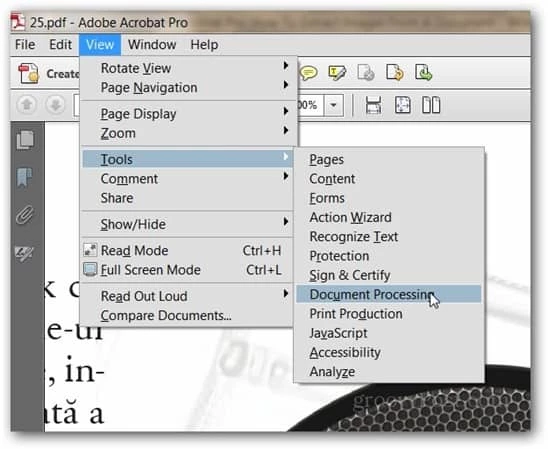


According to this article, there should be a way to do it... however, I don't have the "Document Processing" option.

This topic has been closed for replies.
Correct answer JR Boulay

This is an Acrobat XI screenshot.


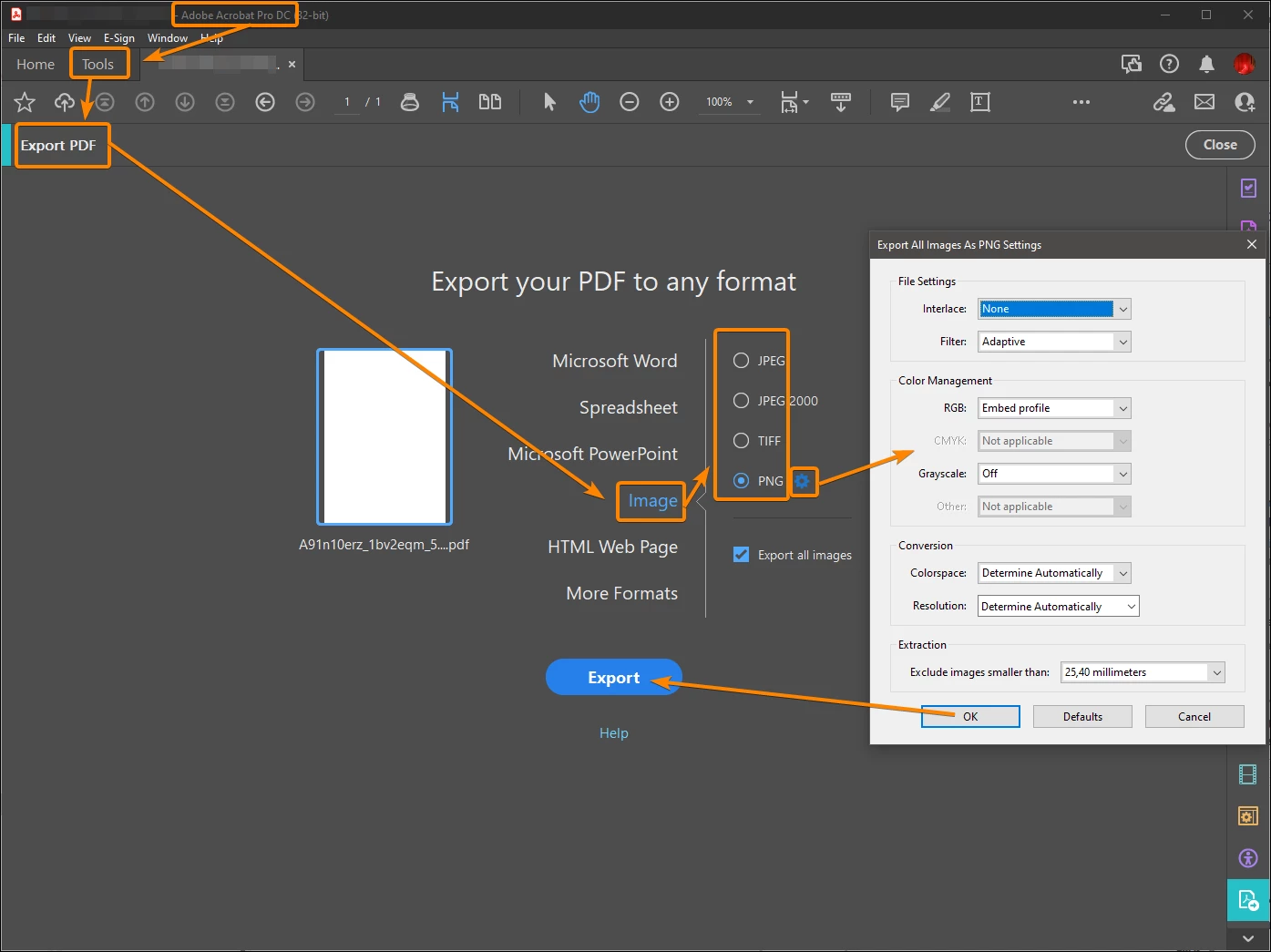
If you're using Acrobat Pro DC it's here:
3 replies

JR Boulay
Community Expert
Community Expert
December 10, 2021

The most important option is in red:


Acrobate du PDF, InDesigner et Photoshopographe
Inspiring
March 8, 2022

Isn't there any way of placing this function into Quick Tools? This used to be a simple one-click operation.


JR Boulay
Community Expert
Community Expert
December 4, 2021

"I'm trying to extract images, not create them from the PDF."

See the "Export all images" checkbox in my screenshot, this is what makes all the difference. 


Looks like you are using Acrobat Pro XI and have found the "Document Processing" tools.

Acrobate du PDF, InDesigner et Photoshopographe
turner111Author
Inspiring
December 10, 2021

Hi JR-

Actually, that's just a screenshot on the web I found demonstrating the method being explained.

I'm using Acrobat Pro DC, and don't have that option.

Legend
December 10, 2021

What is your exact version of Acrobat Pro DC, please. The full version number, something like 2016.123.45678.

JR Boulay
Community Expert
JR BoulayCommunity ExpertCorrect answer
Community Expert
December 2, 2021

This is an Acrobat XI screenshot.


If you're using Acrobat Pro DC it's here:

Acrobate du PDF, InDesigner et Photoshopographe
turner111Author
Inspiring
December 2, 2021

Hi JR,


I'm trying to extract images, not create them from the PDF. Note: