
comaysx0
Participant
January 16, 2019
Answered

Is there a way to "Print Current View" when using the adobe plug in on google chrome?

  • January 16, 2019
  • 1 reply
  • 3345 views

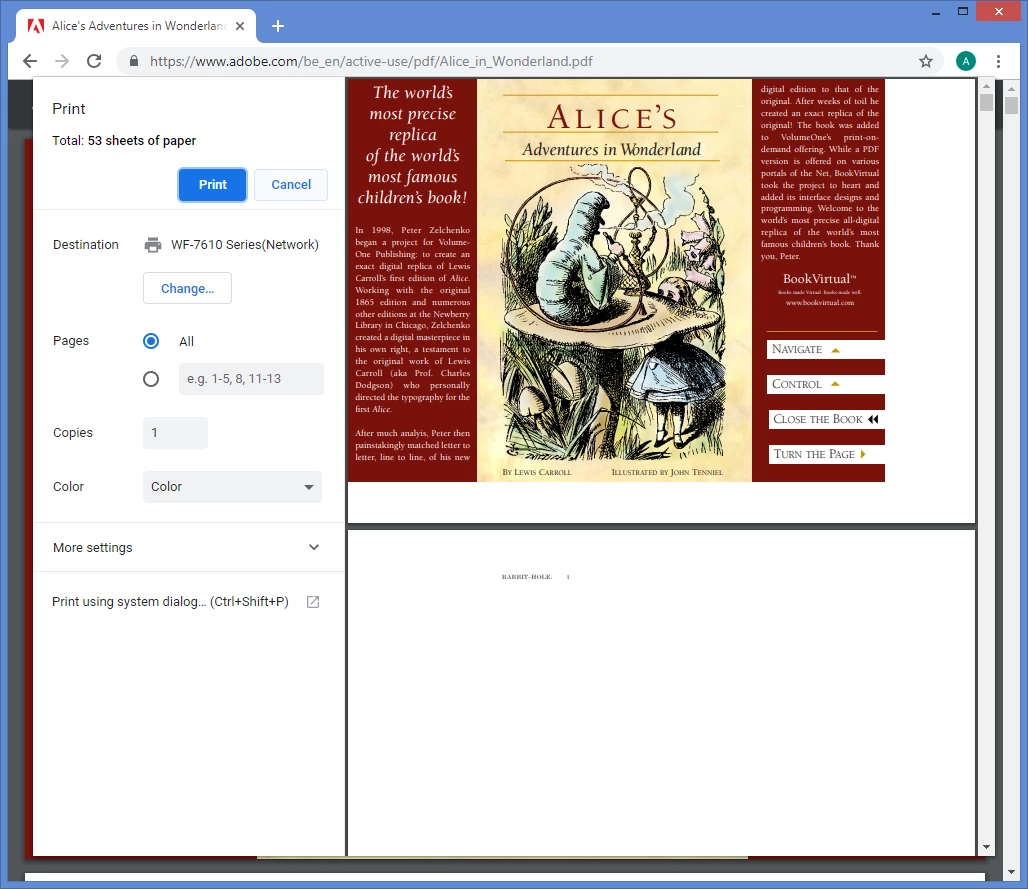
I have the Adobe Chrome plugin but do not see how to "Print Current View" (not current sheet) when the PDF is opened in the browser. I know that I can download the PDF and use the typical Print Options but we would like to keep this functionality within the browser since that’s how we the large PDFs and we don’t want to have to download many files each day across a whole department.

Any solutions or other suggestions would be helpful.
This topic has been closed for replies.
Correct answer Test Screen Name

This screen shot shows Google's PDF viewer, not Adobe's:

The only way to still be using Adobe's plug-in would be to have installed Chrome and Reader long, long ago, when Chrome DID use Reader, then disconnected from the internet so Chrome couldn't update itself. Of course, Chrome is of limited use if you disconnect from the internet, but it could have happened.

1 reply

Abambo
Community Expert
Community Expert
January 17, 2019

You’re sure you are previewing in Acrobat?

ABAMBO | Hard- and Software Engineer | Photographer
comaysx0
comaysx0Author
Participant
January 17, 2019

No. I am viewing in google chrome's web browser. I want to print directly from there without downloading to acrobat. I'm looking for a way to print just the current view without downloading the file to my computer.

Abambo
Community Expert
Community Expert
January 17, 2019

If you are viewing inside of chrome, you are using chrome's viewer and not Acrobat. You need to ask that question in a chrome forum.

ABAMBO | Hard- and Software Engineer | Photographer