
Participant
January 29, 2025
Question

Issue with Image Field

  • January 29, 2025
  • 1 reply
  • 303 views

Good Morning,

I am currently experiencing issues relating to the Image Field in a recently created form. I have raised the issue with Adobe and not getting any answers to resolve it. 


I have created a form with several image fields that will require user interaction. When i preview the document, it is showing the field operating. i.e, I click on the field, and the pop up box is displayed, which allows me to browse for the image to insert.


The issue is when i have saved it and sent it to the user, when you click on the field, nothing displays, no popup box, no error code.


Are there any settings or properties that must be set to allow this to function correctly?


Any assistance will be gratefully appreciated.
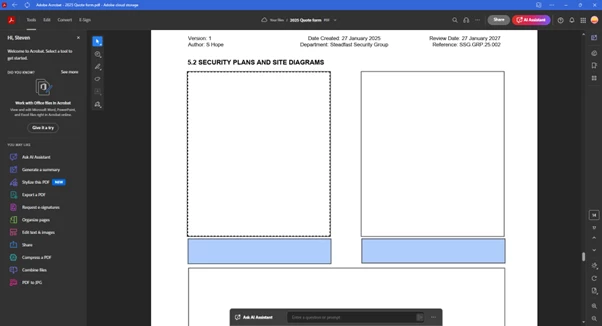


Regards

Steve

1 reply

PDF Automation Station
Community Expert
Community Expert
January 29, 2025

This issue is most likely with PDF viewer used by the other user.  Are they using an Adobe desktop PDF viewer?

S_S
Community Manager
Community Manager
March 3, 2025

Hi @Enchanted_beauty5467,


Hope you are doing well. Sorry for the trouble, and the delayed response.


This is very interesting and strange at the same time. I too have similar questions:

1. How is the form being opened on the other user's end?

2. Are they doing so using a mobile device?

3. The screenshot you shared shows the web interface. Is it so?

4. Can you share a sample copy of one such form for us to test the issue in-house?


-Souvik