
Issue with URL linking to submit form.
Hi, I hope you're fine.
I would like your help please.
In my work, I use the "Submit Form Selections" function to send forms. However, the URL in the "Enter a URL for this link" box is still the same despite my changes. I would like to be able to change it.
Unfortunately, as you can see in my screenshot, the drop-down box shows 2 URLs of the type "mailto:adress@domain.fr" when only one is needed and I cannot remove the URL I don't need.
Do you know how to remove a URL, clear the cache or perhaps you have another solution?
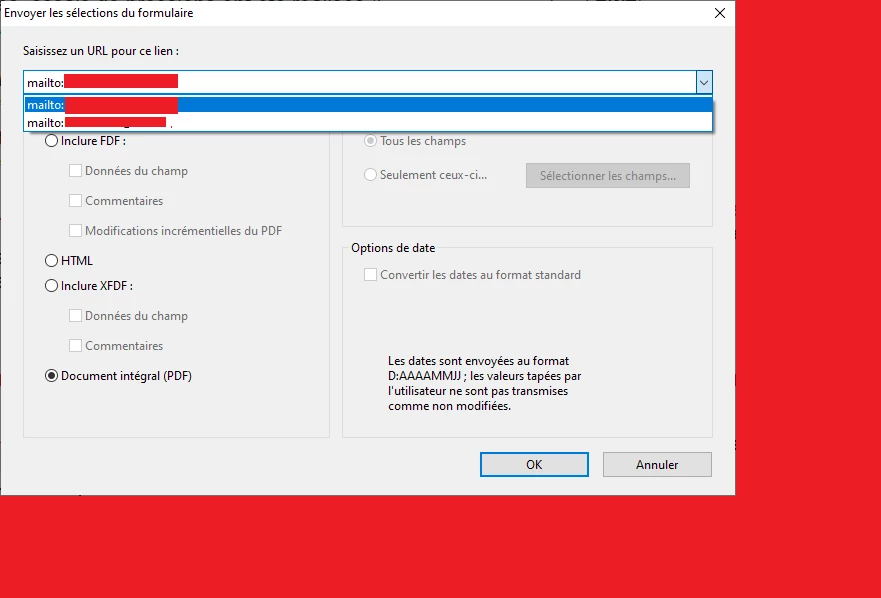
I hope I have been explicit enough. I have hidden the email addresses for privacy reasons.
Don't hesitate to come back to me if you need more information.
Thank you in advance for your help and your time and good luck.
Best regards,
Ben.


 AdChoices