
Issues + FR: Real disappointment with the Adobe OCR experience (Bugs, missing essential OC features)
Hello Together,
I don't want to seem overly negative, as I really like Adobe products in general, but I've just paid full subscription for Adobe Acrobat Pro for hoping that the OCR UX of Adobe Acrobat Pro DC would do a good job. But my OCR-Experience with Acrobat it's terrible.
My Setup:
- Intel Core i7 920
- NVIDIA Geforce RTX 2070 Super
- 24GB DDR2-RAM
- SATA-SSD for System and Applications
- Windows: 10 Pro 64 bit (Version: 22H2, Build: 19045.3208)
- Adobe Acrobat Pro DC: Continuose Release Version 2023.003.20244 64 bit
I've reviewed many Adobe community posts, Adobe help pages, and other blog posts on OCR, but I've found that there's too much looking for excuses for backward and too limited (missing) essential OCR features (Often the arguments are to organize good input images for OCR scanning. In practice, however, this is often not possible or only associated with unnecessary expenditure of time. Other OCR solutions can handle this better, only Adobe Acrobat seems to have strong problems here in 2023).
Adobe promotes their products as being competitive and modern, and this is also the case for OCR scanning. Adobe also advertises that the OCR feature uses AI. Then we can also expect better OCR results. Above all, however, I am disturbed by the lack of possibilities to edit OCR text containers circumferentially and retrospectively, without visible text-areas of the original image not changing (one simply wants to correct markable and copyable hidden OCR texts, not changing the visible text elements of the scanned picture).
My test sample PDF (Acrobat 8, PDF 1.7): see attached files
- Test_withoutOCR.pdf (PDF without OCR processing)
- Test_withOCRuncorrected.pdf (PDF after OCR processing with OCR scan method "Searchable image (exact)"
- Test_withOCRcorrected.pdf (PDF after OCR processing AND Processing of the "Correct recognized text"-Wizzard)
NOTE: 600dpi, PDF format 1.7, with all fonts: Created with Printing-Dialogue "Adobe PDF":
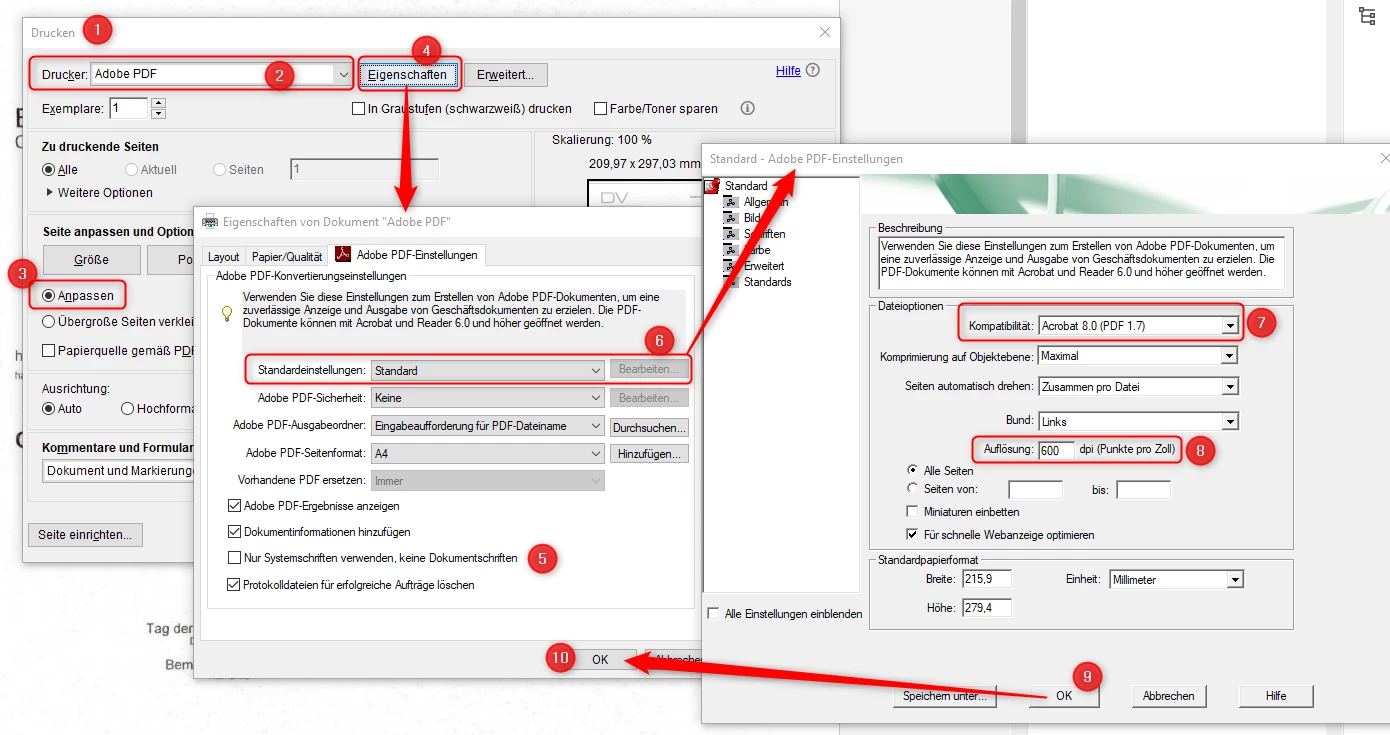
But in order:
Problem/Question/Comment 01:
Auto Page / OCR Recognition of the feature "Edit PDF" (A) change the OCR Recognition containers of the feature "Scan & OCR" (B) feature. Mo possibilities to deactivate the Auto Scans global and permanently.
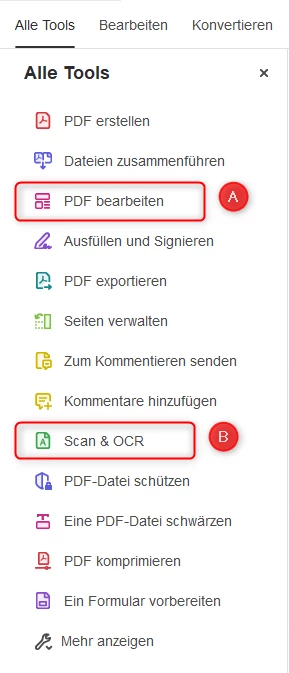
Issue Description:
If the "Edit PDF" feature is applied after the "Scan & OCR" feature (intentionally or by mistake), an OCR/Page Auto Scan is performed when switching to Edit mode (Feature: "Edit PDF"), after previous OCR scans and corrections (Feature: Scan & OCR).
So you need to be careful not to call the "Edit PDF" feature. Unfortunately, when you call the "Edit PDF" feature, an auto-scan starts. I know, this can be deactivated later, but this setting is only valid until the next time the PDF document is opened.
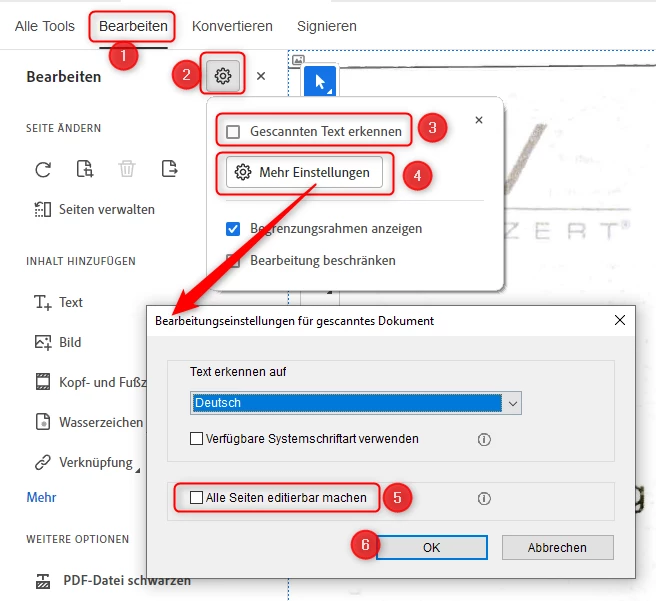
But it would be nice if you could globally disable the auto-scan feature for everything you open with Acrobat Pro, permanently. Since you can only disable it afterwards after calling the "Edit PDF" feature and it immediately starting the first auto-scan pass, it's already too late due to the first auto-scan pass. Some manual changes and corrections could be lost or corrupted as a result.
Steps to reproduce:
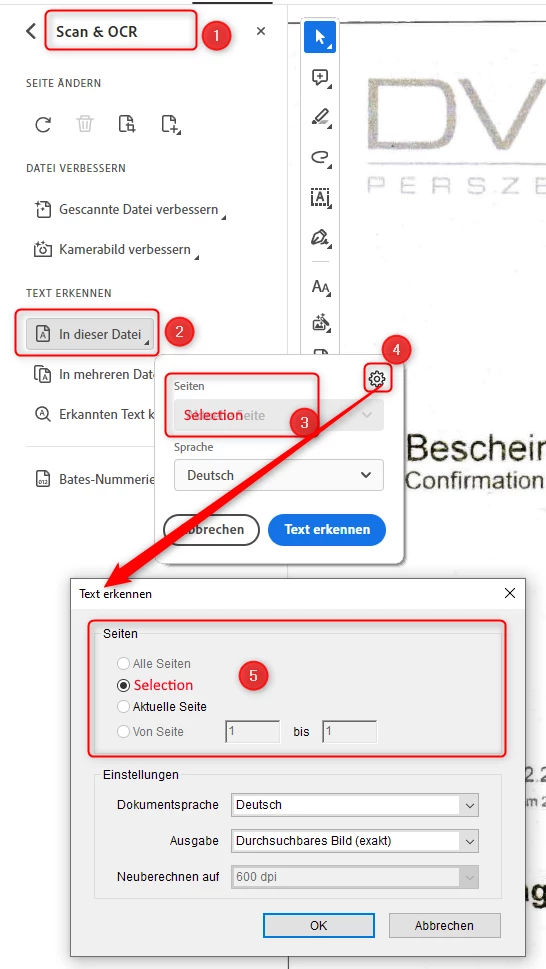
(1) OCR Scan with the "Scan & OCR"-Feature.
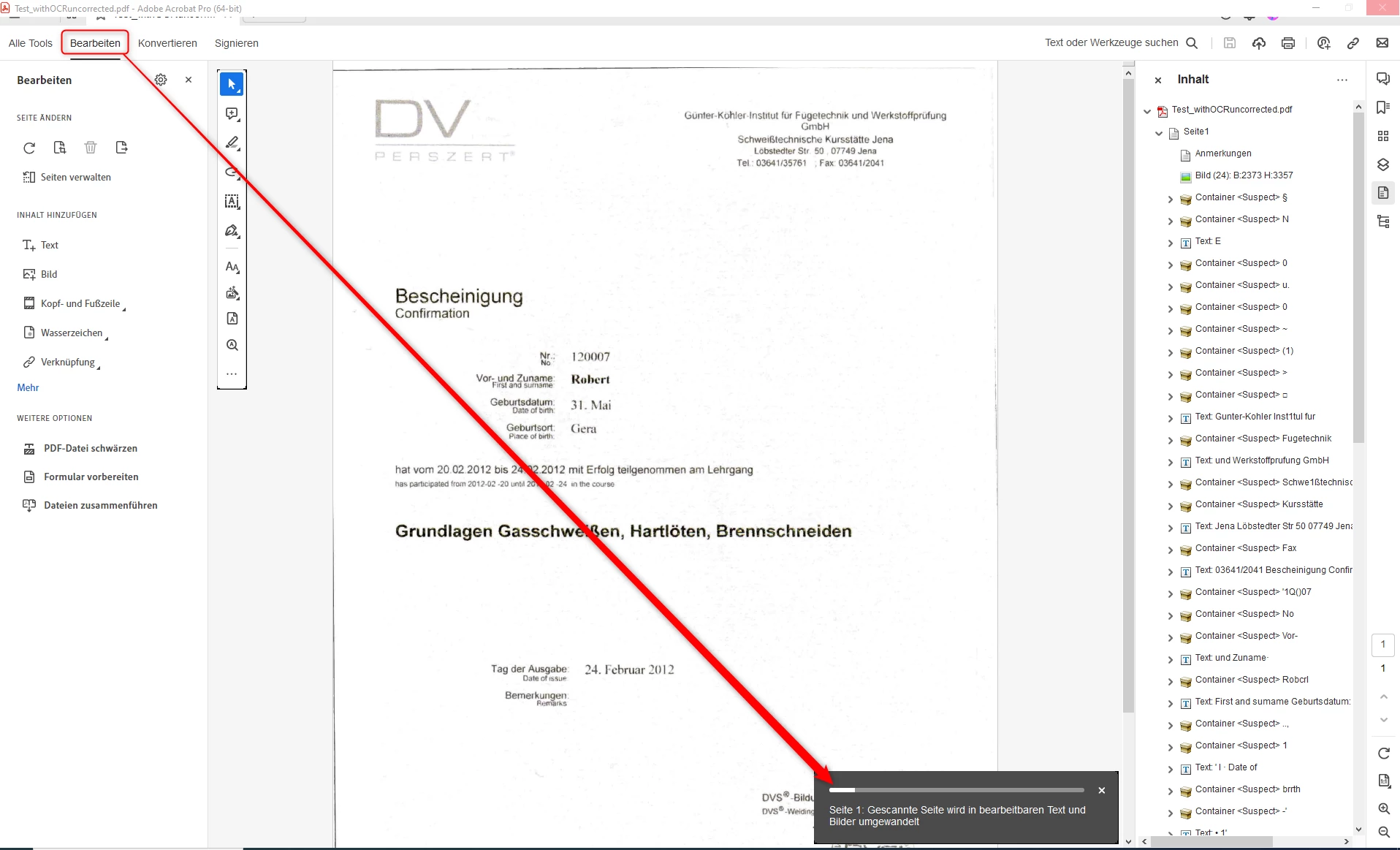
(2) Call the "Edit PDF" feature with enabled Auto-Scan:
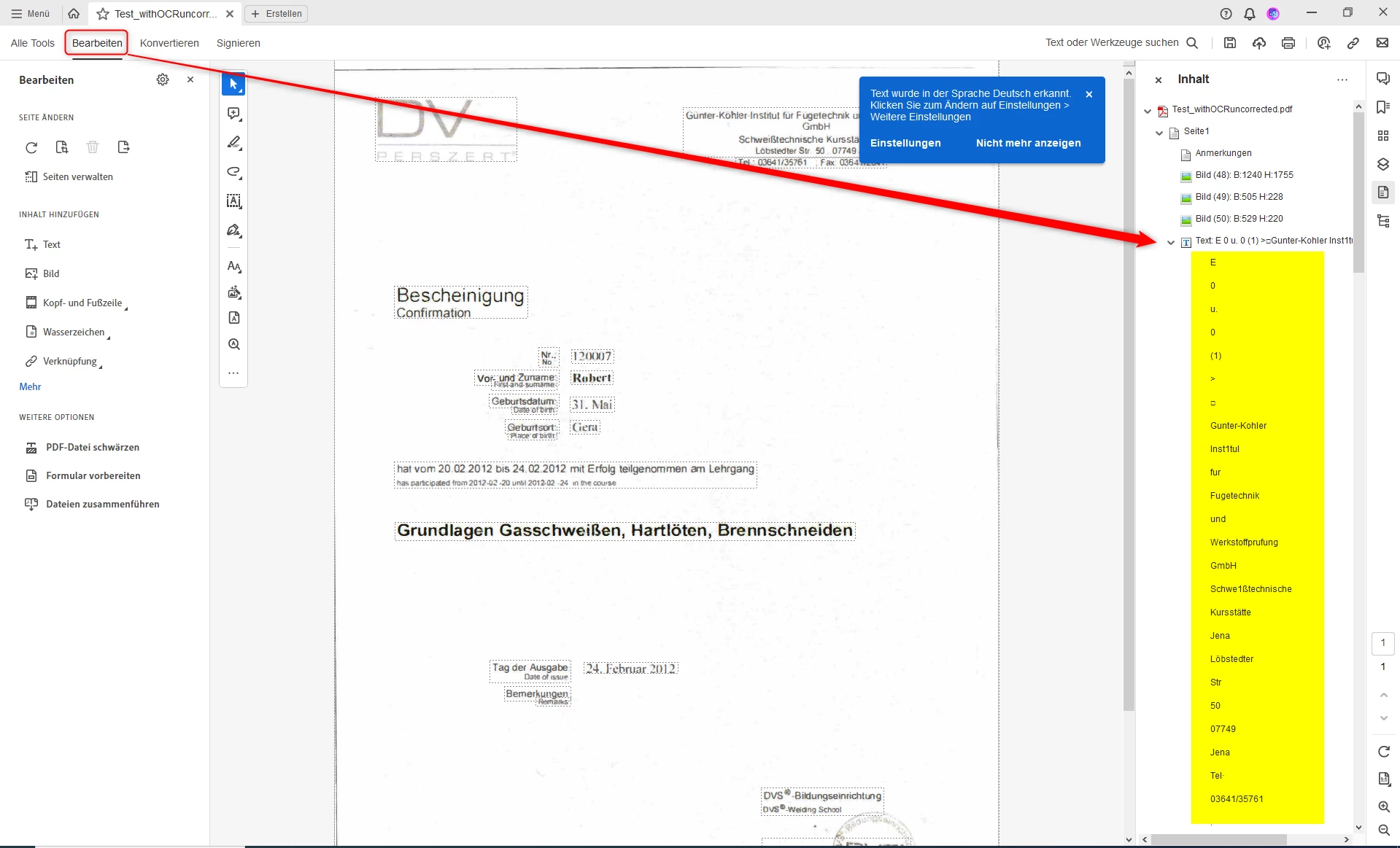
(3) Results: Compare the Container structure (yellow markings):
Left: After "Scan & OCR" and before "Edit PDF"
Right: After "Edit PDF" with Auto-Scan
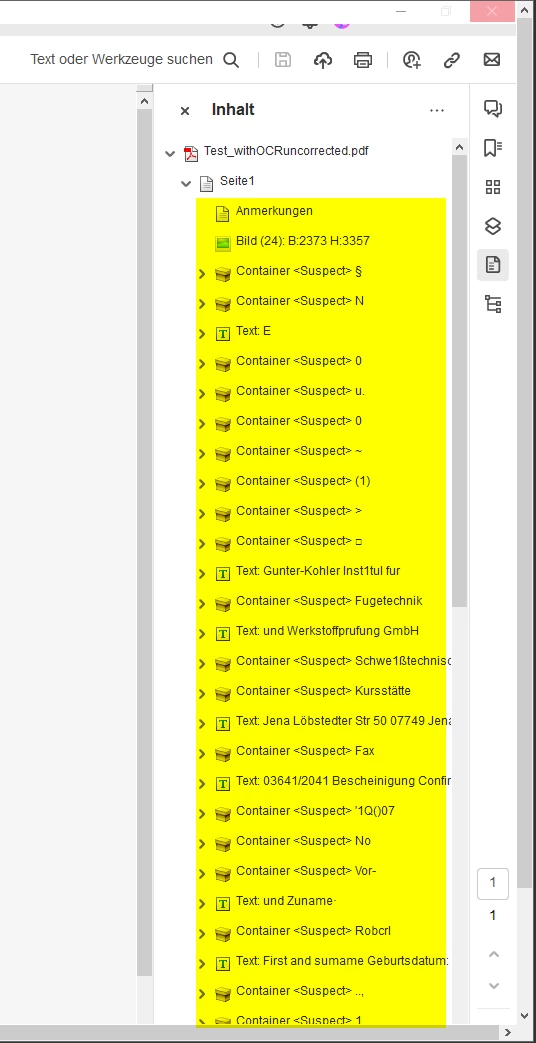
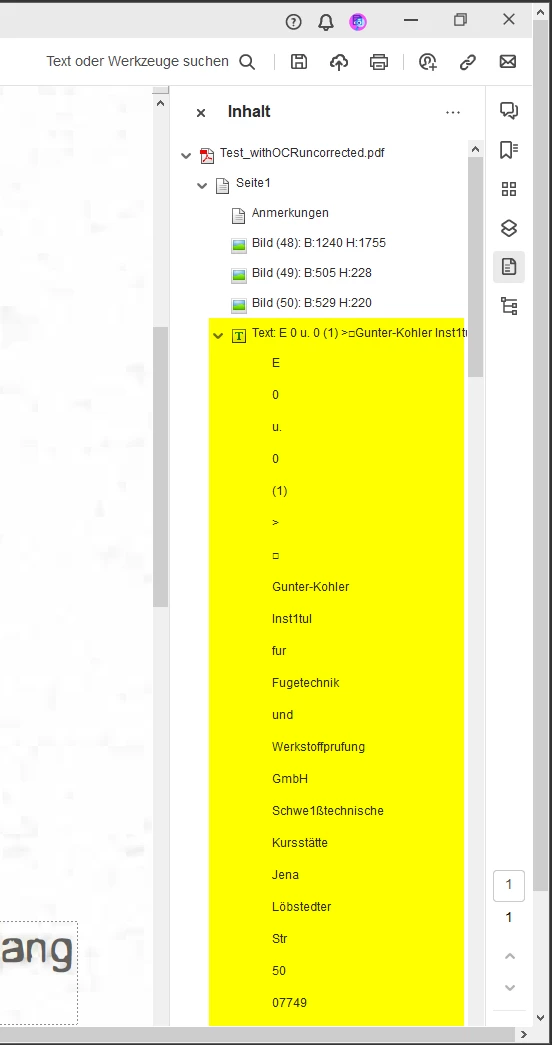
Expected behavior:
No changes at the created / inserted containers from the "Scan & OCR" feature.
Feature Request/s:
No changes or deletions at existing Containers after Auto-Scan of the "Edit PDF"-Feature and vice versa (no changes at existing Containers after Re-Scan of the "Scan & OCR"-Feature. Also, a good option would be to permanently disable/enable auto-scans globally or centrally (via global app setting as well as via group policy (for Admin)).
------------------------------------------------------------
Problem/Question/Comment 02:
No possibility to apply OCR scan only on selected areas of a page and edit only Hidden Text Containers after the Scan.
Issue Description:
OCR scanning only full page/s ensures that OCR can be applied subsequently to unrecognized or broken recognized text during the OCR scan.
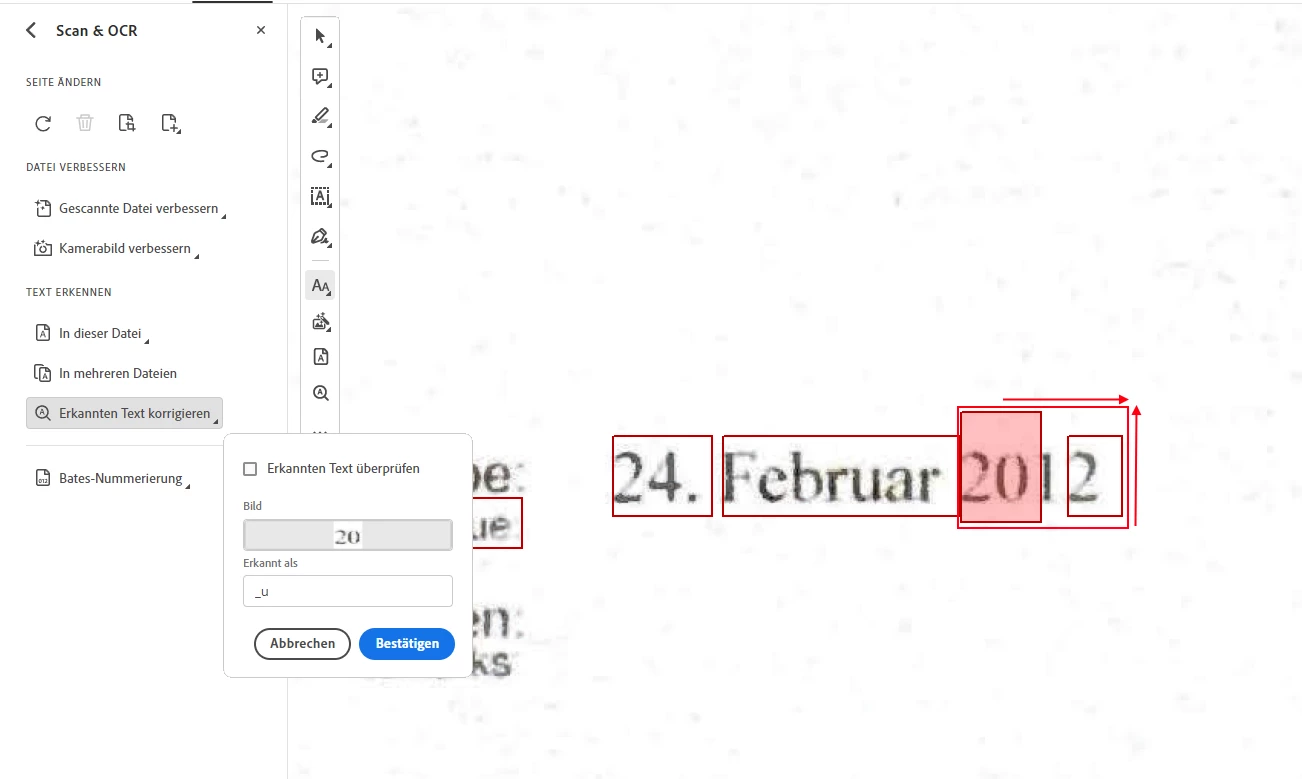
Unfortunately, the scan correction wizard of the "Scan & OCR" feature does not solve this problem. There is also no possibility to change the position and width as well as height of existing hidden text containers before making corrections via the wizzard. You can only delete hidden text containers.
Steps to reproduce:
(1) OCR Scan with the "Scan & OCR"-Feature (method: "Searchable image (exact)").
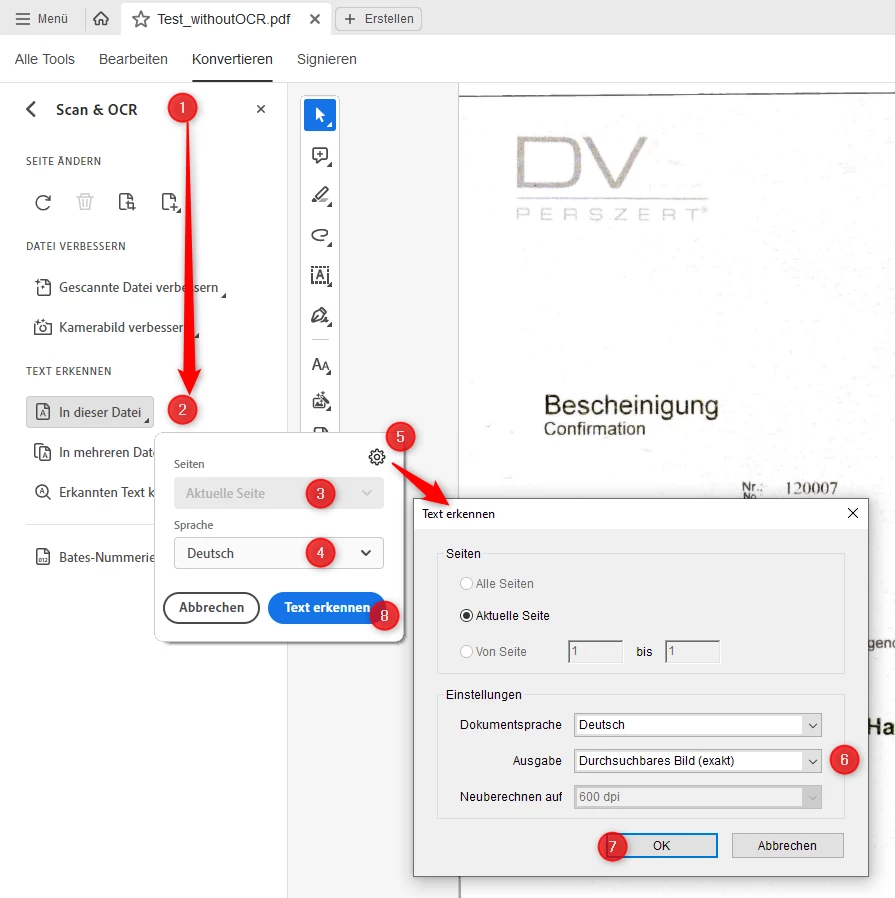
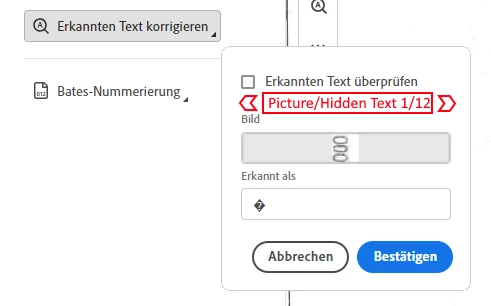
(2) Correcting recognized text with the "Scan & OCR" feature until the correcting wizzard (Feature: "Correcting recognized text") reports that it has no more problem areas:
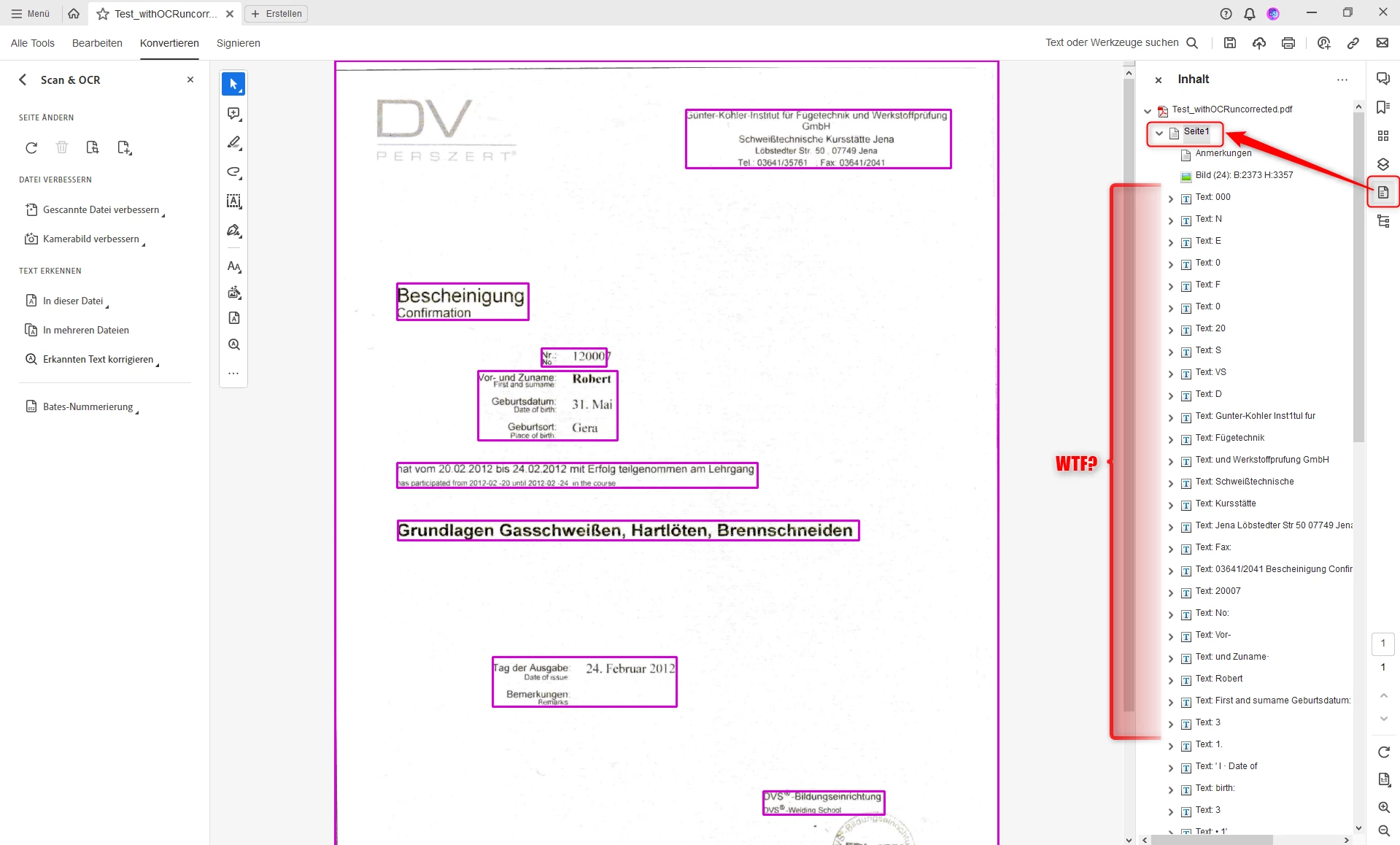
NOTE: On the right side (Document View) you can only correct Hidden Text Containers (recognized text) via the Correcting Wizzard where Acrobat Pro means that something is wrong. Some Containers are broken or not about whole words (see red bordered containers and yellow markings as example).
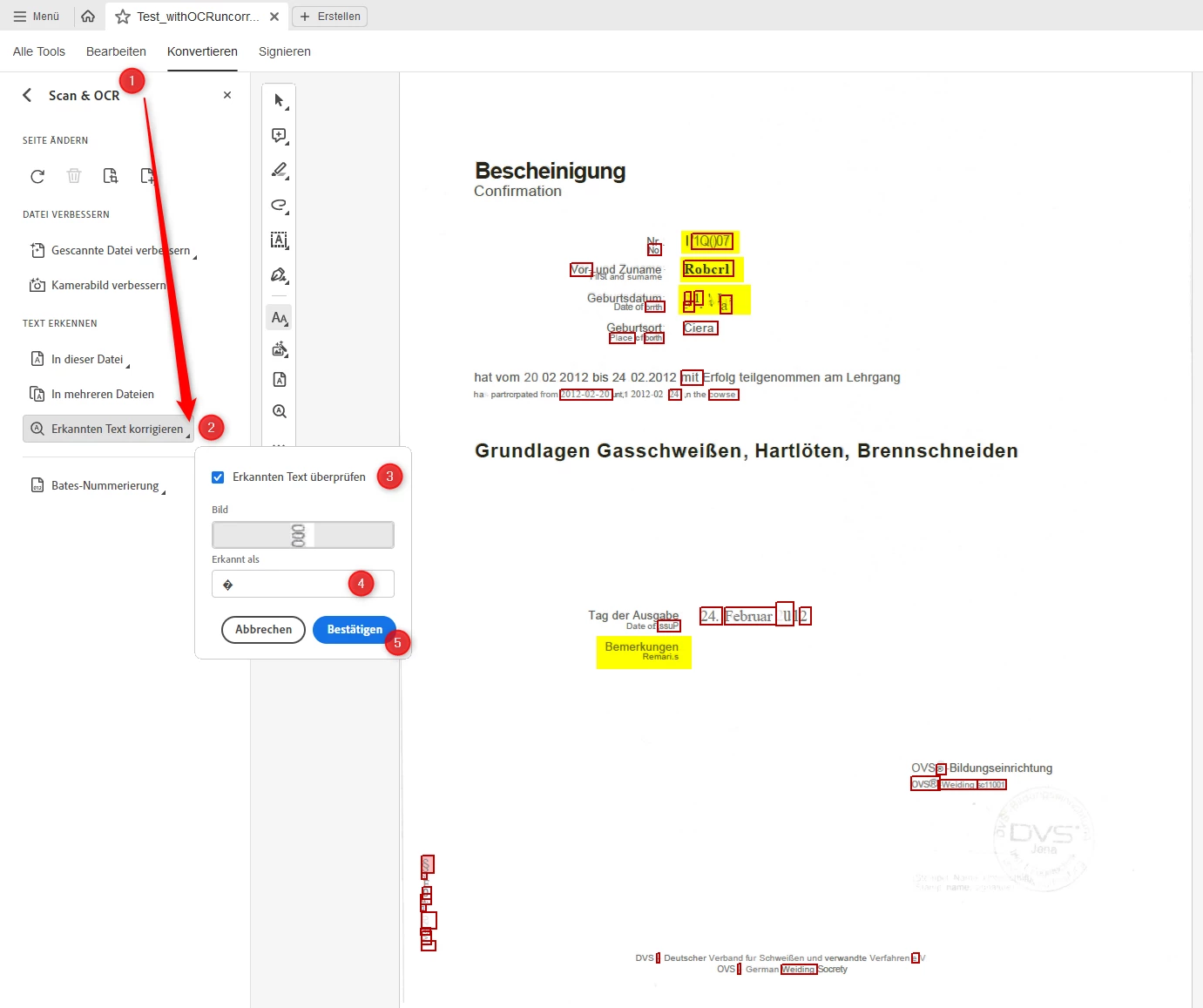
... do it until the correcting wizzard is done:
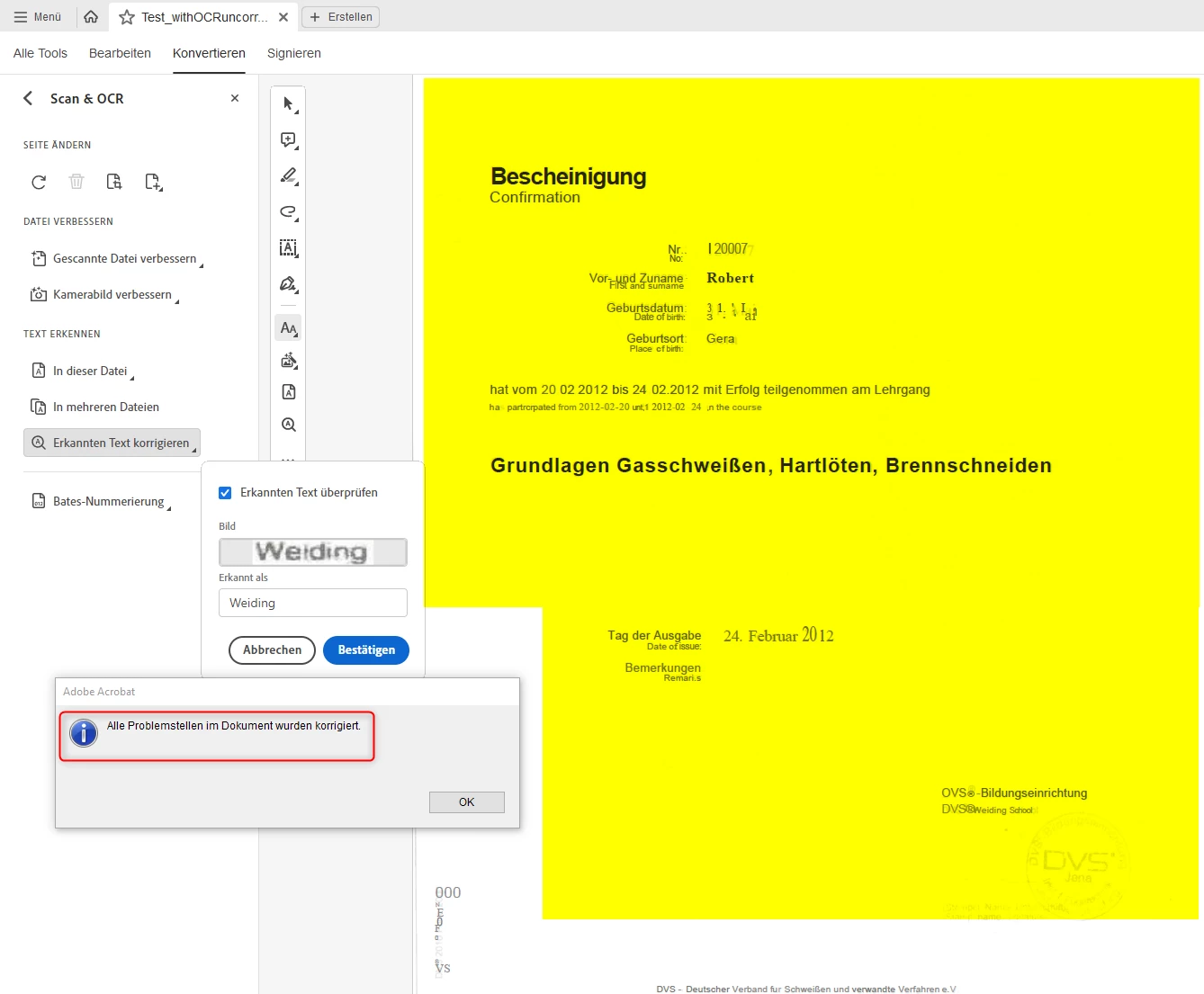
(3) Compare the result:
After the OCR Scan and Correcting-Process you can see, that more text are recognized (markable and copyable)
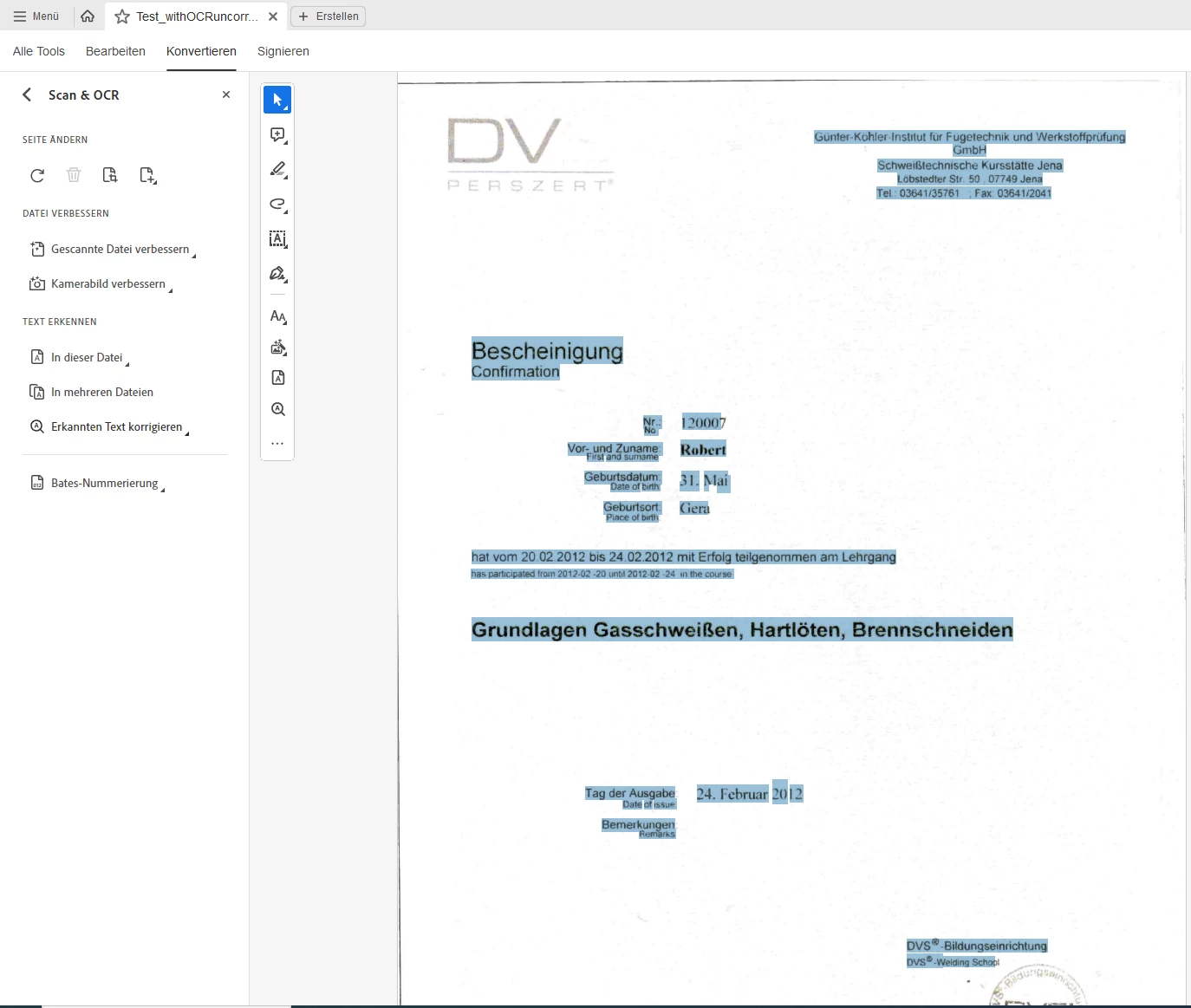
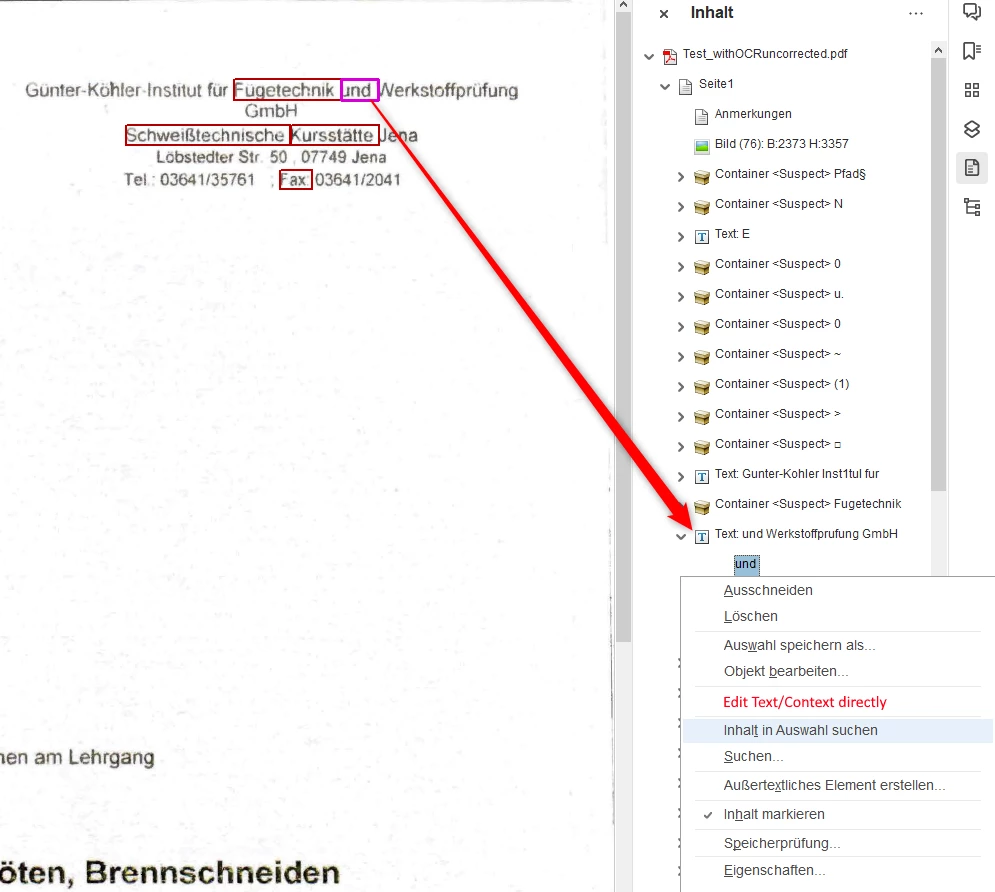
... but a later editing of the hidden text container contents (wrong recognized text) isn't possible. There is only "Edit object" over the context menue at the Content-View-List, but here it's not known with which programs such a text container can be changed (NOTE: I don't want to change the corresponding visible part in the document afterwards, I want to change ONLY the hidden text behind/before it.
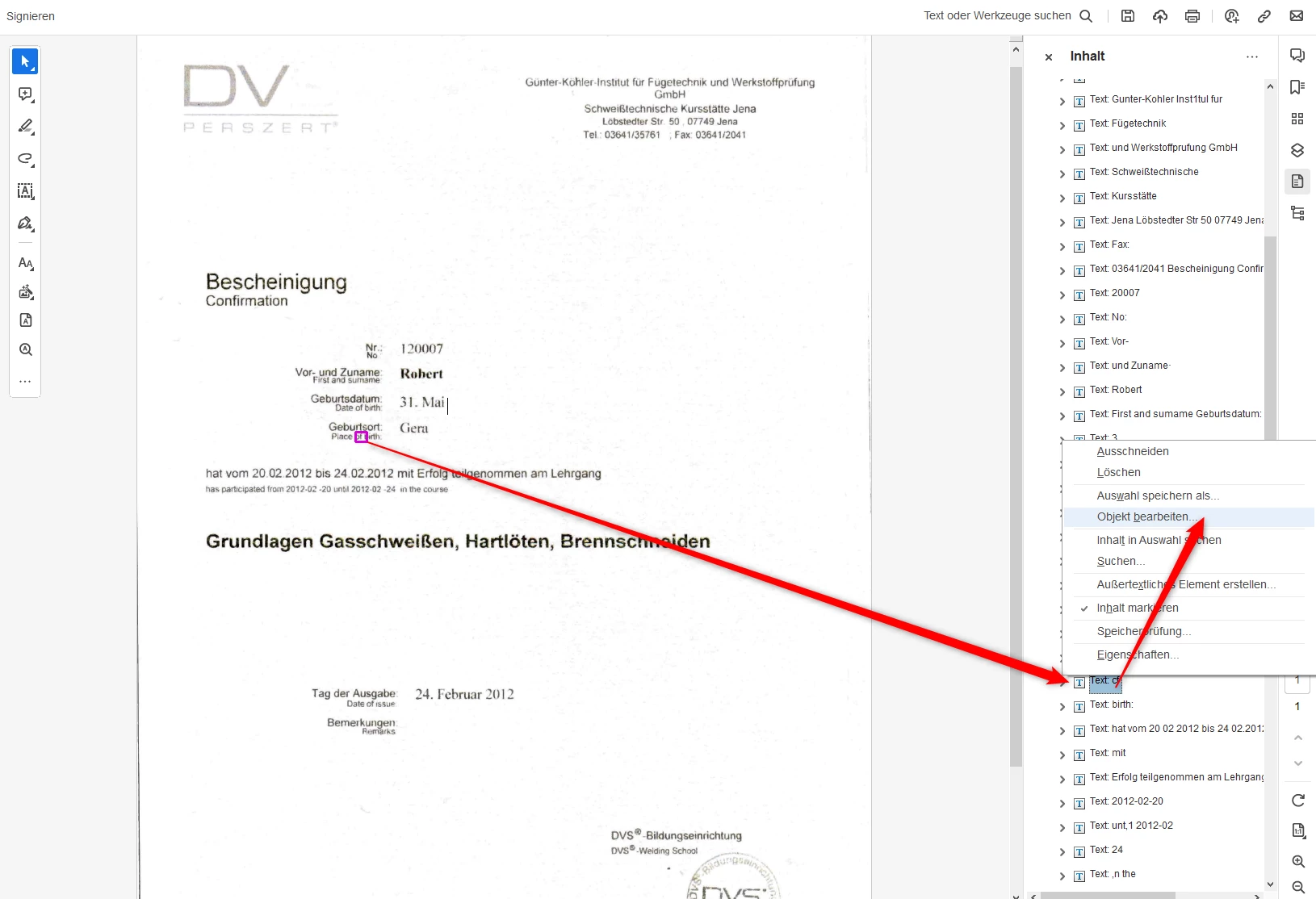
Expected behavior:
Create / inserte hidden text containers from the "Scan & OCR" feature and the correcting wizzard allows to pass through ALL hidden text containers (not only problem text containers) to adjust them afterwards. Or also a directly editing of all Hidden Text Containers at the right side (Content Container list). A direct editing isn't possible. For that you need to call the "Edit PDF" feature, but with the "Edit PDF" feature you have again the above described "problem 01". Acrobat Pro tries here to generate similar fonts when you change or add new characters (letters/numbers) on recognized texts (but this behavior I don't want. The underlying image scan should remain untouched and only the invisible text containers should be edited for).
Feature Request/s:
(a) It would be helpful if the "Correcting recognized text" feature/wizzard had the ability to go through ALL hidden text containers at any time (retrospectively) for editing / correcting the recocnized texts.
(b) It would be helpful to be able to edit existing hidden text containers directly without visibly changing anything in the background image.
(c) It would also be helpful if you could not only delete hidden text containers. It would also be helpful if you could change their position and width/height. It would also be helpful if you could encapsulate several hidden text containers into one entire hidden text container (related texts building blocks).
(d) It would also be helpful if you could manually insert new hidden text containers (NOTE: Currently New OCR-Scans delete all past corrections. It would be better if manually applied corrections would be kept or imported even after OCR rescans) for those text / picture areas where the Acrobat Pro OCR scan didn't recognized.
These improvements could avoid:
(1) that texts which don't belong together are separated again,
(2) that related texts belong together directly,
(3) that texts can be better indexed and
(4) there are not so many text breaks/carriage returns/line feeds at search- and copy-processes.
All these above given / called problems and feature requests are essential features for state-of-the-art OCR application. Adobe should at least solve these UI/UX handling problems better in Acrobat Pro and need to implement the given / called essential feature requests.
Otherwise, Acrobat Pro is not well suited / usable for (professional) good OCR for many purposes.
Other OCR vendor solutions are much more advanced in this regard, with better OCR scanning results and better options for OCR adjustments and corrections.
I hope that these comments and suggestions will be seen and taken up by Adobe developers and product owners. Currently Adobe Acrobat Pro is not suitable for me (for reasons mentioned).


 AdChoices