
Issues getting a button action to work
- June 18, 2020
- 1 Antwort
- 1997 Ansichten
I hope there are some experts out there who may be able to help with this issue. Thank you.
I am following a legacy instruction set and the person who set this up is not working here to ask.
I am a new Acrobat DC user.
What i am trying to achieve:
In a multi-page document I want to insert a button at the bottom of each page. From any page of the document when the button at the bottom is clicked (on a PC or pressed on an iPad,) the view should go back to page 3 of the document which contains the Contents page.
What i have done so far:
In Acrobat Pro DC the document is open.
- Tools > Rich Media
- On the toolbar, click Add Button
- Mouse over the document and click to place button placeholder at bottom of second page. (don't want button on first page)
- In the field name box, choose All Properties link (leave name as is)
- General tab > Form field = visible
- Appearance tab > Fill colour = clear
- Options Tab > Layout = Icon only Plus Browse a button image to use
- Actions Tab > Select Trigger = Mouse up; Select action = Go to a page view
- Click Add
- Scroll to page 3 and click the page to select it
- Click Set Link
- NOTE: at this point, it appears as if the process stops. I should be able to go back to the OPTIONS tab and choose an image for the button, but i can do nothing but close the Actions tab window.
- Close, and exit the Rich media tool
What works:
The button links to page 3 - just what i wanted.
The Issue:
At this stage I would expect two things to happen (and they do not):
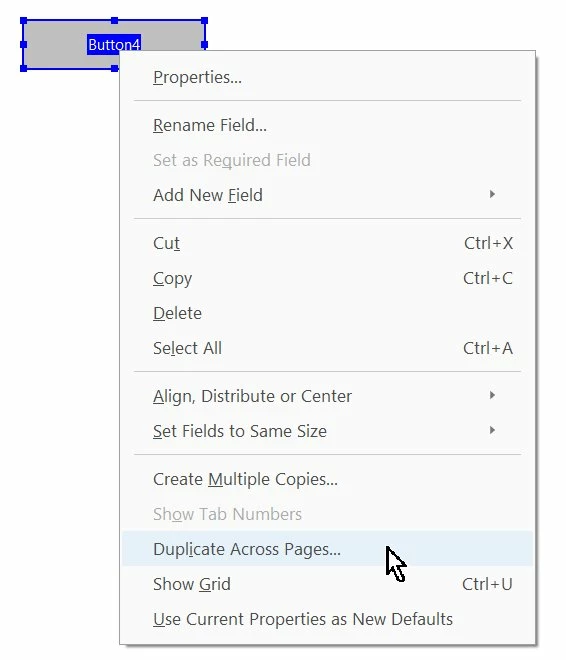
1. The button should have populated across the whole document, in exactly the same place on every page but it has not (or, it is not visible on every page. Clicking in the spot on every page goes nowhere)
2. In the bottom half of the Actions Tab, there should be a list of actions to show me what actions will be carried oout when i do a mouse up. This box is blank.
I have attached the instructions i am following below.
Please, can someone help? 🙂 Thanks
 AdChoices