IrvingS
Participant
August 4, 2022
Answered

Issues when Extracting with Acrobat pro DC.

  • August 4, 2022
  • 1 reply
  • 861 views

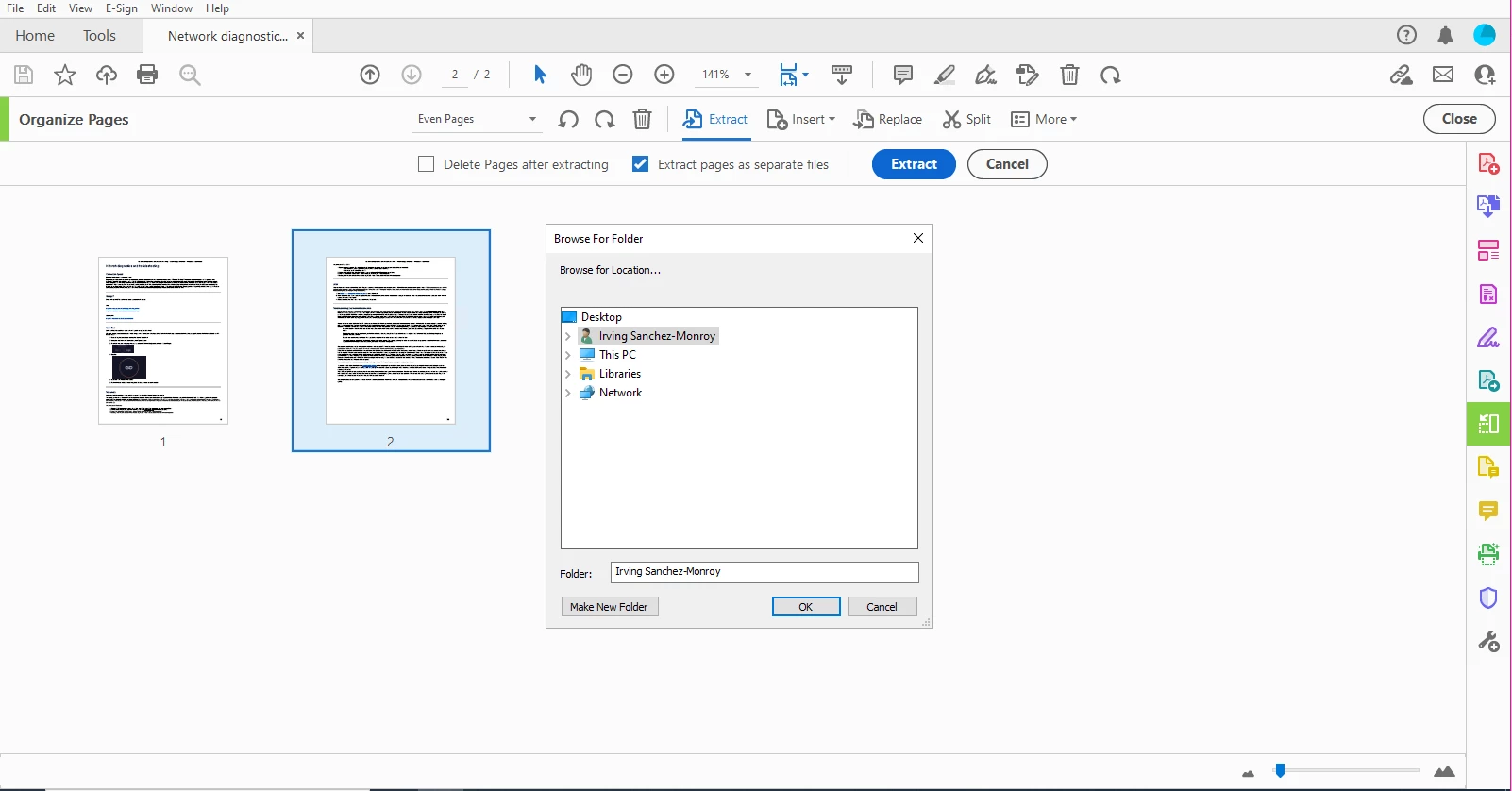
This is the screen that comes up

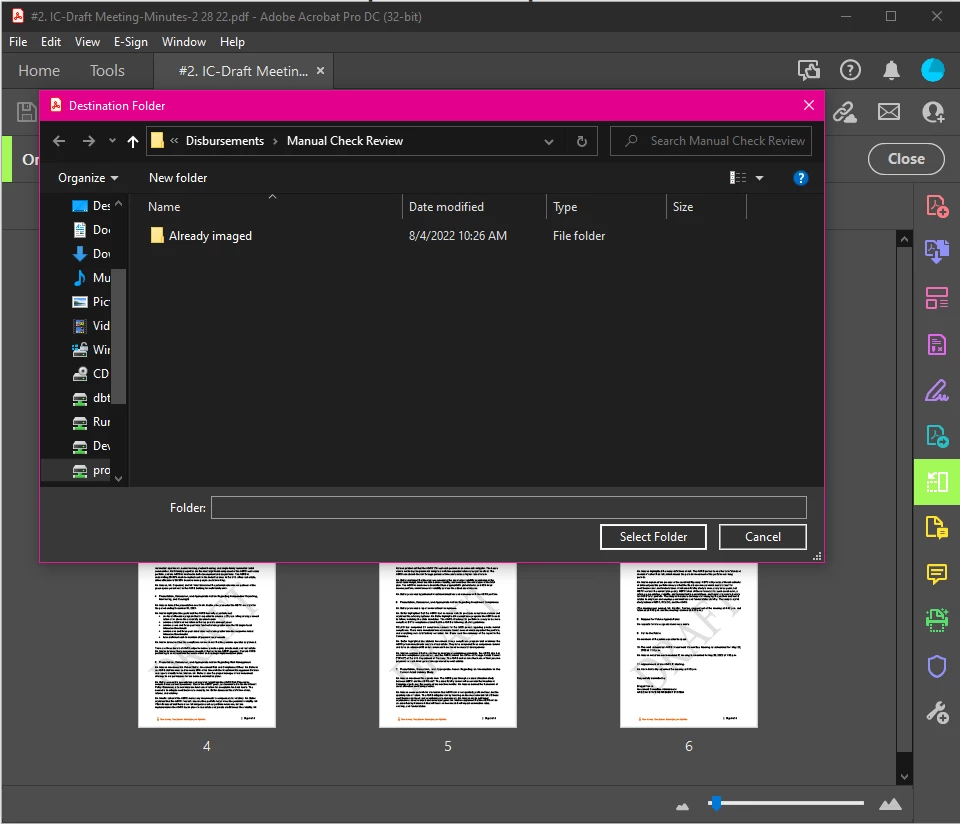
This is how it should be asked to export the file
I have tried removing the application, repairing it, and changing the configurations to not display the online memory when saving documents. 

the only way to have this resolved is to provide the user with a new computer, and even then the issue is fine at first then reverts back to having the same issue.


Any assistance would be greatly appreciated. 

Thank you.

Irving.

This topic has been closed for replies.
Correct answer AkanchhaS8194121

Hello Akamchha, I was wondering when I could be expecting a callback or a response from you guys? 


Hey!

I apologize for the delay in follow-up. I was in discussion with our engineering team.

They did test the same at their end and were able to reproduce the issue.

While they are working on a fix, we would like you to try this workaround and see if that works.

Navigate to Acrobat>Edit>Preferences>Security (Enhanced)>disable "Protected View" and "Enhanced Security">OK>close and reopen Acrobat


We have noticed that we are getting the undesired window with protected mode ON. 


Thanks,

Akanchha

1 reply

AkanchhaS8194121
Legend
August 5, 2022

Hi Irving,


We appreciate that you took the screenshot to make this situation more understandable for us. 

If we understand correctly, these are the images of two different computers of the same organization where employees have different experiences when saving the extracted files. Is that correct?


Please share the following details to identify the root cause of this issue.

1- OS for both machines

2- Acrobat's version is installed on both computers. Open Acrobat>help>About Adobe Acrobat

3- What is the original file location you are working with? Is it saved locally or on some cloud storage?


Thanks,

Akanchha 

IrvingS
IrvingSAuthor
Participant
August 5, 2022

Yes, that is correct the images are for two different computers. and they both are using a document from the same directory (local) 

Edition - Windows 10 Enterprise

Version - 20H2

OS Build - 19042.1826

Experience - Windows Feature Experience Pack 120.2212.4180.0


Computer 2 (working properly)

Edition - Windows 10 Enterprise

Version - 20H2

OS Build - 19042.1826

Experience - Windows Feature Experience Pack 120.2212.4180.0


AkanchhaS8194121
Legend
August 5, 2022

Thank you for your prompt response.

Allow us some time to discuss this behavior with our engineering team.


~Akanchha