


Participant
August 4, 2026
Question

Issues when opening file that contains many digital signatures

  • August 4, 2026
  • 3 replies
  • 16 views

My company have policy to digitally sign pdf files on every pages. So, pdf file can have many digital signatures. Today I have issues that when number of digital signatures become so large, Acrobat Reader will be unstable. Sometimes it crash or cannot to open pdf files.

I investigated the issue by digitally signing file for around 250-300 signatures and found that application crash the with error “Cos document table full” (see screenshot below)
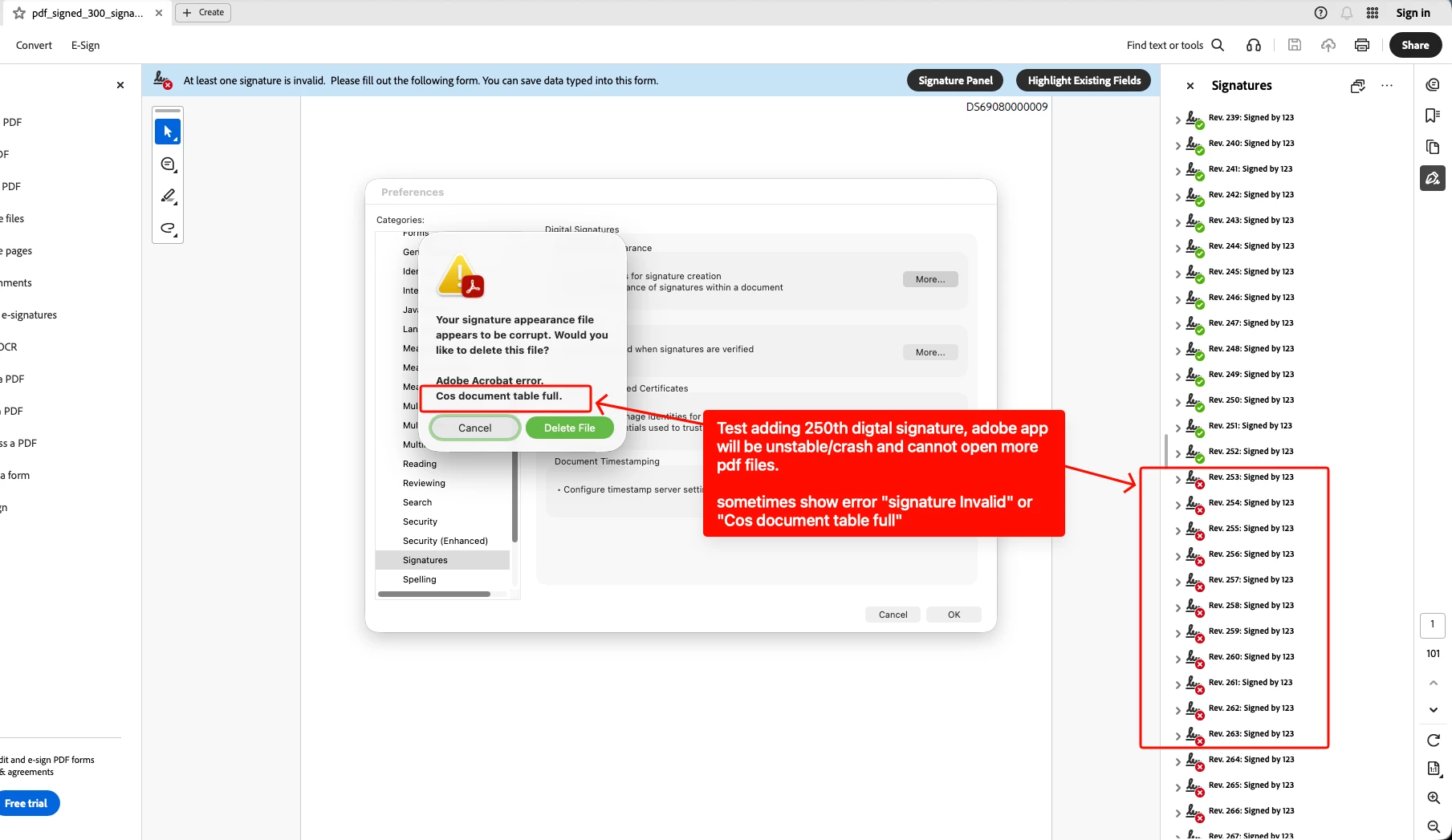
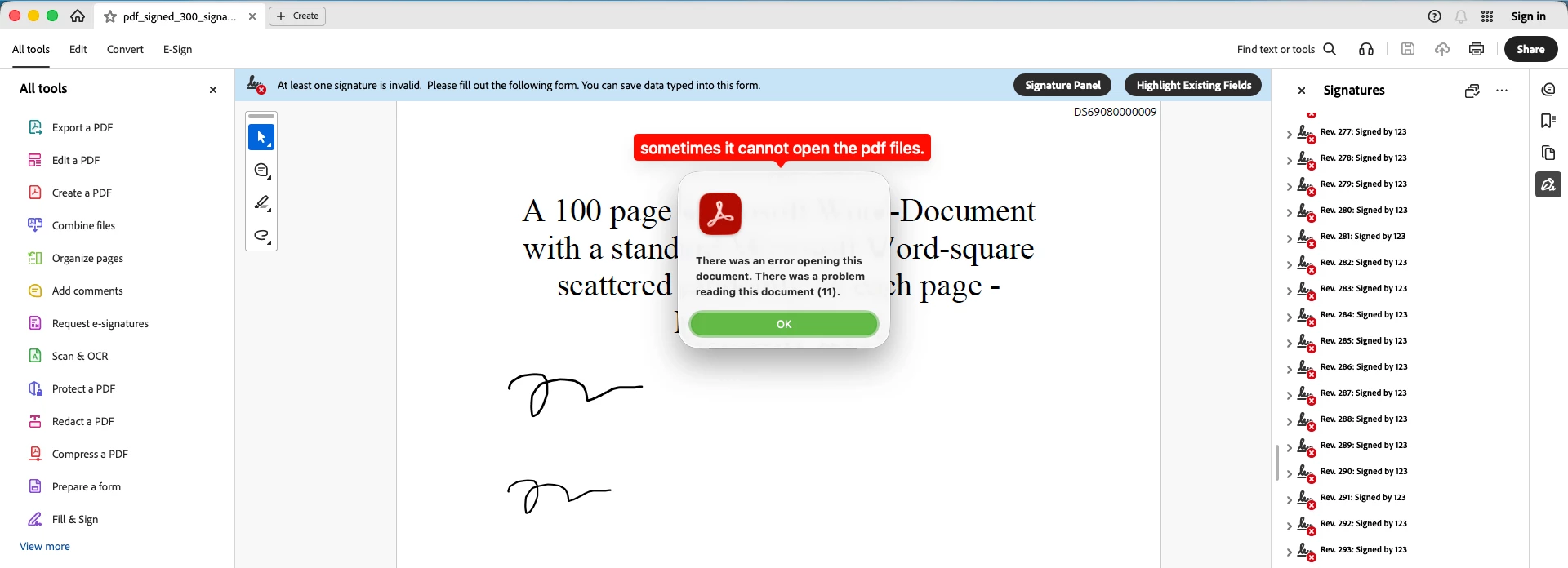


Does it mean that Acrobat Reader have limit on the number of digital signatures ?  In my testing, I found that it can handle up to around 200 signatures. Application will break at around 230 - 250 signatures.

You can download sample pdf in the attachment below

    3 replies

    Participant
    August 4, 2026

    Thank you for your answer. 

    My OS is Mac 26.6.

    Here is my Acrobat Reader version screenshot


    Amal Jaiswal
    Community Manager
    Community Manager
    August 4, 2026

    Hi there 

    Thanks for sharing that. Good to know you're on macOS 26.6 with Acrobat Reader 26.1.21771; that's actually the newest version Adobe released (it came out August 1, 2026). So this isn't a case of needing to update. You're already on the latest build and still hitting the crash, which confirms this is a real limit built into the app, not a bug that a newer version would fix.

    Please try the suggestion provided in the previous response and also share the feedback directly with our development team using the feature request form provided earlier, for their consideration and implementation in the future.

    ~Amal

    Amal Jaiswal
    Community Manager
    Community Manager
    August 4, 2026

    Hi piyapan039285,

    Hope you are doing well, and thanks for reaching out. We are sorry for the trouble you are experiencing.

    Thanks for the details and the sample file. That's a big help. One thing first: which Acrobat product and version are you using (check Help > About Acrobat), and what OS are you on? Reader and Acrobat Pro handle this a bit differently, so it helps to know your exact setup.

    Here's what's happening. Acrobat has an internal limit on how many objects (like signatures, stamps, or annotations) it can track in one document. This is a known product limitation, not something wrong with your file. Other users have hit the same wall, usually somewhere between 200 and 256 signatures in a single document, across many versions of Acrobat over the years. So this matches a real, known limit, not a new bug in your specific case.

    A few things that can help:

    • A digital signature is meant to cover the whole document, not each page. Signing once per document (or once per section) provides the same legal protection without creating hundreds of separate signature objects. If your company's policy allows it, this would completely avoid the problem rather than work around it.

    • If every page really does need its own signature, try splitting the file into smaller batches (about 100 to 150 pages each) before signing. Keep them as a linked set or combine them into a PDF Portfolio afterward. Staying under that object count keeps Acrobat stable.

    Since this comes from a built-in limit rather than a setting you can change, it's worth reporting straight to our development team. You can submit your case and the sample file here: Feature Request and Bug Report Submission Form (https://adobe.ly/4fRpITc)


    ~Amal