
Participant
May 25, 2021
Answered

Java script for Adobe Acrobat Conditional Formatting

  • May 25, 2021
  • 2 replies
  • 1634 views

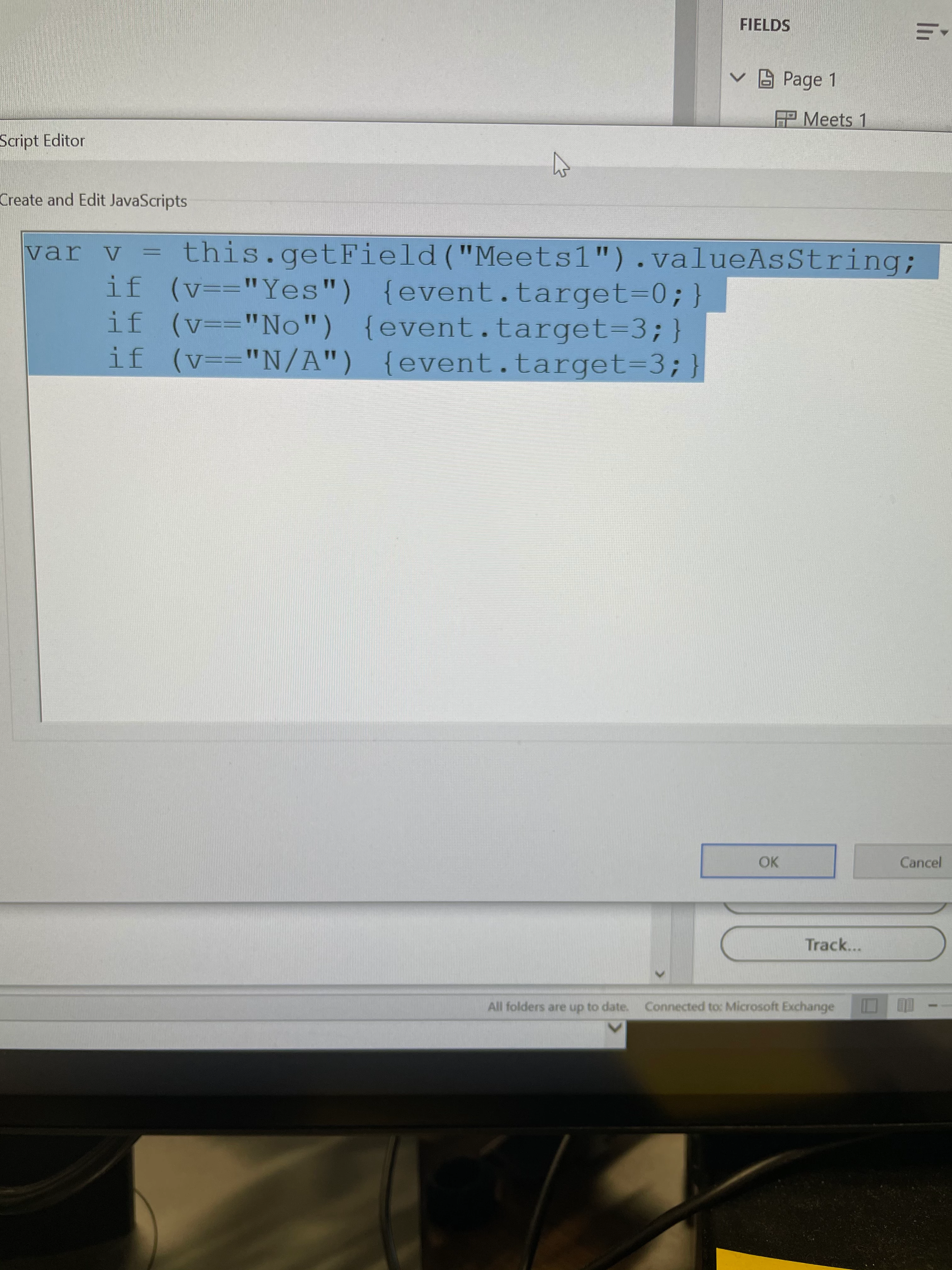
I'm trying to create a form where if the drop down option is a certain thing the the value of another cell is a number. For example if the drop down is Yes the points in another cell is 0 or if the drop down is no the value in another cell is 3 please see pictures. I'm having a hard time figuring out the script. Mostly because I don't do it.

    This topic has been closed for replies.
    Correct answer Nesa Nurani

    Replace 'target' with 'value'.


    2 replies

    Thom Parker
    Community Expert
    Community Expert
    May 25, 2021

    Rather than posting pictures of your screen, it would be much more helpful to post either a screenshot, or perferably, the actual code. 


    Here is an article on using a dropdown to change another field:

    https://acrobatusers.com/tutorials/change_another_field/


    You can read more about list fields here:

    https://www.pdfscripting.com/public/List-Field-Usage-and-Handling.cfm


    Thom Parker - Software Developer at PDFScriptingUse the Acrobat JavaScript Reference early and often
    Participant
    May 25, 2021

    Thom... as requested 

    Participant
    May 25, 2021

    The script I have is:

    var v = this.getField("Meets 1").valueAsString;

         if (v=="Yes") {event.target=0;}
         if (v=="No") {event.target=3;}
         if (v=="N/A") {event.target=3;}

    Nancy OShea
    Community Expert
    Community Expert
    May 25, 2021

    [Moderator moved from Using the Community (forums) to Acrobat.]


    Nancy O'Shea— Product User & Community Expert