
Known Participant
March 3, 2023
Answered

JavaScript on Acrobat

  • March 3, 2023
  • 2 replies
  • 7023 views

hi everyone,

I need help on Acrobat, I made a script, it works, but when I save it doesn't work anymore.


my code : 

var checkBox1 = this.getField('companyLogoonsignage');


checkBox1.setAction('MouseUp', 'validate(checkBox1, "total2")');


function validate(field, formTextField) {

    if (field.isBoxChecked(0)) {

        this.getField(formTextField).value = '80';

    }

    else {

        this.getField(formTextField).value = '0';

    }

}

pose here
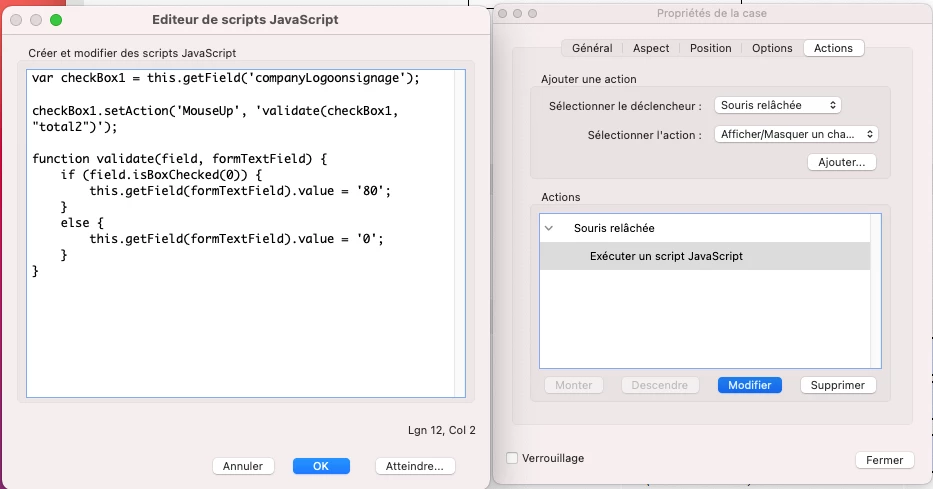
after backup
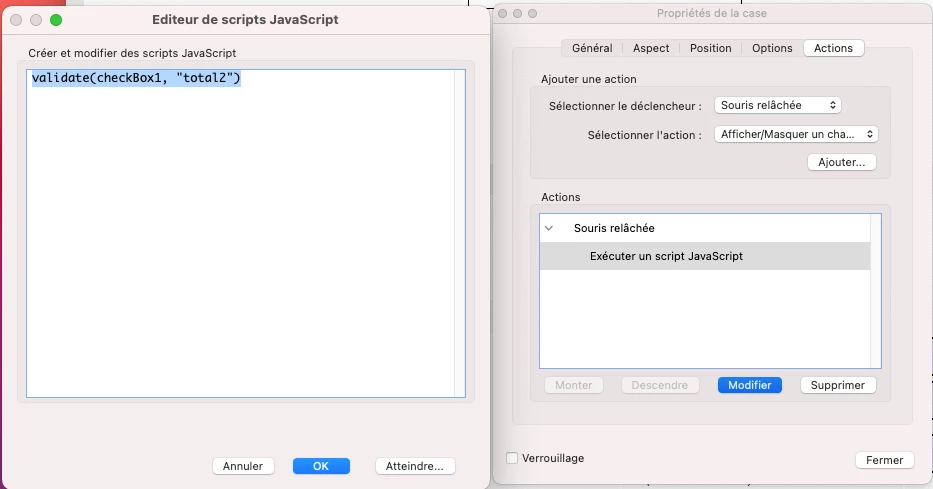
error
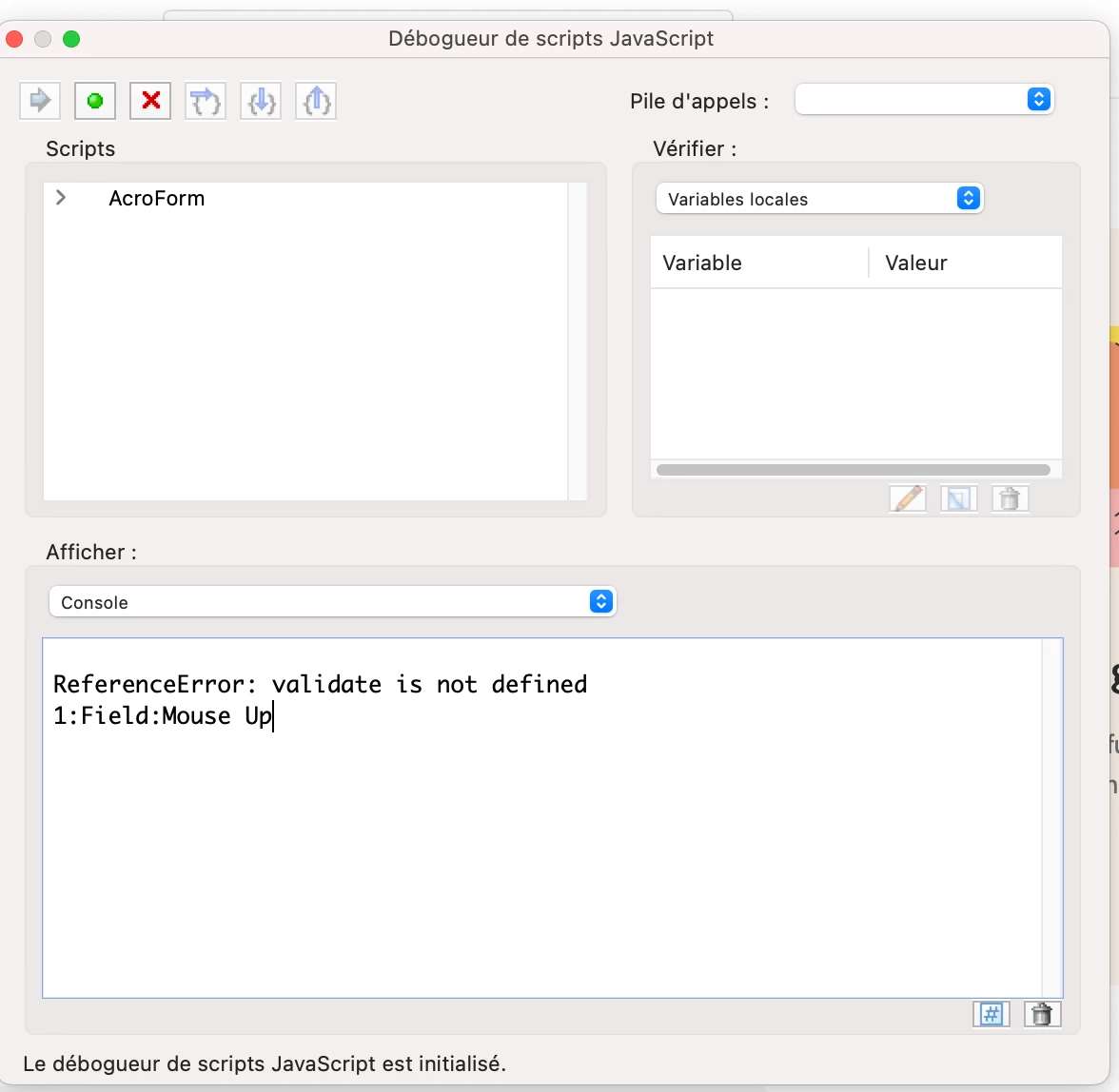
I have some sort of code compression and it doesn't work anymore so how do I keep my code as it is, if you have any improvements for the code, I take it.


sorry for my poor English
This topic has been closed for replies.
Correct answer try67

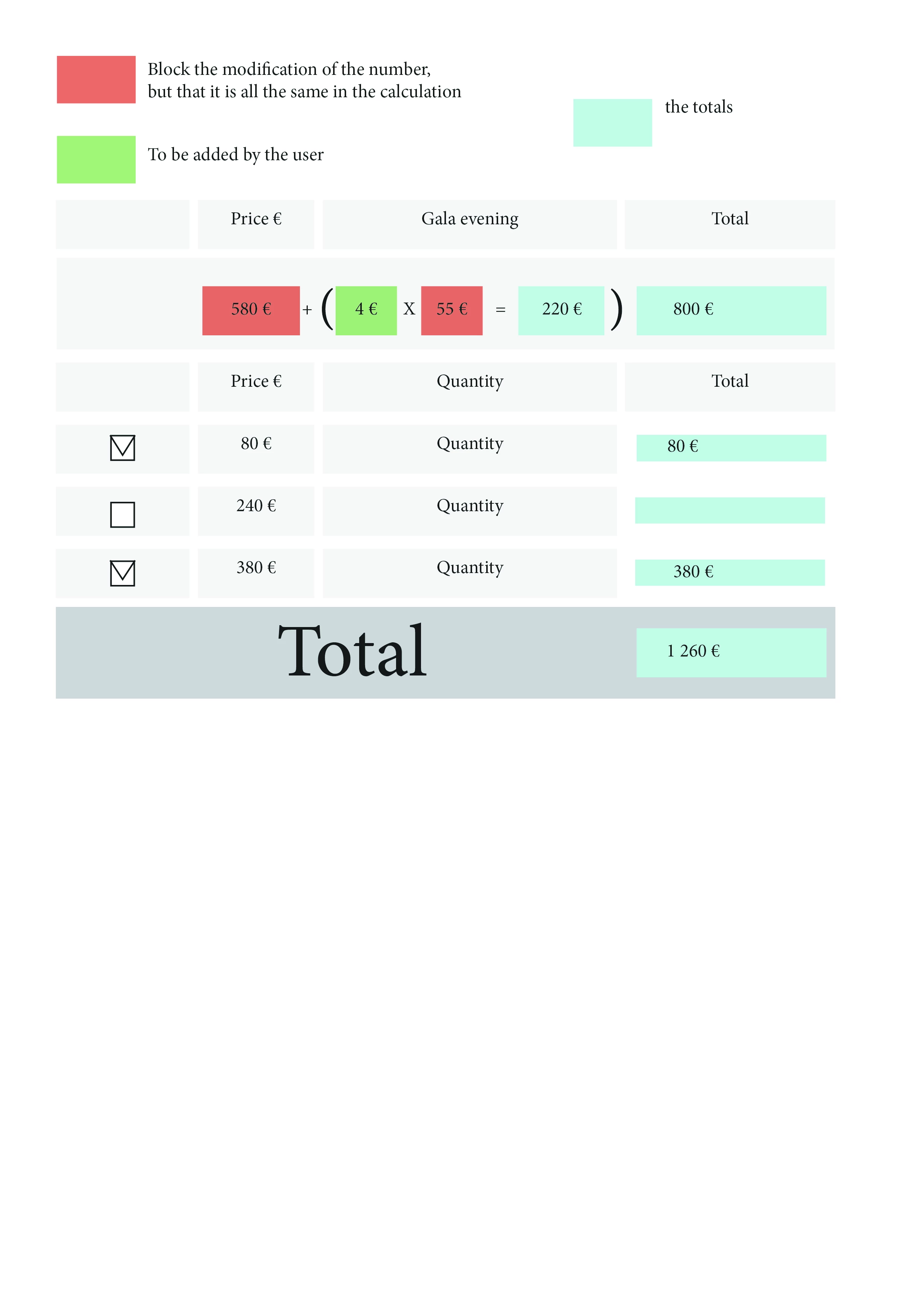
So do the final totals no problem: properties > calculation > the value corresponds to/to the sum(+) > checked all the boxes I need


I know how to do addition and multiplication, but I don’t know how to block the possibility for a user to change a number field. Do you have any solutions for me?


Set the field as read-only to block the user from changing its value.

2 replies

Bernd Alheit
Community Expert
Community Expert
March 3, 2023

Where does you use the script?

Why doesn't you define the function at document level?

try67
Community Expert
Community Expert
March 3, 2023

You should not include the setAction command in your script. This only needs to execute once (if at all), and it won't work in Reader. Also, the "validate" function should be defined either under the field where it's being called, or (better yet) as a doc-level script.

Known Participant
March 3, 2023
Can you show me how to do it, because I don't understand where I have to go.
try67
Community Expert
Community Expert
March 3, 2023

You'll need to explain first what you're trying to achieve, exactly. What does the check-box has to do with the validation of the "total2" field? If you want the value of the text field to be dependent on that of the check-box use a Calculation script, instead. Then it will execute each time any field in the file (including the check-box) is edited.

