
shobhak72533629
Participant
November 27, 2017
Answered

Just Open PDF and close, gives "Do you want to save changes to... before closing ? " message

  • November 27, 2017
  • 1 reply
  • 2263 views

Hi,

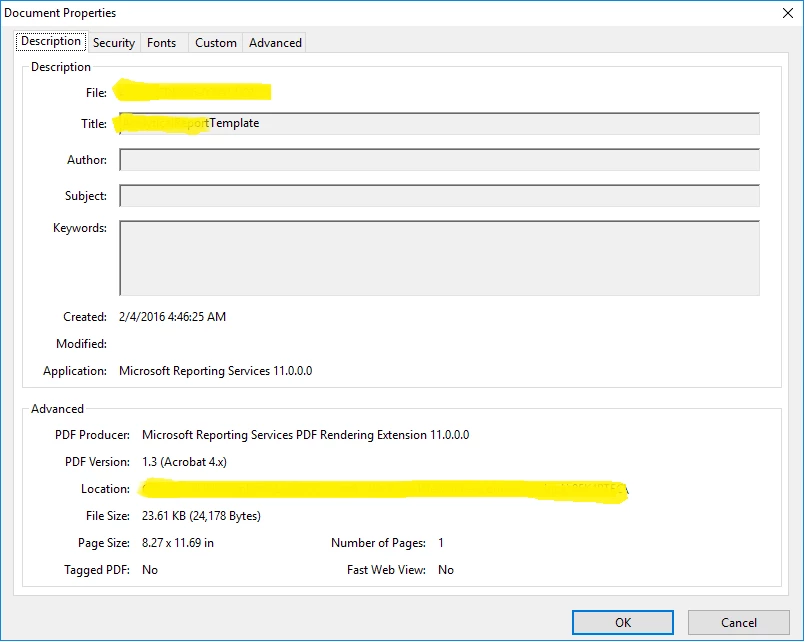
We are creating pdf using SSRS. When we open the pdf to view the details and  without doing any changes to it, if we close we are getting "Do you want to save changes to... before closing ? " Message for few files. Below are the properties of the file. Please let us know the  reason. Thanks in advance.
This topic has been closed for replies.
Correct answer Dov Isaacs

The message occurs because when the PDF file was opened by Acrobat, problems were found in the file's format that were rectified by Acrobat before displaying it. This option to save the file allows the PDF file to be saved with the applied fixes.

          - Dov

1 reply

Dov Isaacs
Dov IsaacsCorrect answer
Legend
November 27, 2017

The message occurs because when the PDF file was opened by Acrobat, problems were found in the file's format that were rectified by Acrobat before displaying it. This option to save the file allows the PDF file to be saved with the applied fixes.

          - Dov

- Dov Isaacs, former Adobe Principal Scientist (April 30, 1990 - May 30, 2021)
shobhak72533629
Participant
November 28, 2017

Thanks for the replay Dov. But, If we generate the same file again the message doesn't come. Only some times we are getting this message and users are not happy with this. How can we avoid this message pop up? I tried changing the settings using EDIT->preferences(as mentioned in other Blogs). But no use.

Could you please suggest the solution to get rid of this message permanently?

Thanks,

-Shobha

Dov Isaacs
Legend
November 28, 2017

For better or worse, there is no option for removing this message under preferences or anywhere else. It does indeed indicate a repair has been made and that in fact what you are viewing is the modified file.

The fact that regenerating what you believe to be the same file doesn't mean that the exact same PDF is being generated. We are not currently aware of any situations in which the message is bogus.

Sorry that there isn't a solution for bypassing this message.

          - Dov

- Dov Isaacs, former Adobe Principal Scientist (April 30, 1990 - May 30, 2021)