
Participant
February 18, 2021
Answered

Landscape PDF form fields display entered text 90 deg vertical on other devices
  • February 18, 2021
  • 1 reply
  • 2446 views

Hi,

I create the pdf with adobe acrobat XI Pro in landscape with multiple form fields, save it as (reader extended - more form fields) for email distribution.

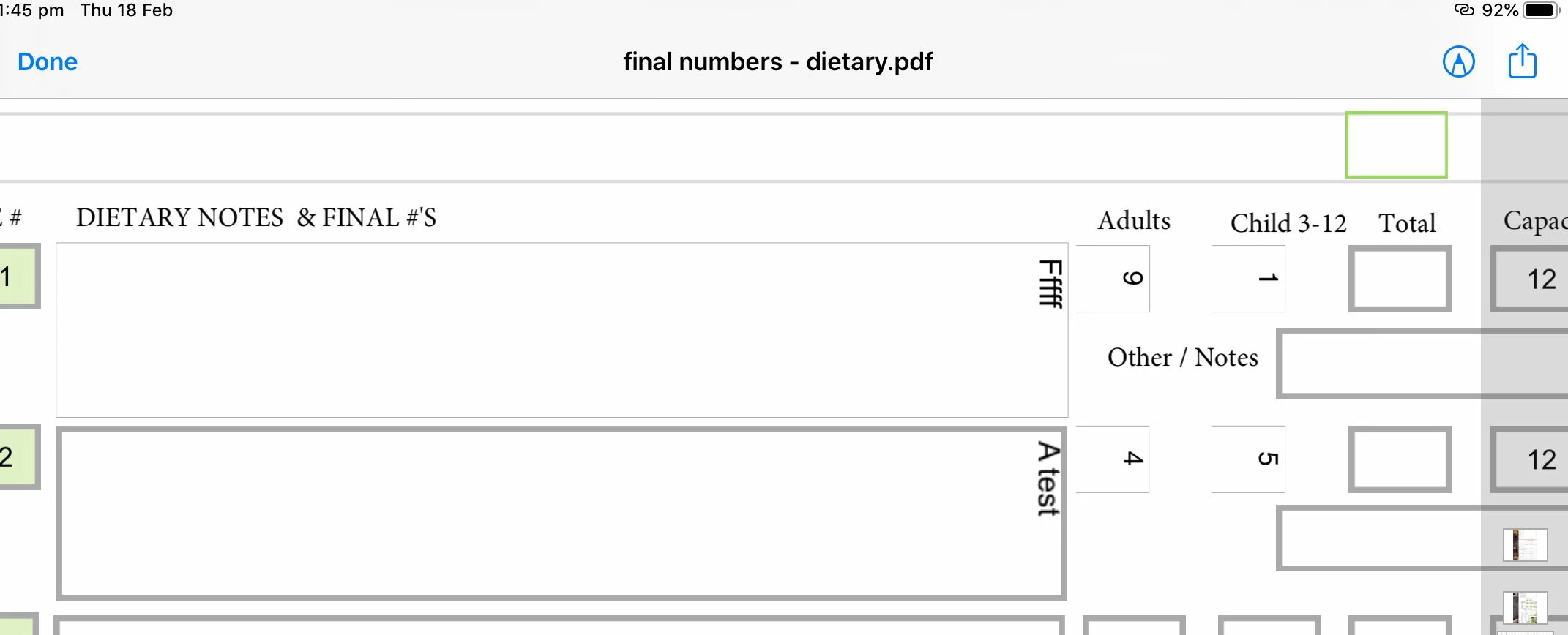
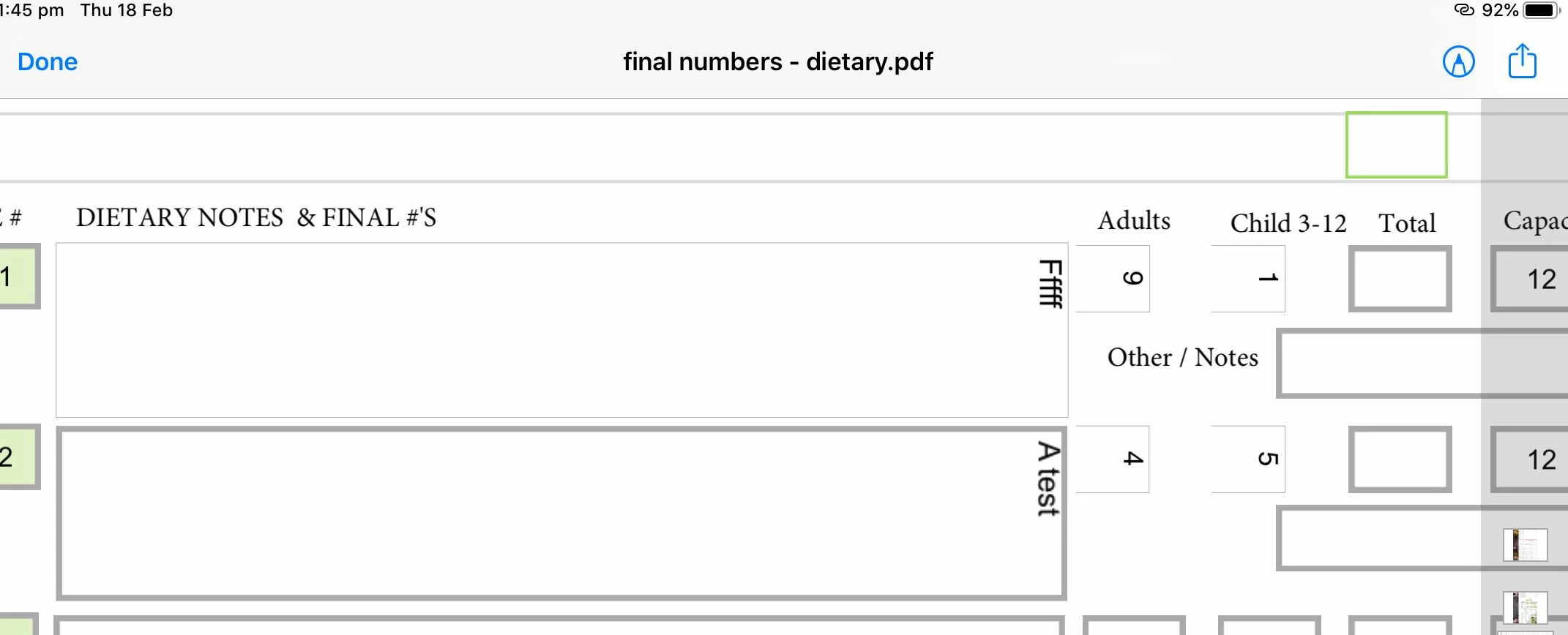
It produces the pdf, displays perfectly, but on mobile devices any text 'entered' into the form field is vertical, i.e. 90 deg to the form field.

The odd thing is, any text in the form field before saving is saved correctly (see image. the '12'). But as soon as you touch the form field that text is instantly rotated itself, touch somewhere else it returns.


Is this some transposition error in saving because the form is landscape? I can't change the text property prior in the form fields anticipating the error or on pc they would be wrong. I can't find any solution or this wouldn't be my first post.

Any help would be appreciated.
This topic has been closed for replies.
Correct answer defaultd5jz90ow88lg

answer

Hi,

It's okay, I found the answer, well related to post

https://community.adobe.com/t5/acrobat/editable-fields-text-types-vertically/m-p/11769364


R Boulay • Adobe Community Professional , Jan 21, 2021
Never, never, never fill a PDF form using Apple Preview, aka "the PDF killer": -
http://kb2.adobe.com/community/publishing/885/cpsid_88564.html
-
http://khkonsulting.com/2013/06/preview-app-killer-of-pdf-files/


It wasn't apple preview creation, the pdf was created and saved with acrobat, but similar result, mobile preview doesn't work so I'll just add to clients download adobe pdf viewer and open in that and it works.


Thank you. I only found the related answer after posting, yet a search didn't find the post answer.

1 reply

defaultd5jz90ow88lgAuthorCorrect answer
Participant
February 18, 2021

answer

Hi,

It's okay, I found the answer, well related to post

https://community.adobe.com/t5/acrobat/editable-fields-text-types-vertically/m-p/11769364


R Boulay • Adobe Community Professional , Jan 21, 2021
Never, never, never fill a PDF form using Apple Preview, aka "the PDF killer": -
http://kb2.adobe.com/community/publishing/885/cpsid_88564.html
-
http://khkonsulting.com/2013/06/preview-app-killer-of-pdf-files/


It wasn't apple preview creation, the pdf was created and saved with acrobat, but similar result, mobile preview doesn't work so I'll just add to clients download adobe pdf viewer and open in that and it works.


Thank you. I only found the related answer after posting, yet a search didn't find the post answer.