Landscape sheet, print page on the left, comment on the right
Hello there...
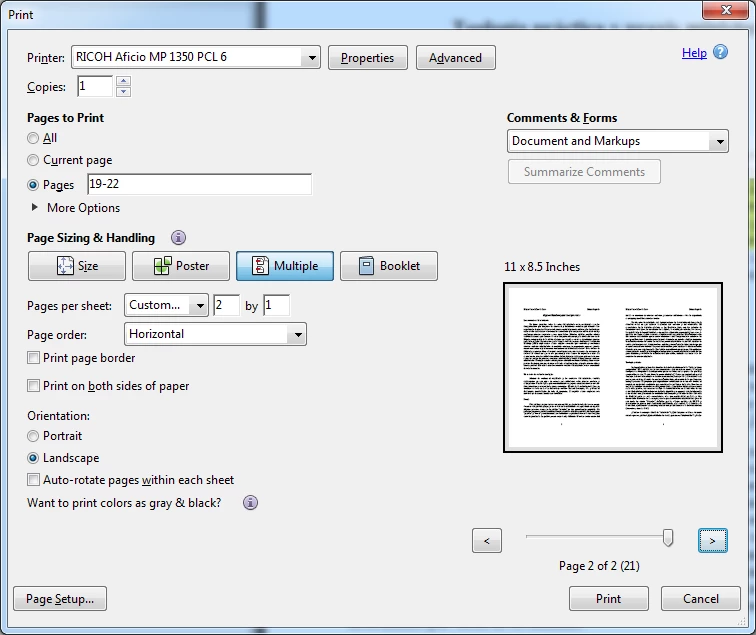
I have a need to print a PDF document that I have made many comments on it. I have both, highlighted and added sticky notes to it. I have been able to print the document with the "Summarize Comments" but it is not necessarily printing it the way I would like to present it. I would like to print a portrait page onto a landscape page to be on the left side of the page, and the comments to be on the right side of the page. That way when I bind it, it will have the book to be read, along with the notes/comments that I have written. I was able to achieve something close by selecting Summarize Comments, once such document was created, I selected "Multiple", and 2 by 1, Horizontal, on a Landscape sheet. The issue that I am running is that not ALL the pages have comments, so it is placing some pages together, and not presenting the way I need it. Yes, I know, could simply make a tiny-blank comment on each page and it will print nothing as a comment, but give me what I need; I was hoping there was a better way, but that will have to be my last resort.
Thank in advance if there is a solution for this!
This is how I need them to print, regardless if there are comments or not on the page, so I can hand write some comments if need be.

This is how it is presenting the pages that do not have comments, and it is throwing the other pages off. I need it to print a blank on the right side of the page.
 AdChoices