

Answered
Large, White Box when PDF is opened. Intermittent Issue.
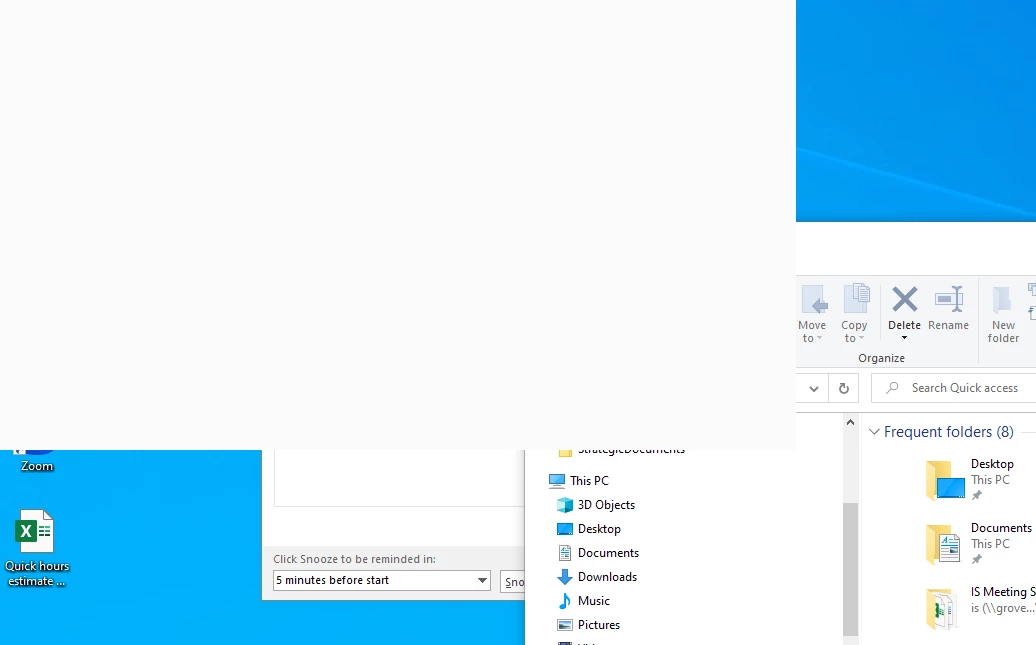
Anyone seen this before and have a fix? Tried:
Adjusting screen resolution.
Turn off the PDF/A viewing mode
Not sure what else to try, thank you in advance if you can offer

Anyone seen this before and have a fix? Tried:
Adjusting screen resolution.
Turn off the PDF/A viewing mode
Not sure what else to try, thank you in advance if you can offer
Adobe Support:
Here is the fix we found. Pretty disappointed in Adobe Support but wanted to post this in case anyone else had an issue:
Possible Fix:
Right-Click on the Desktop
Click on Display Settings
Scroll down to "Scale and Layout"
Set the Scale to 100%
Click on "Advanced Scale Settings"
Disable "Let Windows try to fix apps so they're not blurry"
Enter a Custom Scale of 100
Click apply
Sign out of the PC
Sign back in
With the Laptop Docked and the laptop lid Open, open a PDF
Once the PDF is open, close the lid. The white box should NOT pop up any longer.
Already have an account? Login
Enter your E-mail address. We'll send you an e-mail with instructions to reset your password.
 AdChoices