
Participant
May 12, 2021
Answered

Link annotations contents attribute

  • May 12, 2021
  • 2 replies
  • 7133 views

When I do an accessibility check of a PDF file in my Acrobat Pro DC, I get that everything passes (except for the usual check reading order and contrast). However when I run through another checker such as Commonlook Validator I get the message: Link Annotation (it is a email address), doesn't define the contents attribute. How/where do I correct this issue in Acrobat?

Donna D
This topic has been closed for replies.
Correct answer hammer0909

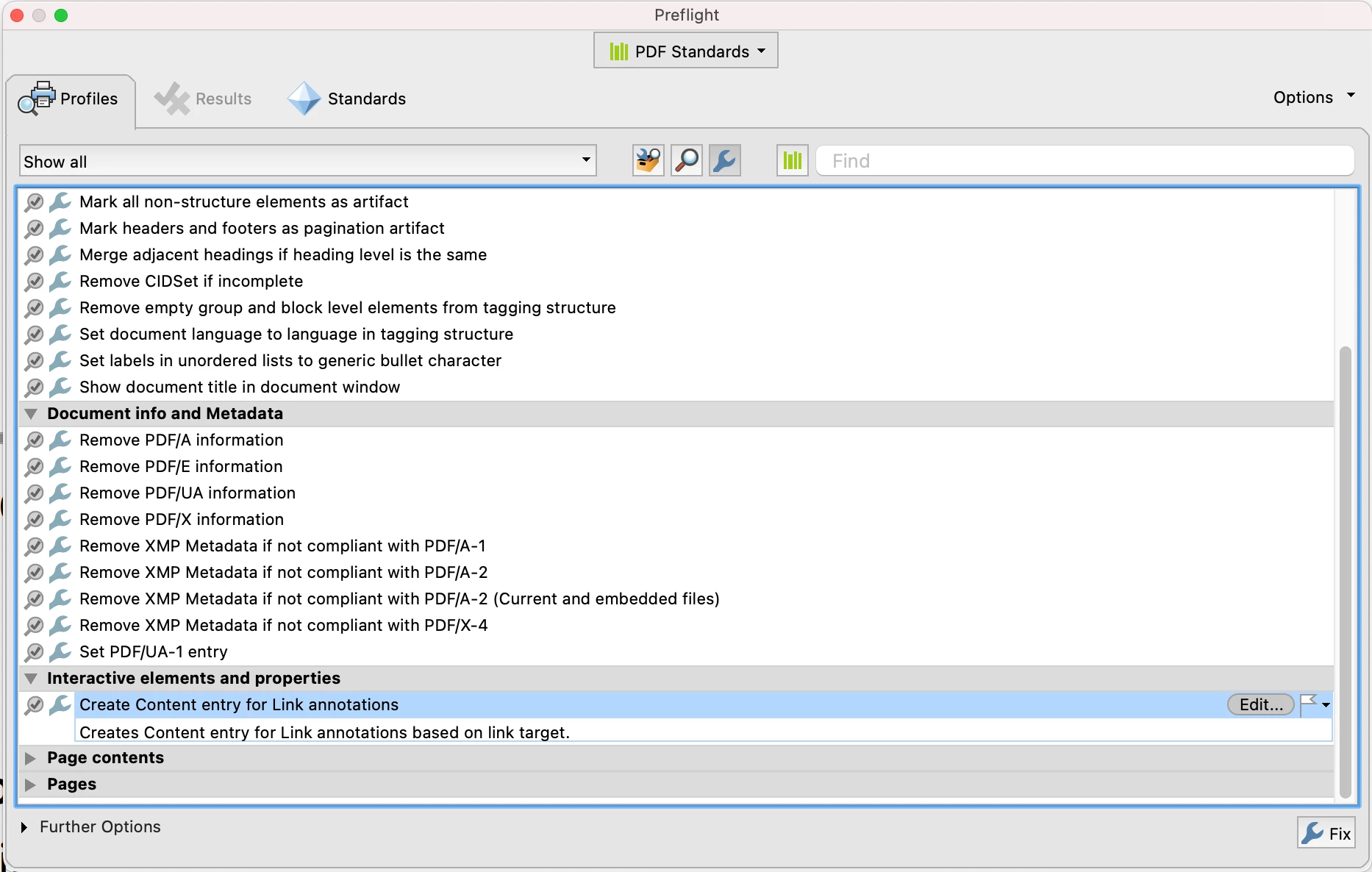
Link annotations do require a Contents attribute for PDF/UA compliance. It's a bit of a bear to do manually but you can run the Preflight Fix-Up in Acrobat to add this attribute, then go back in and adjust it if desired. The Fix-Up is called "Create Content Entry for Link Annotation".


2 replies

hammer0909
Community Expert
hammer0909Community ExpertCorrect answer
Community Expert
May 18, 2021

Link annotations do require a Contents attribute for PDF/UA compliance. It's a bit of a bear to do manually but you can run the Preflight Fix-Up in Acrobat to add this attribute, then go back in and adjust it if desired. The Fix-Up is called "Create Content Entry for Link Annotation".


Participant
June 11, 2021

This worked! Thank you.

try67
Community Expert
Community Expert
May 12, 2021

Link Annotations do not have a Contents attribute, as far as I can see in the PDF ISO spec (version 32000-1:2008, section 12.5.6.5). Ask them what they mean by it, exactly. Maybe they got confused with Line annotations...

DDeNinnoAuthor
Participant
May 12, 2021

It comes up when you run a check in Commonlook Validator under Accessibility - WCAG 2.1 AA. It says:

Checkpoint: Guideline 1.1 Provide text alternatives for all non-text content 

Test: Alternative Representation for Links

Results: Warning

Description: Link Annotation doesn't define the contents attribute.


The link is an email address for example donna@blahblah.com It does not have an underline underneath it so it just appears as text. I do have an alternate attribute for the link. 

I appreciate your reply.