
Participant
September 20, 2024
Answered

Link text getting bigger when I print

  • September 20, 2024
  • 1 reply
  • 426 views

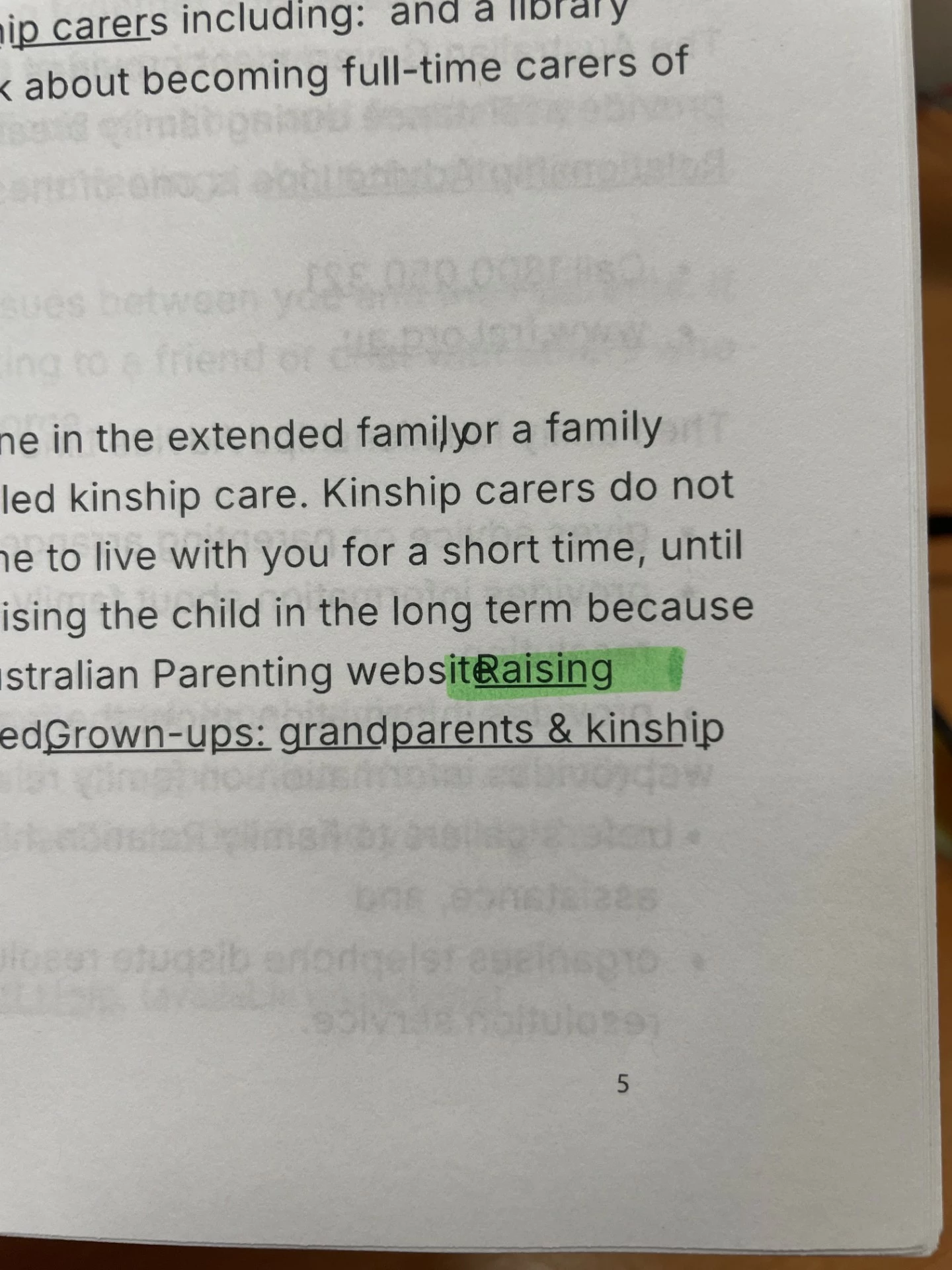
Hi all, I am combining a series of PDF's to make one longer document. I have edited a couple of the pdfs (removed headers and footers) but thats the only changes. Some of the origianl pdfs have links attahced to parts of the text. 


When I view the pdf on screen it looks great. However, when I print it, the hyperlinked text overlaps the text next to it. Some of the other text seems to move around as well, not attached to links. 


I have tried to delete the links but only some will disappear. I have also tried printing and going into advanced settings and choosing "ALWAYS USE TRUE TYPE FONTS", but that didnt help either.


Any suggestions? 
 

This topic has been closed for replies.
Correct answer loyal_website80461

Hi,


Not sure why but ist's randomly working now! thanks 


1 reply

Adobe Employee
September 25, 2024

Hi @loyal_website80461 

Sorry for the incovenience caused to you. Please let me know the following to understnd your issue better.

  1.  Is the issue started to happen recently or you are facing similar issue since long?
  2.  Printer details and version.
  3.  Adobe Acrobat Pro or Acrobat Reader version details. 
  4.  Is it happening forall the files with links or links in some specific fonts?
  5.  Will you be share a sample file with me where issue is reproducible.


Thanks,

Shakti K

loyal_website80461AuthorCorrect answer
Participant
October 2, 2024

Hi,


Not sure why but ist's randomly working now! thanks