


Lockable Preference doesn't work as intended for attachments
Hello,
I'm refering to this (https://www.adobe.com/devnet-docs/acrobatetk/tools/PrefRef/Windows/index.html) to create attachments security and GPO.
According to this, using registry under HKEY_LOCAL_MACHINE\\SOFTWARE\\Policies\\Adobe\\Adobe Acrobat\\DC, I can make it so only the extension I put into a list can be open. So I set this:
FeatureLockDown\\iFileAttachmentPerms = 0, open/save is according to list under tBuiltInPermList.
FeatureLockDown\\cDefaultLaunchAttachmentPerms\\tBuiltInPermList = "version:1|.pdf:2|.fdf:2|.docx:2|.xlsx:2|.pptx:2|.jpg:2|.jpeg:2|.png:2|.tiff:2|.txt:2|.csv:2|.json:2|.xml:2|.xsd:2|.xslt:2"
FeatureLockDown\\cDefaultLaunchAttachmentPerms\\iUnlistedAttachmentTypePerm = 3
According to the reference for tBuiltInPermList,
- a value of 0 or null show a prompt where a user can open or never allow
- a value of 1 show a prompt where a user can open, always allow or never allow.
- a value of 2 always open
- a value of 3 never allow and show an error message
The value of iUnlistedAttachmentTypePerm, which configure the permission for extension not in the tbuiltinpermlist, follow the exact same value as tBuiltInPermList.
Next is iFileAttachmentPerms value which are:
- 0 (or null): Open and save permissions are determined by the values set in tBuiltInPermList.
- 1: No file attachments may be opened or saved to disk.
- 2: All file attachments may be opened or saved to disk.
So according to my current value showed before, I deny opening of any unlisted attachment with iUnlistedAttachmentTypePerm = 3, then I allow opening of attachment in the list with iFileAttachmentPerms = 0. And in the list, I set all the attachment I want to open with a value of 2 which is "always open" aka don't prompt.
Well, after my testing, setting a value of 1 or 2 yield exactly the same result, the user is prompt to either open, always allow or always deny. If I set a value of 0 in tBuiltInPermList, the user get a message saying he isn't allowed to open it, samething with a value of 3!
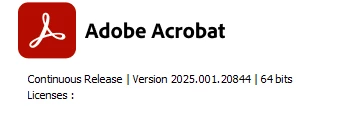
So something isn't working. I'm on Acrobat x64
 AdChoices