
Question
Mac Powerpoint Run-time error '53'
Hi Adobe community and support, I have gone through numerous community forum posts about this error, and people claim it works, but I have not had success after several hours of work trying typical fixes and even full uninstall reinstall of adobe acrobat and office 365. User has Mac M2 chip, on Sonoma OS. I am looking for that needle in a haystack, something unique. The error user gets on opening Powerpoint files is this: pop up heading reads "Visual Basic for Applications". Screenshot attached, behind it, showing the exact folder location of the file it claims is "missing".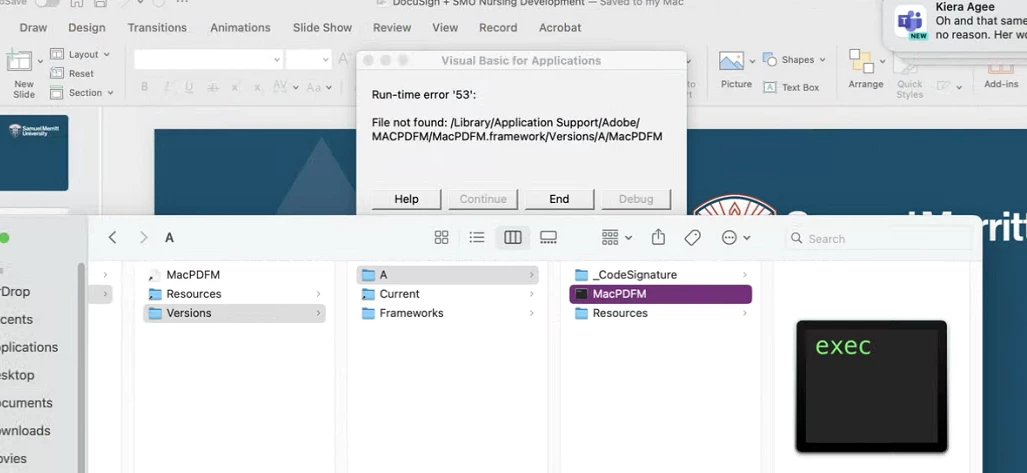


 AdChoices