



Mac users to disable the “Share text to WhatsApp” prompt when selecting text:
Please provide more detailed instructions for Mac users to disable the “Share text to WhatsApp” prompt when selecting text:
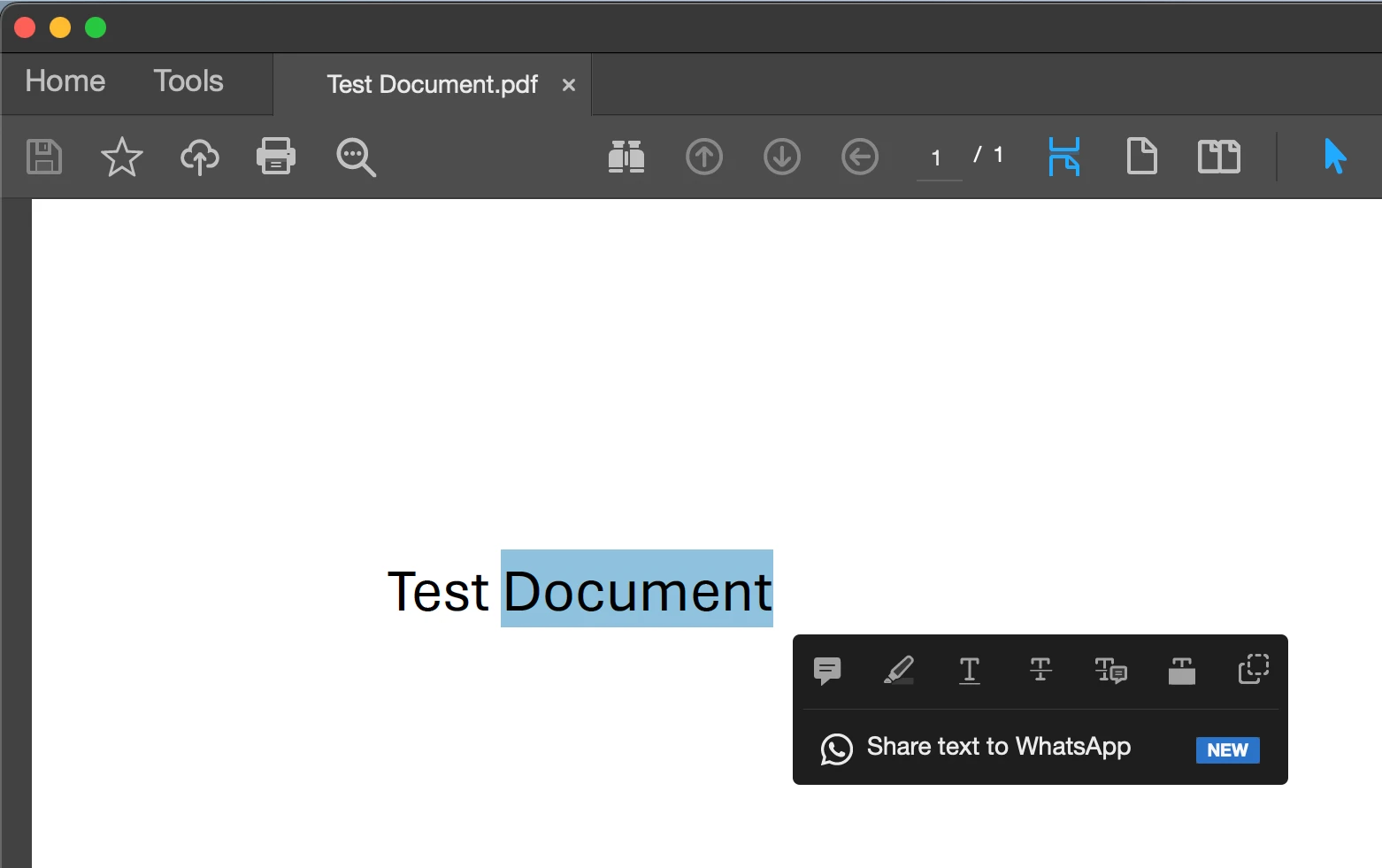
I want to keep using quick actions when selecting text; I only want to remove the WhatsApp prompt from the available quick actions.
I'm using Acrobat Pro in "Classic" View mode.
Version 2026.001.21745 | Unified App | Licenses: Acrobat Pro
MacOS 15.7.7
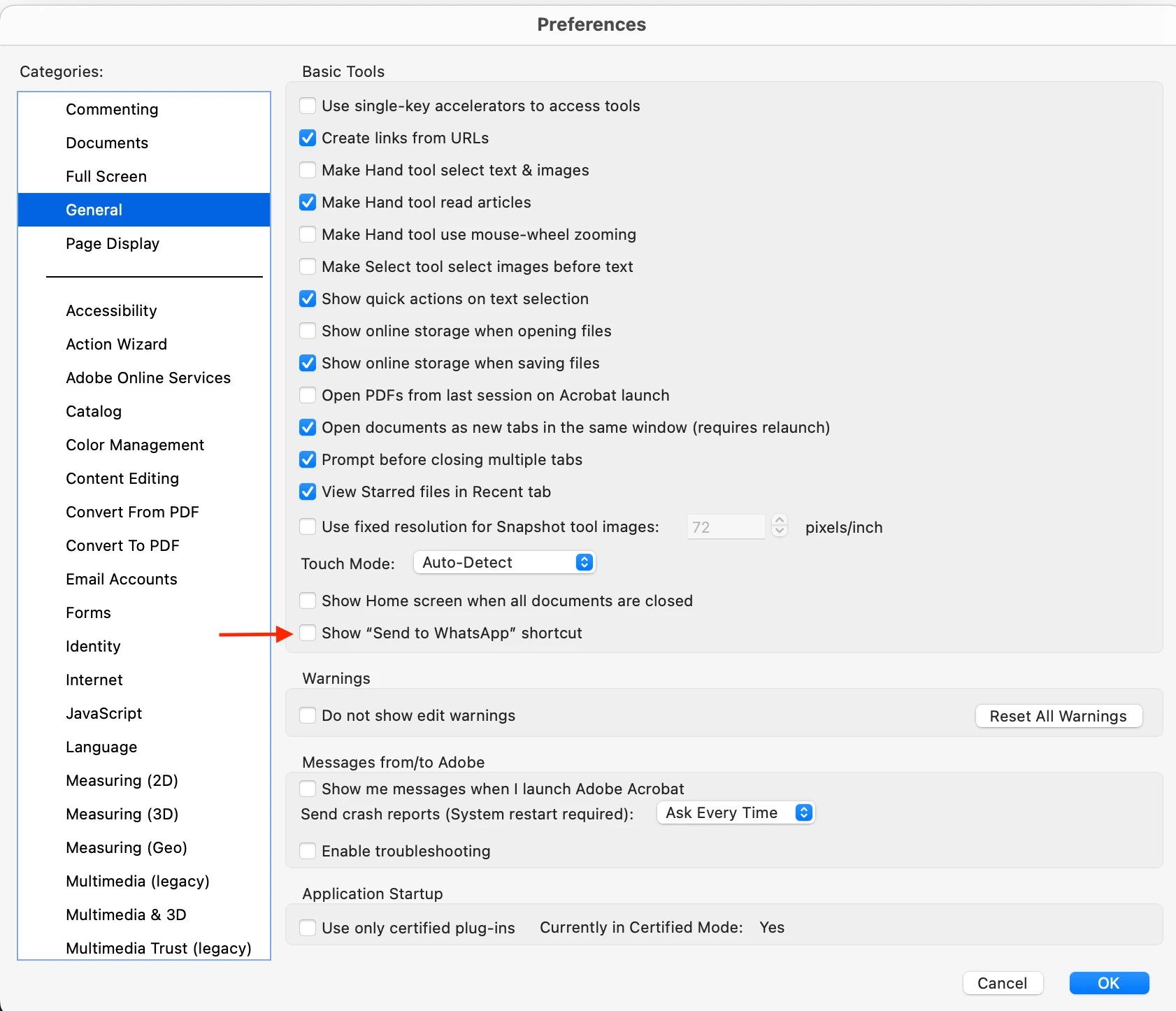
I've disabled "Show 'Send to WhatsApp' shortcut" in Settings > General :
I tried editing “~/Library/Preferences/com.adobe.Acrobat.Pro.plist” using the free Prefs Editor app: https://apps.tempel.org/PrefsEditor/
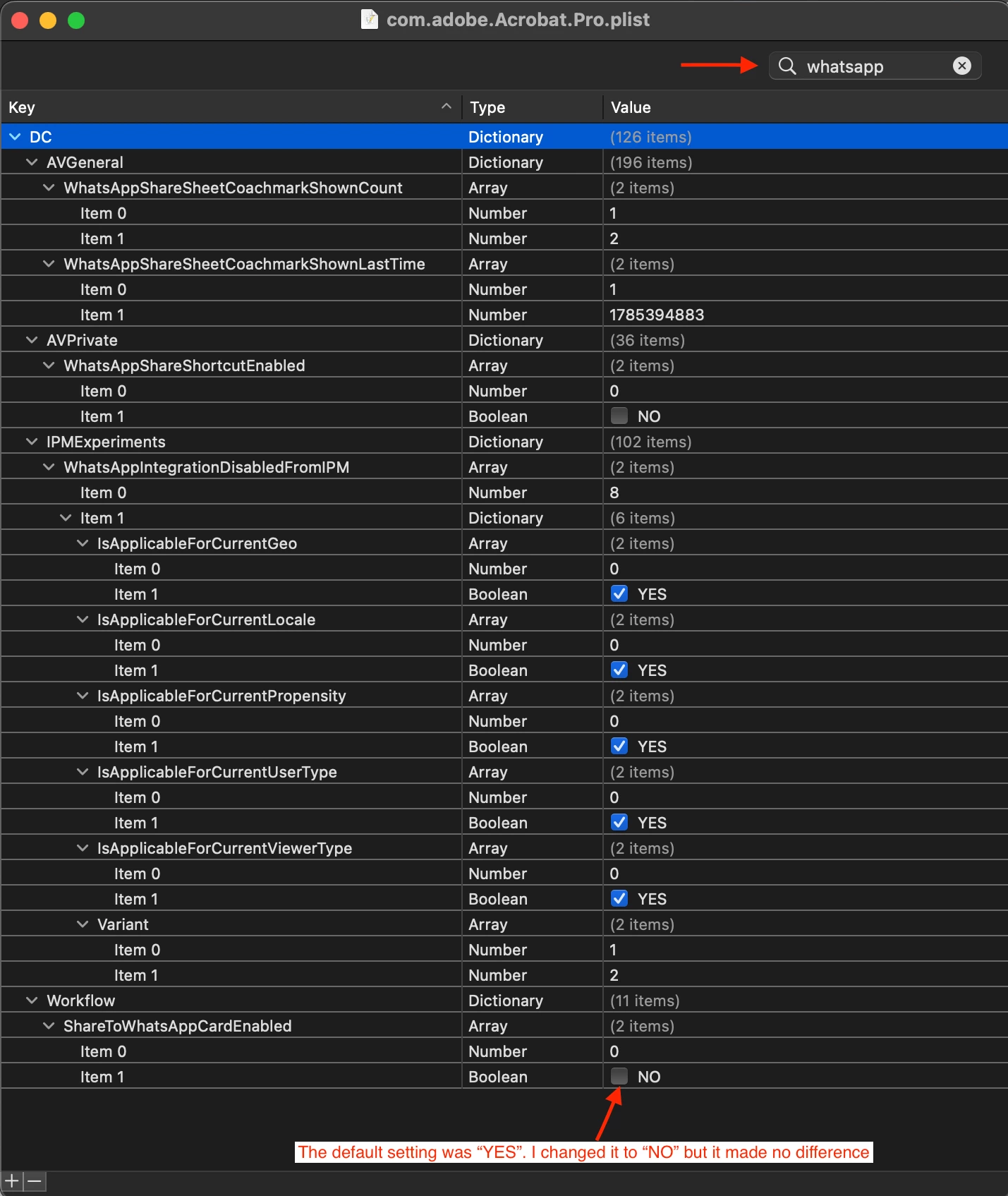
There's no value or key containing "EnableThirdPartyWhatsappShare", however there are keys that contain "WhatsApp". I set both of the following values to "NO"
WhatsAppShareShortcutEnabled > Item 1: NO
ShareToWhatsAppCardEnabled > Item 1: NO
This didn't have any effect.
Please provide the exact key and value to change.
I'd appreciate any help to remove this distraction.
Thank you
 AdChoices