
Participant
November 3, 2022
Question

Managing Electronic Signatures

  • November 3, 2022
  • 1 reply
  • 525 views

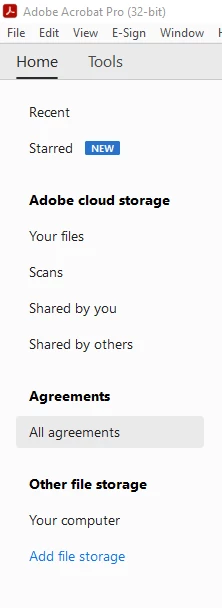
I used to be able to filter agreements if they were completed, in progress, cancelled, etc. through the 'Manage All Agreements' section of the E-Sign tool in Adobe. Now I don't see any options to filter by the status. On top of that, I used to be able to schedule reminders to be sent every day until the person signed the document, and that feature appears to be missing now too. Have these features been moved someplace else or removed entirely?
 

This topic has been closed for replies.

1 reply

S_S
Community Manager
Community Manager
December 14, 2022

Hi @Craig26947478ynpv,


Hope you are doing well. Sorry for your experience with Acrobat and the delayed response.


Would you mind sharing the version number of the application you are using? With the latest versions of the application, clicking the option to see your agreements would redirect you to a web browser to get you logged in to Adobe Sign's web portal to manage your agreements and make changes to the settings you need.


You may refer to the given link for more: Manage, track, and change agreements.


Hope this clarifies your question.


-Souvik.

Participant
December 16, 2022

I am using version 2022.003.20282. I've found with this newer version that the functionality does not exist in the desktop app, but when I access it through my browser it is there. 

S_S
Community Manager
Community Manager
December 16, 2022

@Craig26947478ynpv


With the newer version, the option to use and manage sign agreements is available on the web browser instead of the native application.


You may check the release notes from the given link for more clarity: Acrobat Enterprise Release Notes — Acrobat-Acrobat Reader Release Notes


-Souvik.