

Question
Manually tagging duplicates text
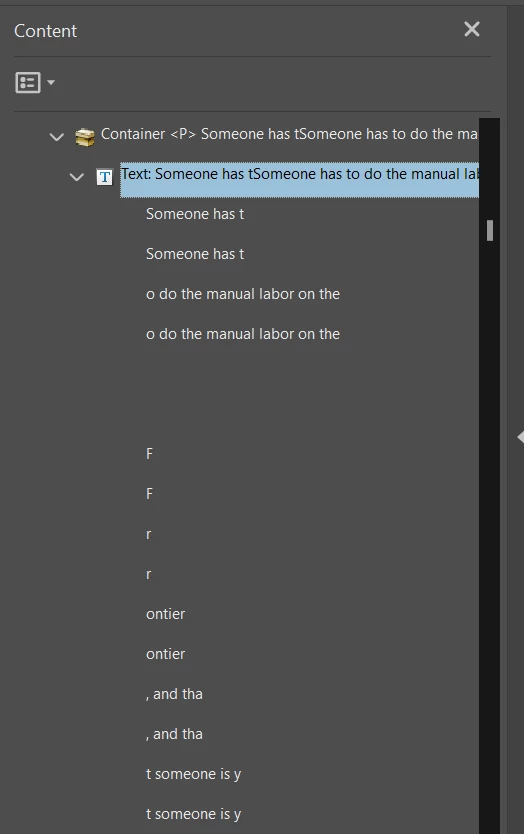
I'm trying to remediate an existing PDF in Acrobat but every time I manually tag text using the Reading Order tool, it comes out garbled and duplicated within the tag. The only solution I can find is to go into the Contents Pane and manually delete the duplicates, but that is time-consuming and prone to error.
Funnily enough, Acrobat's auto-tag doesn't seem to have this issue, but it also doesn't tag everything properly so I end up having to go through again and manually tag things, in which case the duplicates crop up again. I've already gone through and tagged the document, and PAC3 claims it fulfills PDF/UA standards, but no screen reader is able to parse the text.
Here's an example of what the text looks like in the content pane:
 AdChoices