
Masked text field data is not saving and getting clearing when attempting to submit completed form?
Hello all!
Does anyone know why when I hit the "submit completed form button" on my form it clears the data in only those text fields that I have indicated to be masked or have checked as "Password" under the property options?
For example, I had some users testing a form I just recently created and they let me know that every time they try to submit the form via the submit button they keep getting the warning pop-up displaying there is still required text fields not completed/or filled in with a value even though they did enter and complete those fields. Noticed that all these text fields where this appears to be happening are coincidentaly only those which I indicated in the text field properties to be masked just because the data can be considered somewhat sensitive.
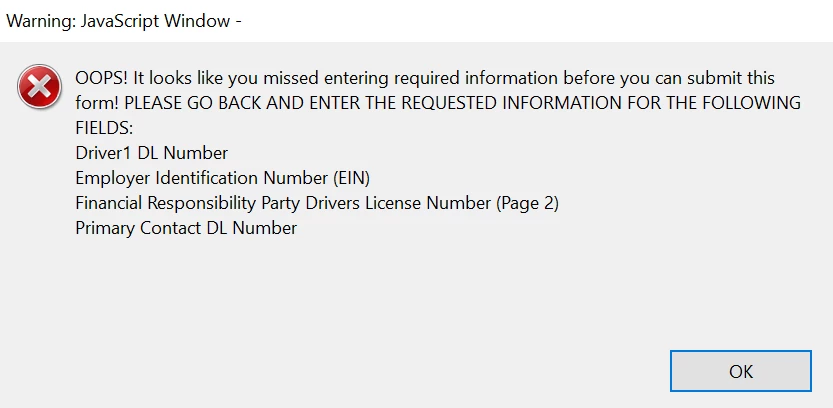
Additionally those testing the form detailed that after closing that popup message, going back and re-entering the requested data in those fields, then try and hit the submit form button again, the same popup message displays again regarding thpse same required text fields need to be completed before submitting form and it the data in only those specific masked text fields appear to have been cleared once again. I should add the same thing occurs when they attempt to just even save the PDF form to desktop that again the data in those fields goes missing or is cleared.
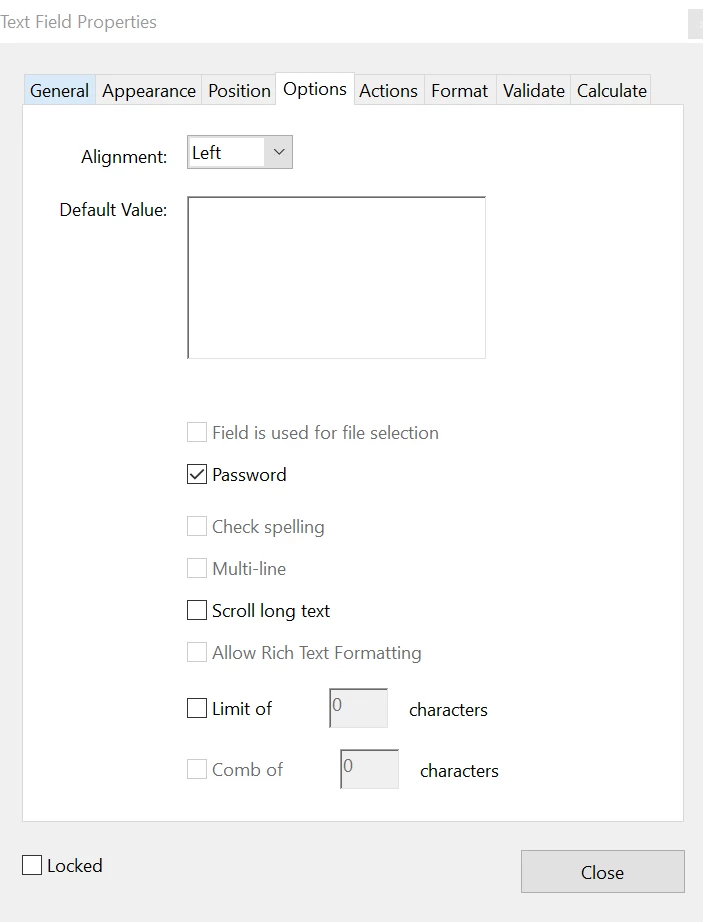
If helpful, the way I masked those fields was by going into the text field properties and checking the "Password" box. And I did this same masking for 7 total text fields.
Additionally, even though I dont think this is the reason for issue, but I do also have an app alert javascript in the actions tab of the properties for the "Submit Completed Form" button field which purpose was to customize the displayed message in the warning pop-up which specific fields the user needs to go back and complete.
Anyways hoping its an easy fix or explaination, if anyone has either I would really appreciate! Thanks!
 AdChoices