


Participant
January 8, 2024
Question

Mehere JPG-Dateien in einem PDF zusmammenführen funktioniert nicht

  • January 8, 2024
  • 1 reply
  • 814 views

Wenn ich versuche, Dateien zu kombinieren, um ein PDF aus den neuesten Mac-Updates für Sonoma zu erstellen, funktioniert es nicht und bleibt bei „Schutzeinstellungen prüfen“ hängen. Ich habe das neueste Adobe-Update durchgeführt, aber es funktioniert nicht mehr. (siehe Screenshot unten) Hat noch jemand das gleiche Problem? Wenn ja, hat jemand eine Lösung gefunden? Dank im Voraus !
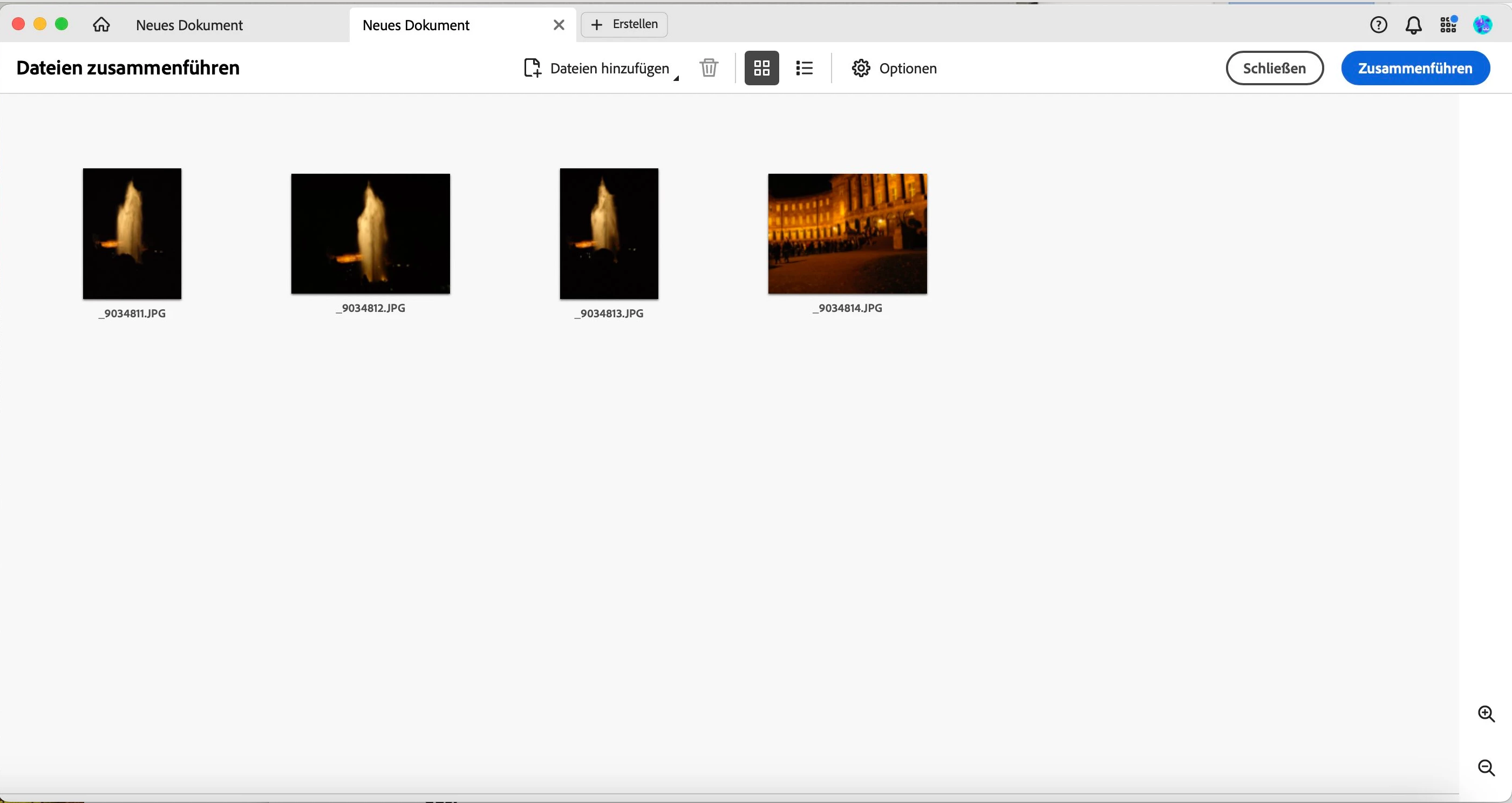
 

This topic has been closed for replies.

1 reply

Amal.
Legend
January 9, 2024

Hi @manfredp43088605


Hope you are doing well and thanks for reaching out.


Is this an issue with a particular set of the image files or with all the files? Please try with a different set of image files and check.


Check if any file is password protected or has any sort of security applied, if so , please remove that file and try again to combine and check .


Also make sure the application is updated to the recent version 23.08.20458. Go to Help > Check for updates and and reboot the computer once and see if that works.


~Amal

Participant
January 9, 2024

Hi Amal

We tried it with different groups of older JPGs. There is a problem with these.

Today I did a test with JPGs that were exported from ORF files.

A current Photoshop was used. The problem doesn't occur with these JPGs.

We use:

Architecture: x86_64

Processor: Intel

Build: 23.8.20458.0

AGM: 7.1.3 C

oolType: 9.0.2

JP2K: 4.0.1.53159

OsX:Sonoma 14.1.2


The older JPGs can easily be combined into a PDF using Finder -> Quick Actions -> Create PDF.

Just as Apple recommends in this article: https://support.apple.com/de-de/guide/mac-help/mchl21ac2368/mac

I have attached 2 old JPGs (20151017_131736.jpg and 20151017_131738.jpg) and 2 of the JPGs created by export.

Maybe you can find a difference