Inspiring
June 24, 2020
Answered

MICROSOFT DID SOMETHING TO COMPLICATE READING PDFs

  • June 24, 2020
  • 2 replies
  • 643 views

I received an email with a PDF.  I have acrobat pdf reader but when I tried to open the PDF I got a list of Microsoft products, Adobe was not even mentioned.

This topic has been closed for replies.
Correct answer Bevi Chagnon - PubCom.com

Your version of Windows doesn't know which software program to open when it encounters the .PDF file extension.


Change that in the Windows Control Panel:
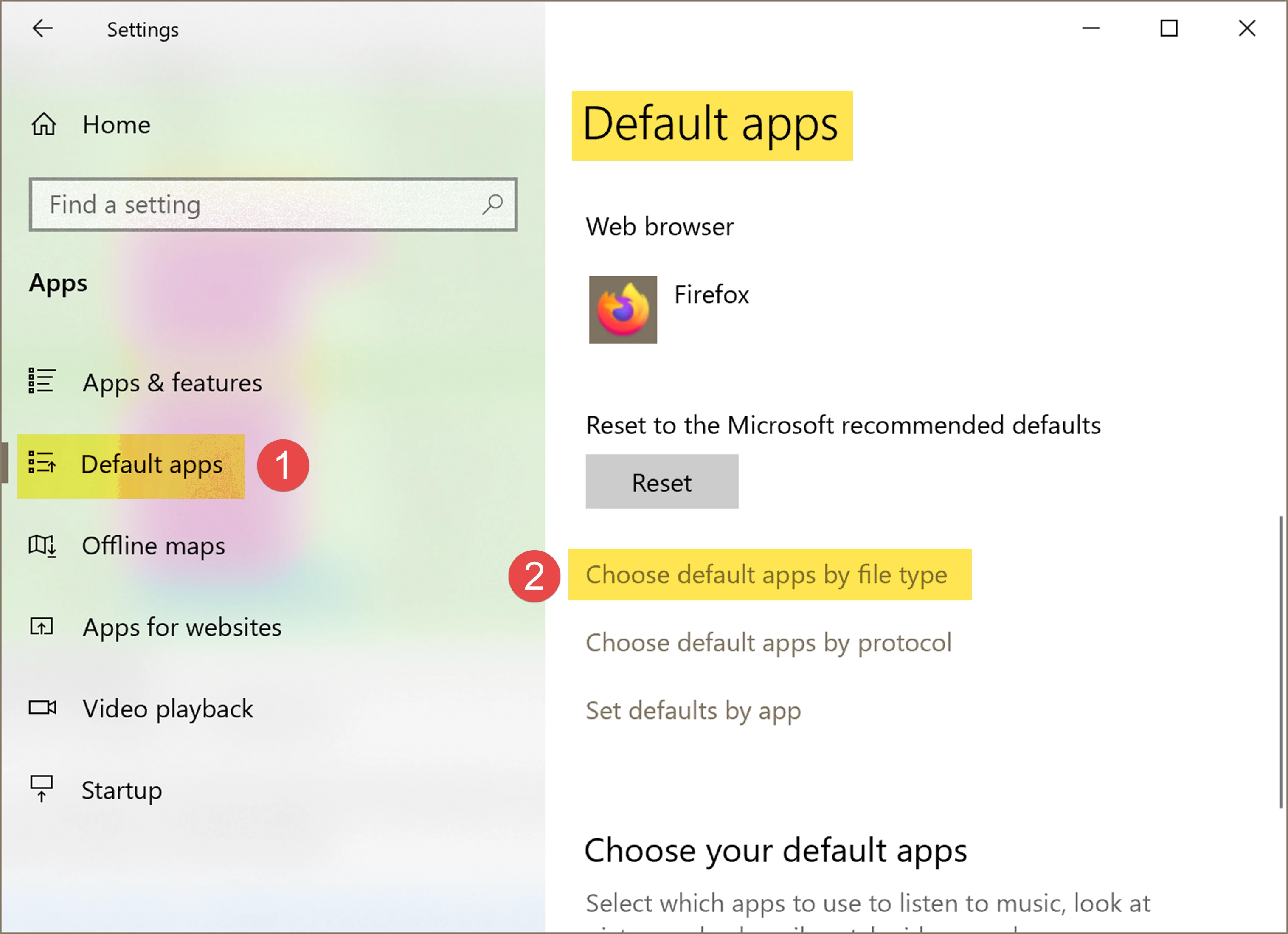
  1. Select Default Apps
  2. Select Choose default apps by file type
  3. On the left, scroll down the list of file types to "PDF".
  4. On the right, click to expose the drop-down menu and select Adobe Acrobat DC.


2 replies

Bevi Chagnon - PubCom.com
Legend
June 25, 2020

Your version of Windows doesn't know which software program to open when it encounters the .PDF file extension.


Change that in the Windows Control Panel:
  1. Select Default Apps
  2. Select Choose default apps by file type
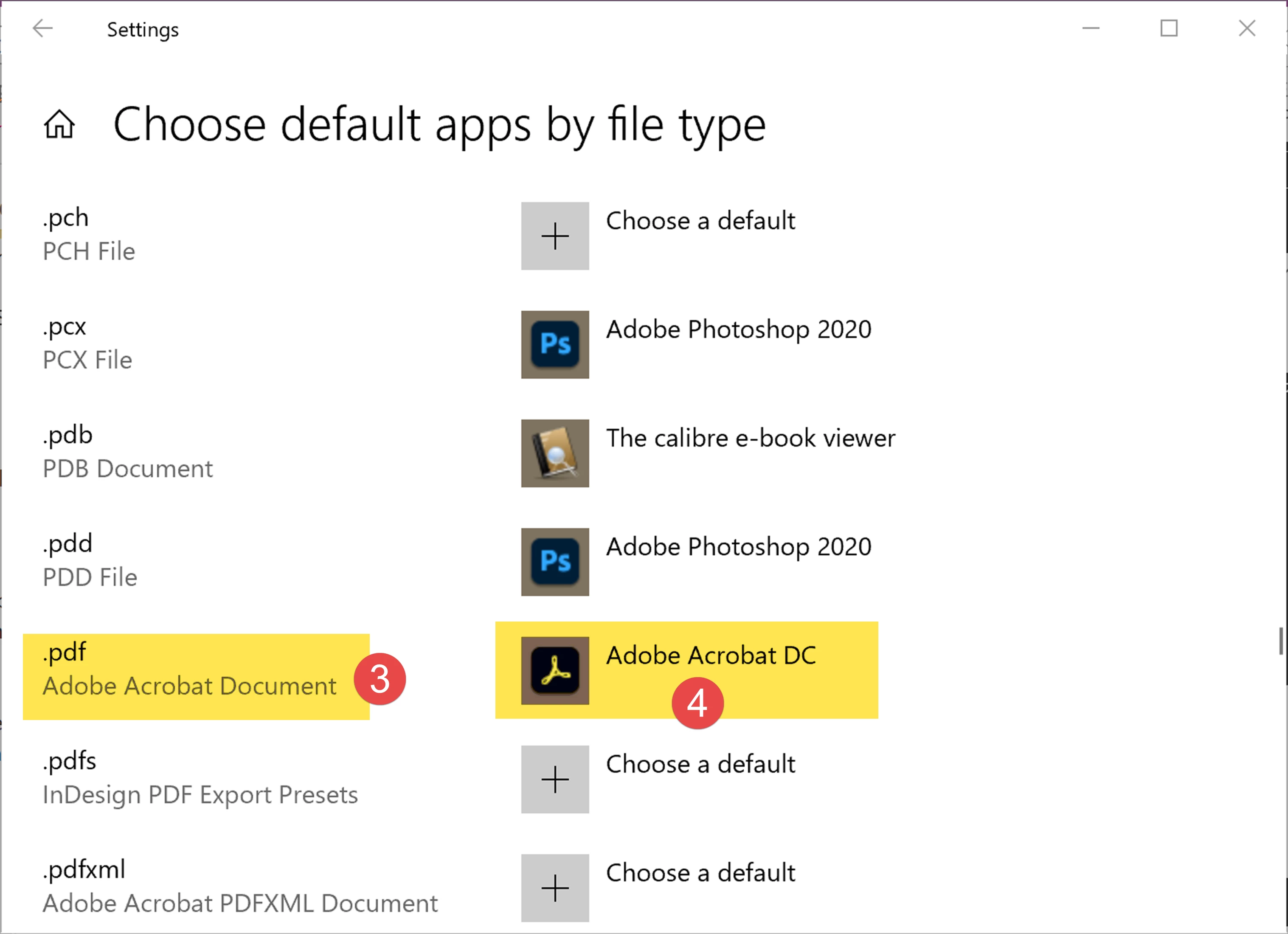
  3. On the left, scroll down the list of file types to "PDF".
  4. On the right, click to expose the drop-down menu and select Adobe Acrobat DC.


|    Bevi Chagnon   |  Designer, Trainer, & Technologist for Accessible Documents ||    PubCom |    Classes & Books for Accessible InDesign, PDFs & MS Office |
gary_sc
Community Expert
Community Expert
June 24, 2020

Hi Bill,


I'm a Mac user so I can't tell you what/how to do it but on the Mac, when a user opens a PDF, it is automatically opened by Apple's Preview app that can read PDFs (and a tad more). However, it is possible in the Mac interface to tell the Finder that when they encounter a PDF to open it up in Acrobat (or WHATEVER application you want it to open). I HAVE to belive that that capability is also there on a PC.


It no more surprises me the MS doesn't tell you about 3rd party options anymore than Apple doesn't tell you about those options either. Each OS has a whole list of built-in applications that do pretty much most of what you want. The quality of how well it does that is a whole different matter but that's a separate issue. 


If you do not know how, I'm sure someone will pipe in here how to get Explorer to open PDFs in Acrobat, good luck!!!