


Microsoft Word .docx
Within the past few months, I have been unable to save any document to Microsoft Word, i.e. docx. and I am missing files and photos.
I scanned an item and Adobe automatically put the document into it's format. When opening the document, a pop-up window, as seen below, shows up. And now I see this on just about every document in my MICROSOFT WORD because Adobe has changed every document in WORD to its format. What a JOKE that the Windows button is selected.
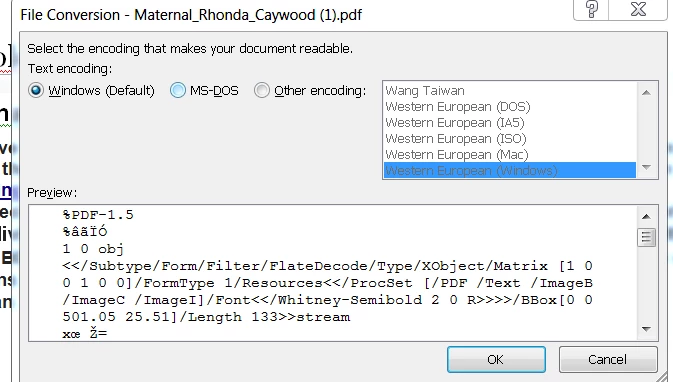
When exploring/searching on IE or Google, and I find an article I want to read and it is a PDF, Adobe automatically downloads the article to my Micorsoft Word program. I didn't know this was happening until one day I saw dozens and dozens and dozens of downloaded Acrobat Adobe files in my Word program. NONE of which I wanted downloaded. Adobe has even changed old documents in my word program to its format. I want my Microsoft Word to work properly. I DO NOT want Acrobat taking over my computer. If I wanted your format I would change to that format. BUT, when I save a document to MICROSOFT WORD, it needs to be in the correct format; NOT your format.
SO, YOU NEED TO FIX THIS BIG PROBLEM, or tell me how to fix it.
I am using IE OS 7 64 bit on my PC, which is still being supported by Microsoft.
Thank you!
 AdChoices