
Participant
December 19, 2023
Question

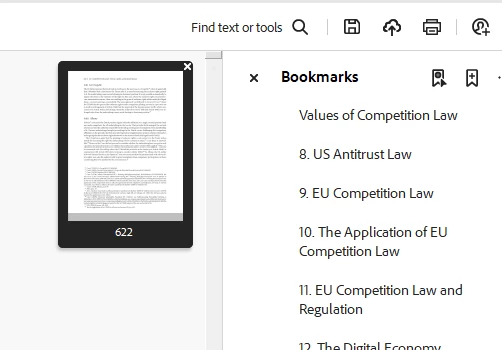
"Mini-screen"/tool appearing when double-clicking scroll button

  • December 19, 2023
  • 1 reply
  • 384 views

I am incredibly annoyed by a little screen/tool (no idea how to explain it, but cf attached screenshot) appearing in the top right corner whenever I double-click the scroll button on my mouse, which can happen accidentally. It always feels as if it makes Adobe freeze for a moment. Does anyone know how to disable this 'function', or whatever it is?
 

This topic has been closed for replies.

1 reply

Amal.
Community Manager
Community Manager
December 22, 2023

Hi @SimonNap 


This Floating overview thumbnail appears when "Single Page" is selected under the Acrobat>View>Page Display setting. 

To disable this floating page overview, change the page layout from "Single Page " to  "Automatic."


This will bring it back to normal mode, and thing floating thumbnail will disappear.


~Amal