Participant
May 29, 2025
Question

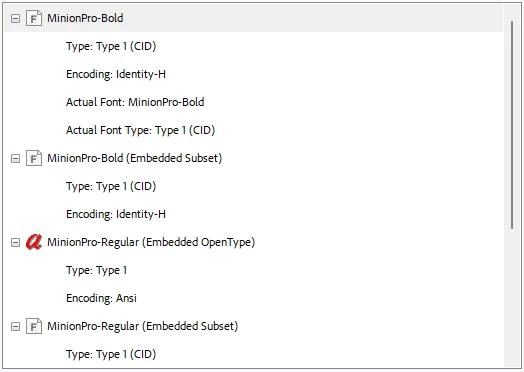
Minion Pro Regular and Minion Pro Bold sometimes not embedded in form

  • May 29, 2025
  • 1 reply
  • 463 views

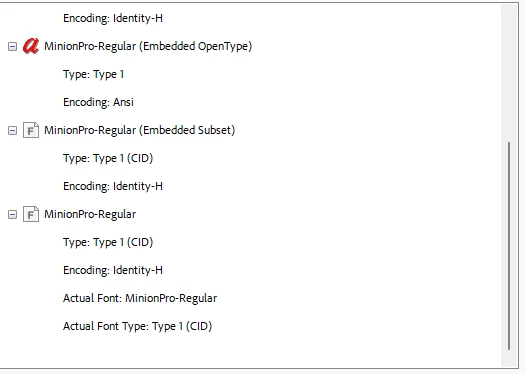
I've created a form and it has some font issues. I've made other forms that behave properly with the same font. I've been exploring options for what might be wrong, and I think it could be that some of the forms fonts are not showing as embedded. I used the default of Minion Pro. Is there a way to change these non-embedded fonts to embedded? 
1 reply

Participant
May 29, 2025

Found instructions on how to run Preflight, but this was my result. 


Legend
June 3, 2025

Hi @tranquil_magic3270,


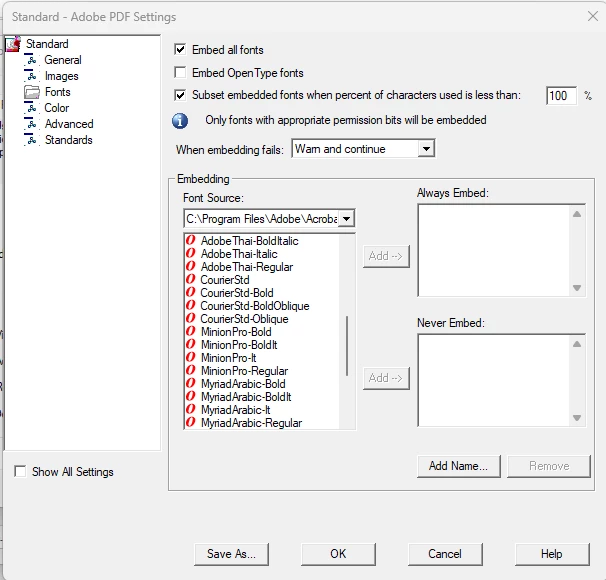
Thank you for reaching out. You may check this help document on how to embed fonts: https://adobe.ly/3Zci4eW

It is suggested to embed fonts when you create a PDF from your source document using Acrobat. Let us know if that helps


~Tariq

Participant
June 3, 2025

I have tried following those instructions. This form was entirely created in adobe acrobat with their default font. I cannot figure out why it only embedded half the fonts. I have used this exact process in other forms and it automatically embedded the fonts, as they are on the list. I just don't know how to fix this when the font should be embedded. I'm thinking it is an unfixable glitch on Adobe's part.