
johng80824719
Participant
May 2, 2018
Answered

Missing cells when converting to spreadsheet

  • May 2, 2018
  • 1 reply
  • 8623 views

I searched this topic and cannot find any solved posts. 

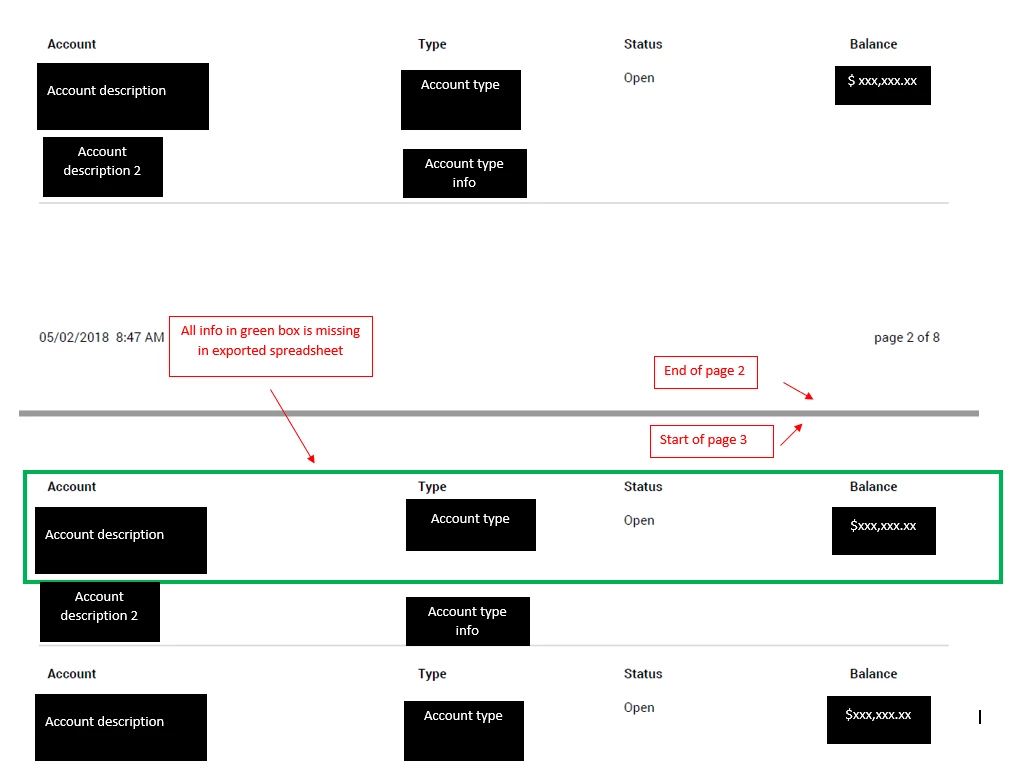
I am converting a pdf to excel and am missing some cells upon the conversion.  I have narrowed it down to the first line on each page after page 1. I have tried exporting each page to a separate sheet and having them come over on one sheet.  In either case, the same lines are missing each time. Is there something I need to check, look for, etc?
Correct answer THSProduct

Hi

I have this same problem. Was the issue resolved? If so how?

Thanks

Shawn


All,

At least in my case it appears that that the Adobe Acrobat Export to Excel function assumes the first and last line of text on each page is the header or footer (which does not get exported). I was able to correct for this by adding a Header and Footer to the document, via editing the PDF, and then doing the Export to Excel.

This appears to have corrected my missing first and last row issue.

1 reply

Dave__M
Community Expert
Community Expert
May 2, 2018

The first places I would look/experiment would be in the PDF Maker's settings.  Assuming you are using the Acrobat ribbon in Excel, click on Preferences and check your settings that I have highlighted in this screenshot:

The other thing I would explore is whether you have an appropriate Print Area defined on each sheet.  I've had both of these settings mess me up in the past.

If this doesn't lead to a solution, can you provide more info?  What version(s), operating system, etc. 

My best,

Dave

johng80824719
Participant
May 2, 2018

I am very new to using any Adobe PDF product beyond Reader.  We just purchased Adobe Acrobat DC last week.  I tried looking at the Excel ribbon but I'm not sure how to "pull" data into Excel from an Adobe file.  I was using the Export PDF feature from Adobe.  I am on Windows 10.

Dave__M
Community Expert
Community Expert
May 2, 2018

One place you may want to look is at your Acrobat preferences.  In Acrobat, either CTRL-K or Edit>Preferences.  You'll find an entry for Convert From PDF.  You'll find the specifics for Excel Workbook.  There are some options in there that can be adjusted, most notably how it handles multi-sheet workbooks.

My best,

Dave