

SironaTherapy
Participating Frequently
November 23, 2024
Question

Missing Text Field Properties-No, form is not set for Adobe Sign

  • November 23, 2024
  • 1 reply
  • 424 views

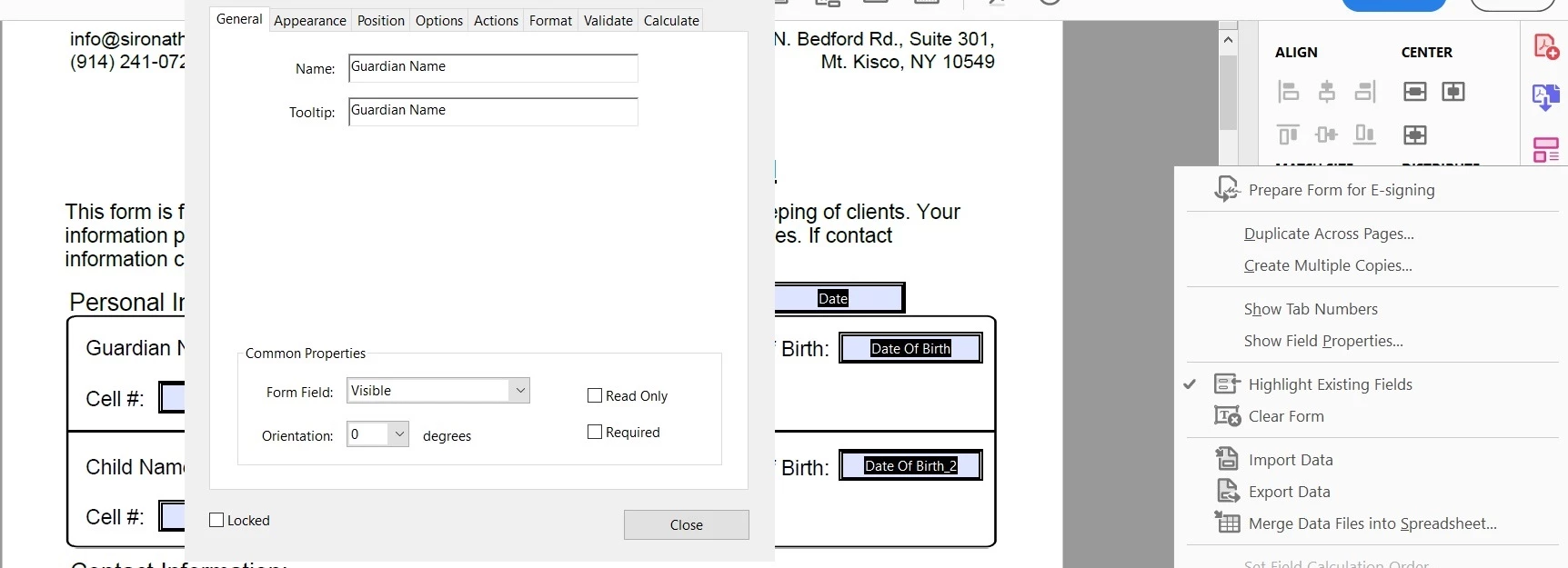
If I try to edit an existing form that was created with the signature needed box unchecked, or if I create a new and didn't check the box, I'm still missing my text filed properties option that allow to to specify pre-sign, signer 1, etc. WHY???
 

This topic has been closed for replies.

1 reply

try67
Community Expert
Community Expert
November 23, 2024

Those options are only available when you do convert the form to Adobe Sign, by ticking that check-box when creating it.

SironaTherapy
Participating Frequently
November 26, 2024

Hi Try67,


That did work. Thank you. However, that is the opposite answer to every other solution I saw posted here??? Also, my forms are a several years old now, and those options used to exist when working in the Prepare Form tool. They have always been formatted to not be Sign docs, because that allowed more functions/options to be available. When did this change?

try67
Community Expert
Community Expert
November 26, 2024

Nothing changed, as far as I'm aware. It always worked like that. It wouldn't make sense to have these eSigning-specific fields available if the form is not an Adobe Sign one...

Where did you see that it worked the other way around?