
Known Participant
June 25, 2025
Question

Missing text when combing documents and requesting e-signature

  • June 25, 2025
  • 1 reply
  • 388 views

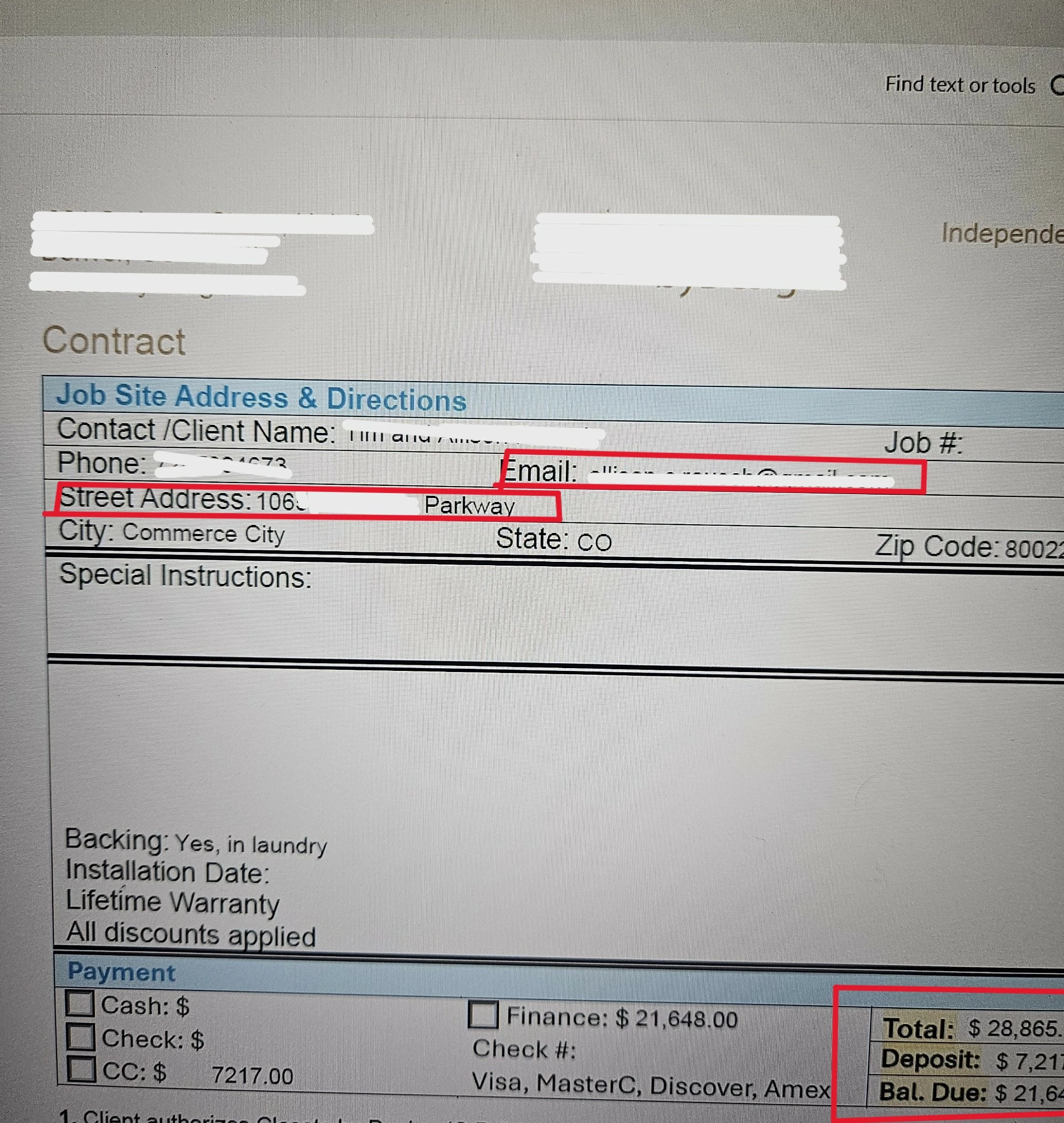
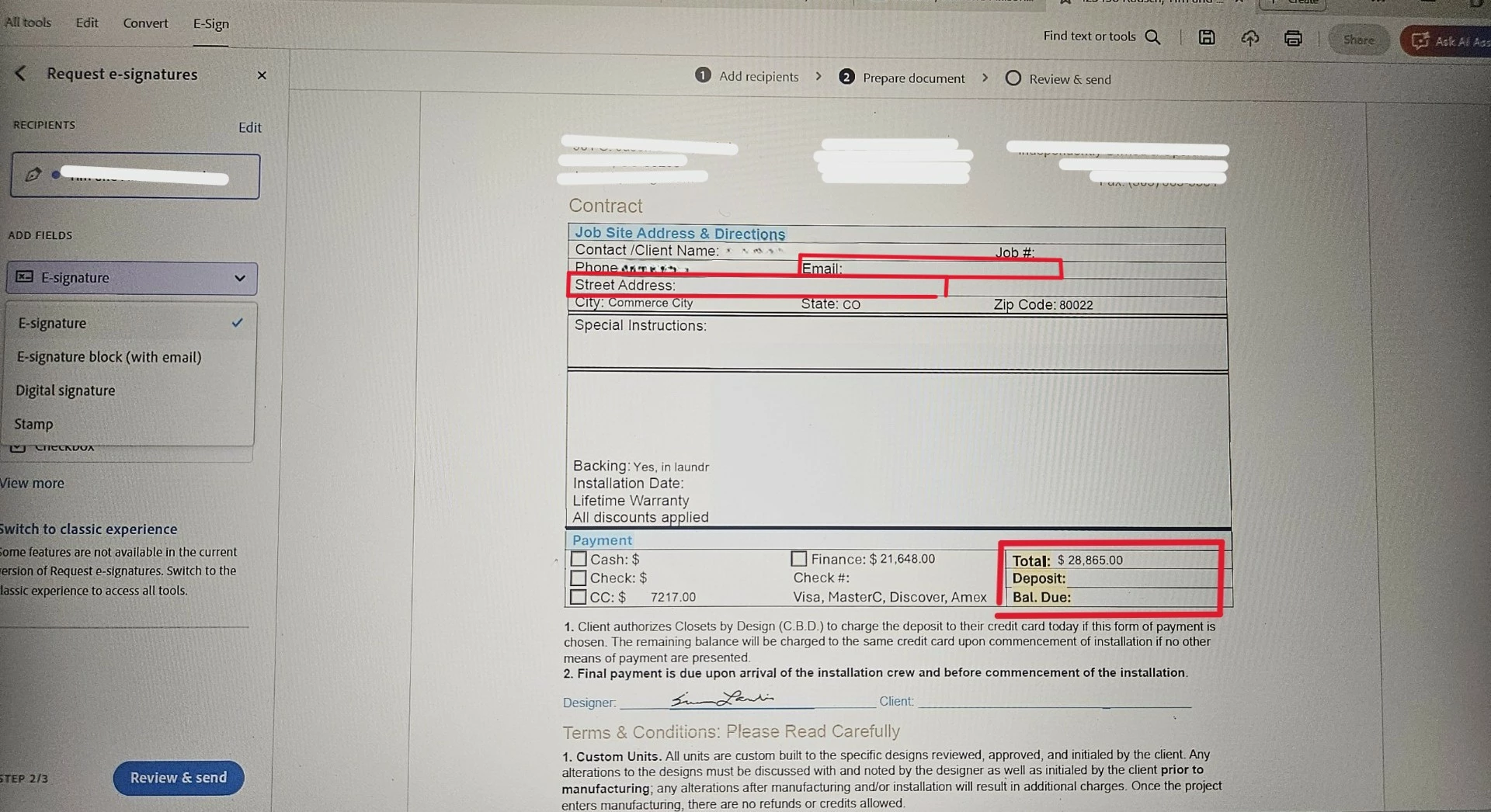
We have a contract document that has client information. When we combine the contract with other forms and start the process of placing signature boxes we noticed some of the client information was missing: the address and the deposit and bal due. 


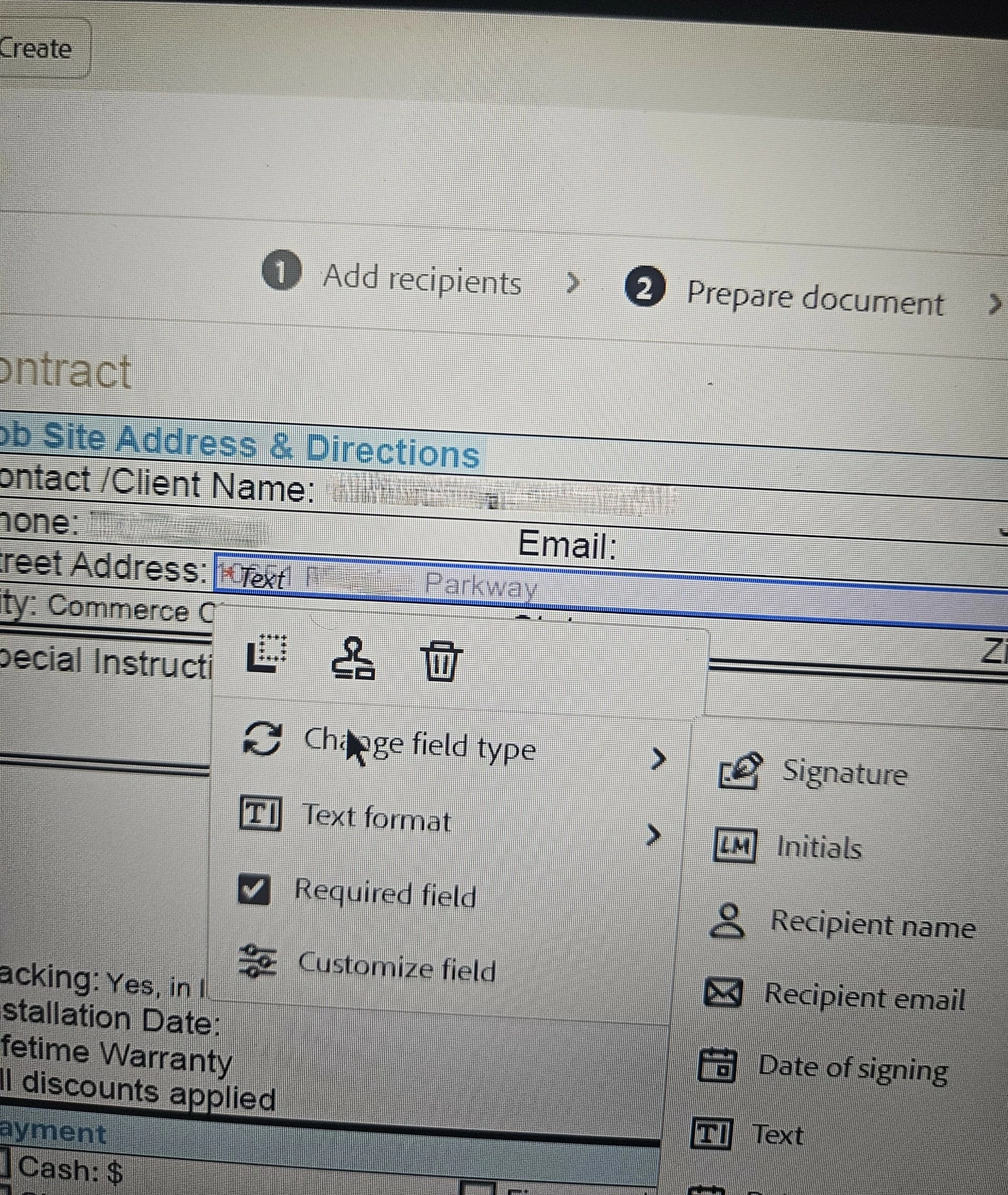
When we placed a data field "text input" over the address we noticed you could see the text.

Here is the original you will see I had to mark up the test since it's personal information but you can see there is text in the shipping address, email and deposit and bal due.
 

Here is the same document after we've combined it with other documents and selected "request signature"
 

we placed a data field "text input" over the address we noticed you could see the text.
 

Thank you for your time and assisstance!


1 reply

Meenakshi_Negi
Legend
June 25, 2025

Hi kater_2025,


Thank you for reaching out.


It seems to be a file-specific issue. Could you please confirm if you experience this behavior with other forms?

Please let us know how the PDF form was created initially. It would be helpful if you could share the steps you take to combine the send document.

Would you mind sharing the file so we can replicate this behavior?It is hard to comment on what might be causing this behavior without checking the file.


Thanks,

Meenakshi


Known Participant
June 26, 2025

Of course! That makes sense that you need additional infomation. The contract was originally created in Word. We then brought it into Acrobat to add the form fields. 


Here are the steps that are taken:

  1. The designer fills out all the information in the contract.
  2. She then signs the document with the fountain pen
  3. She then has to flattened the document (Microsoft Print to PDF) so that she can combine it with other documents 
  4. Once flattended she opens the flat version of the contract, other documents and scans that need to be combined. 
  5. All documents are combined. All the information is there.
  6.  The designer selects one of the 3 options to request an e-signature (E-sign, Request e-signtures or Fill & Sign)
  7.  Then enter the email of the client and proceed to the steps to place where the clients needs to sign
  8. All the information is there for a second then blicks and certain texts and/or the designer signature disappears.


I tested it without combining it with other documnet and it's doing the same thing.

  1. The designer fills out all the information in the Contract.
  2. She then signs the document with the fountain pen
  3. She then has to flattened the document (Microsoft Print to PDF) so that she can combine it with other documents 
  4. Once flattended she opens the flat version of the contract. All information is there
  5.  The designer selects one of the 3 options to request an e-signature (E-sign, Request e-signtures or Fill & Sign)
  6.  Then enter the email of the client and proceed to the steps to place where the clients needs to sign
  7. All the information is there for a second then blicks and certain texts and/or the designer signature disappears.


I've attached a blank version, one that has been signed/certified and the Flat version.

thank you for your assistance. 

Known Participant
June 27, 2025

@Meenakshi Negi 

I wanted to follow-up to see if you were able to review the above. Let me know. Any help with the disappearing text is helpful. Thank you!