Participant
April 20, 2025
Answered

Mouse pointer direction

  • April 20, 2025
  • 2 replies
  • 701 views

I am lefthanded and I would like to know how to change the direction for the mouse-pointer IN the pdf documents.


I use a software changing the direction of the mouse pointer in general and it works very well everywhere but NOT inside a pdf document.


How to get the mousepointer to change direction inside a pdf document?

Correct answer Dave Creamer of IDEAS

I think this is the same software. This version appears to be 5 years newer than yours:

https://swapmousebuttons.informer.com/


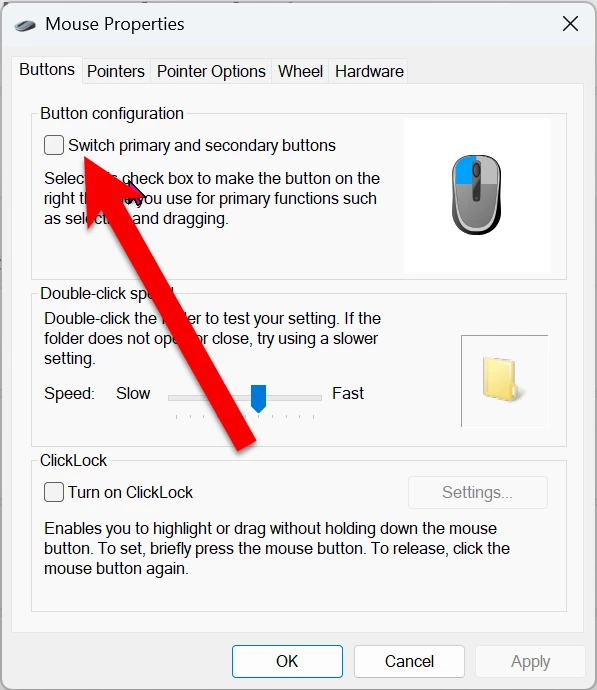
You can, of course, swap the mouse buttons with just the OS settings (since forever!). However, it does not change the angle of the mouse. 

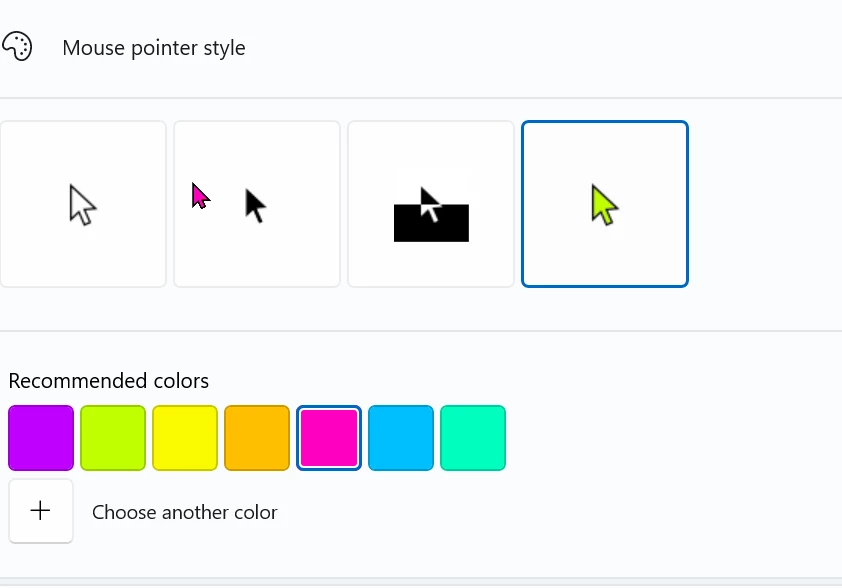
You may find it helpful to adjust the mouse size and color too. I have four 27-inch 4K monitors, so it helps me find the mouse.

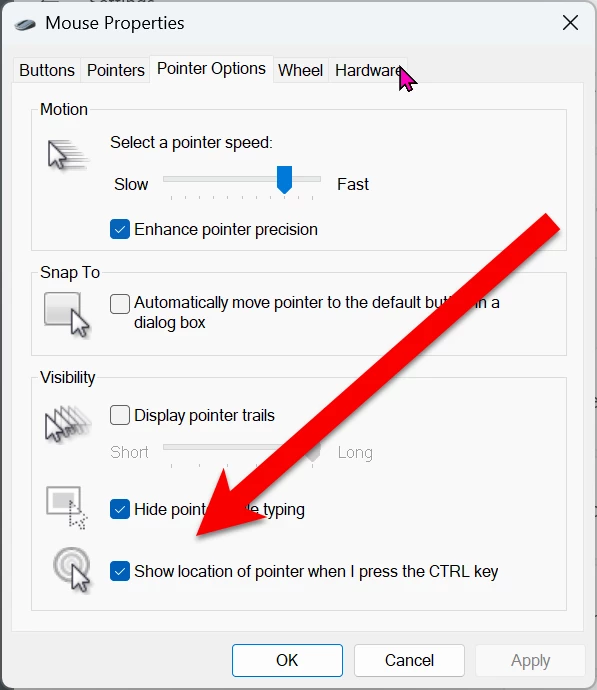
I also have the option below checked so I can tap my Control key to locate the mouse.


2 replies

jen_7198Author
Participant
April 20, 2025

Hi Dave!


Yes, you are absolutely right, it is the tip of the pointer that matters!


Since many years I got a software from a guy who at the time was a student, I don’t know where but I think it was somewhere in USA. At this time I was looking for a software for lefthanders and it was more of a occasional luck I found this man on Internet.

As I understand from the information from the software he is from Japan (I can be wrong…)

The software is amazing and does a great job. I use windows and I have changed computer a lot of times, and OS, from Wista, Windows 7, Windows 8, Windows 10 and now Windows 11, and surprisingly it worked every time.

Probably the software is so simple that it can work almost everywhere, I don’t know.


At the time I e-mailed the man and gave him my congratulations but I never heard from him since then. He probably had a job back then


As it is probably 10-15 % lefthanders in the world I hoped for someone to inform the big companies there is a market out there for them and that they can make it easier for the lefthanders. There was at the time an English company (https://www.anythinglefthanded.co.uk/) who advertised the software but I don’t think they do anymore.


I enclose a zipfile with the software so you can try it. I cannot guaranty the software works on your computer but you can try.


I noticed you just accept textfiles so maybe you don’t get the file I enclosed. I can send you the file in another way if you tell me how to do.


For your information; I am a Swedish woman and Swedish is my native language


Good Luck with the software!


Jen, Sweden

Dave Creamer of IDEAS
Community Expert
Dave Creamer of IDEASCommunity ExpertCorrect answer
Community Expert
April 20, 2025

I think this is the same software. This version appears to be 5 years newer than yours:

https://swapmousebuttons.informer.com/


You can, of course, swap the mouse buttons with just the OS settings (since forever!). However, it does not change the angle of the mouse. 

You may find it helpful to adjust the mouse size and color too. I have four 27-inch 4K monitors, so it helps me find the mouse.

I also have the option below checked so I can tap my Control key to locate the mouse.


David Creamer: Community Expert (ACI and ACE 1995-2023)
jen_7198Author
Participant
April 20, 2025

Thank You Dave!


I already knew this but Thank You anyway but I did not know there is a newer version of the software. Is it better then the older one? Is it possible to download?

/Jen

Dave Creamer of IDEAS
Community Expert
Community Expert
April 20, 2025

Are you referring to the visual directly of the mouse? What is the software you use to change the direction? Are you using Mac or Windows? 


BTW, I'm lefthanded too but it's the tip of the mouse that's the "hot spot". I don't see how the rest of the mouse icon really matters. 

David Creamer: Community Expert (ACI and ACE 1995-2023)