


March 17, 2021
Answered

Multimedia crashes Adobe Acrobat DC - no solution available

  • March 17, 2021
  • 2 replies
  • 686 views

Hi

I've searched throughout the Adobe Community forums, also live chatted with Adobe agents with remote screen share but no one has been able to help resolve the issue of adding a video to the PDF. This has become so frustrating. The level of support has been terrible. The agents do not read the issues and just cannot help. Hoping someone reads and replies with a solution.
 

This topic has been closed for replies.
Correct answer

Hi there,

Dave, thanks for replying. Acrobat is all up-to-date, done repair installation too.

Media file type is mp4. I've tried different mp4 files but same issue.

Issue occurs when adding any mp4 files in a blank PDF or whilst editing a PDF too.

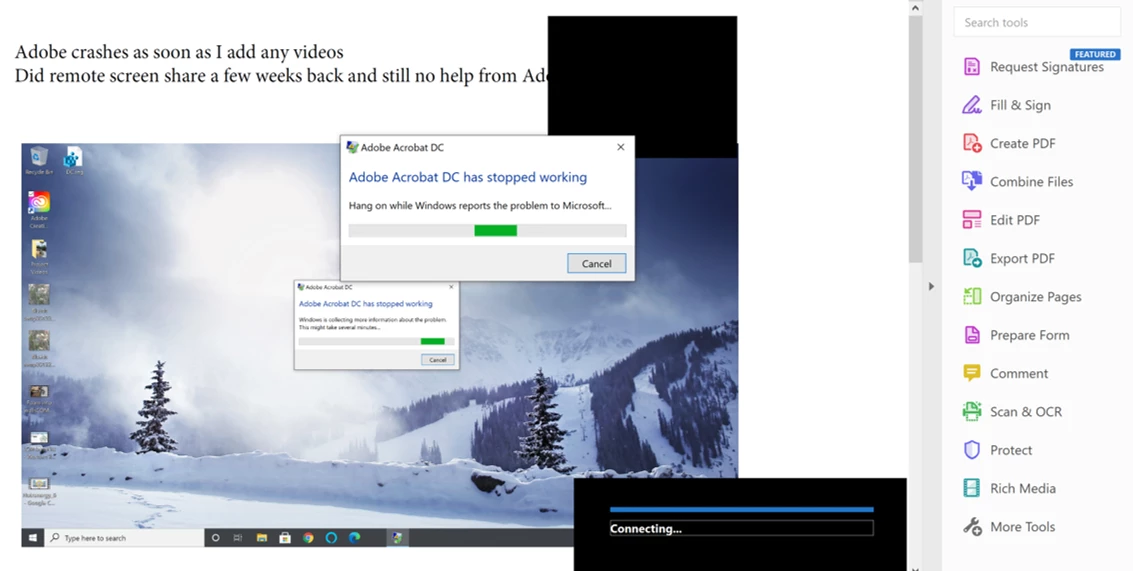
Able to add images (the screenshot was of the PDF showing the various crash captures) and mp3 files.


Meanwhile, I searched the Adobe community again and came across Windows 10 Settings options: https://community.adobe.com/t5/acrobat/acrobat-dc-crashes-play-embedded-video/m-p/11843233#M298879


This seems to have solved the problem and I'm able to play the videos....but a new issue occurred as video playback control options do not show up. I believe this to be an Adobe issue.

2 replies

JR Boulay
Community Expert
Community Expert
March 19, 2021
Acrobate du PDF, InDesigner et Photoshopographe
Dave__M
Community Expert
Community Expert
March 17, 2021

Lots of folks here who can try to help.  Please provide as much detail as you can about your situation.  Is your Acrobat version up to date?  What type of media file are you trying to use?  Does your issue occur with all PDFs?  All media files?

Maybe we can figure something out to help.

My best,

Dave


Correct answer
March 19, 2021

Hi there,

Dave, thanks for replying. Acrobat is all up-to-date, done repair installation too.

Media file type is mp4. I've tried different mp4 files but same issue.

Issue occurs when adding any mp4 files in a blank PDF or whilst editing a PDF too.

Able to add images (the screenshot was of the PDF showing the various crash captures) and mp3 files.


Meanwhile, I searched the Adobe community again and came across Windows 10 Settings options: https://community.adobe.com/t5/acrobat/acrobat-dc-crashes-play-embedded-video/m-p/11843233#M298879


This seems to have solved the problem and I'm able to play the videos....but a new issue occurred as video playback control options do not show up. I believe this to be an Adobe issue.