
Participant
April 28, 2020
Answered

Multiple Signatures without Emails

  • April 28, 2020
  • 1 reply
  • 3618 views

Hi, 


I am trying to create an electronic register which everyone attending site (visitors and staff) must sign once they have had their induction.  It is not practicle to send this to everyone who is on site via email.  Can I have it so the form can be filled in with name, date, company and signature and saved after each person fills their name in etc?


Thanks, 

Helen
This topic has been closed for replies.
Correct answer ls_rbls

Ok.


Use this guidance as an example of the workflow you're tying to achieve: https://helpx.adobe.com/sign/how-to/use-fill-and-sign.html


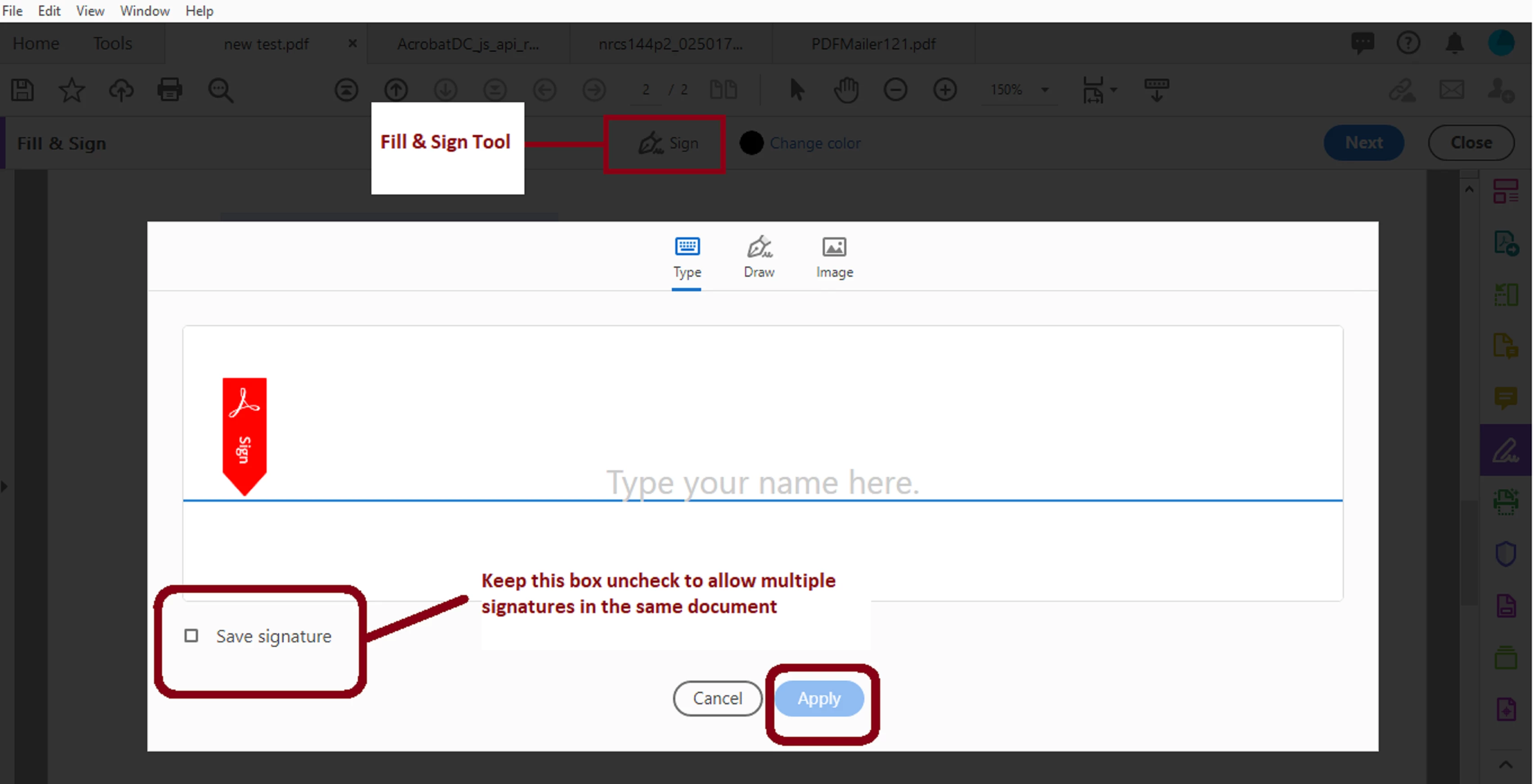
Just make sure that when the signers arrive at the site,  have them sign the document using Fill & Sign.


Ensure that the tick box "Save signature" is not checked.


  See image below:


If you keep "Save signature" the first person that signs the document will lock the document and it will be no way of working around this if you will be using Adobe Reader on the device that will be used for signing.

1 reply

ls_rbls
Community Expert
Community Expert
April 28, 2020

If you have a paid subscription with Adobe Acrobat Pro you can create a PDF like that and send it to each user with Adobe Sign.


Adobe Sign have options to have the signer sign the PDF in person or via email, and they can do it from a mobile device, tablet, web browser, or a regular desktop computer  with Adobe Reader.

Participant
April 28, 2020

Hi, 


I do have a paid subscription but this will be a form on a live construction site.  I need a generic form which I wouldn't assign the "signature" slot to each person as that would be a huge amout of admin work, I just need each person to input their own name and then sign the next line down on the form

ls_rbls
Community Expert
ls_rblsCommunity ExpertCorrect answer
Community Expert
April 28, 2020

Ok.


Use this guidance as an example of the workflow you're tying to achieve: https://helpx.adobe.com/sign/how-to/use-fill-and-sign.html


Just make sure that when the signers arrive at the site,  have them sign the document using Fill & Sign.


Ensure that the tick box "Save signature" is not checked.


  See image below:


If you keep "Save signature" the first person that signs the document will lock the document and it will be no way of working around this if you will be using Adobe Reader on the device that will be used for signing.