Participant
November 13, 2019
Answered

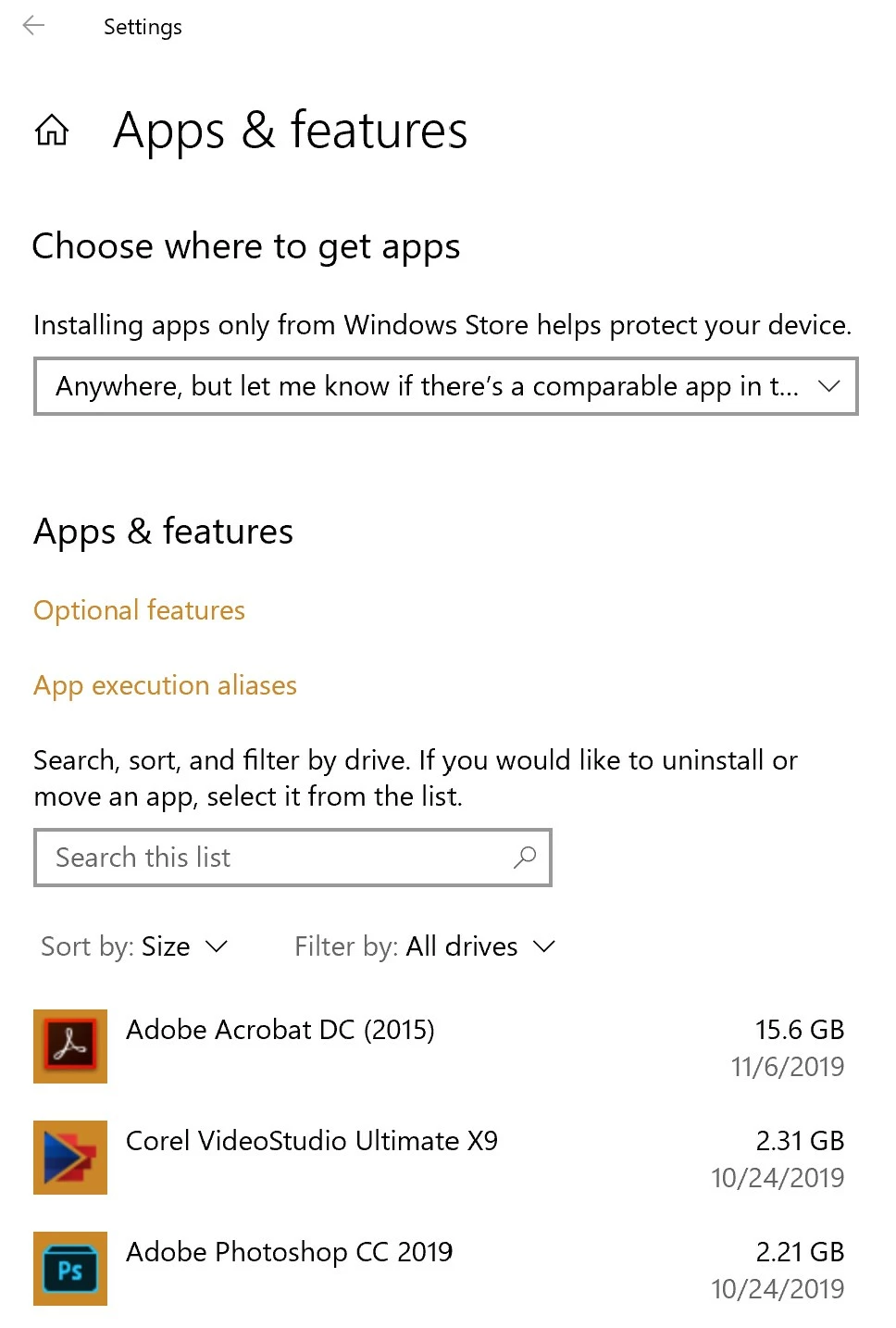
My Adobe Acrobat DC 2015 is 15.6 GB - HELP

  • November 13, 2019
  • 1 reply
  • 3428 views

Adobe Acrobat DC is showing as taking up 15.6 GB on my Surface Pro 4 Windows 10 hard drive. Others have complained about a similar problem, but I've seen no one over 8GB.

How do I fix this?

I attempted to run the Adobe Repair, but that didn't help.


Will uninstalling and reinstalling it help?

This topic has been closed for replies.
Correct answer Dov Isaacs

That figure of 15.6 GB provided by Windows' App & features absolutely does not reflect the amount of disk space used by Acrobat. This has been a known issue with Windows for many years. If you right-click on the folder at  C:\Program Files (x86)\Adobe\Acrobat 2015 (or similar name depending on which version of Acrobat you are running), you will get the true size of the installation. It is generally less than 2.25 GB.


What is Windows counting in terms of that disk space? Who knows, but it probably includes the accumulation of all disk space used in not only the initial installation, but any and all updates made without subtracting off the space used by files replaced during updates.


Bottom line is that Acrobat is not using anything remotely close to 15.6 GB. And there is nothing you need to do about it.


        - Dov

1 reply

Dov Isaacs
Dov IsaacsCorrect answer
Legend
November 13, 2019

That figure of 15.6 GB provided by Windows' App & features absolutely does not reflect the amount of disk space used by Acrobat. This has been a known issue with Windows for many years. If you right-click on the folder at  C:\Program Files (x86)\Adobe\Acrobat 2015 (or similar name depending on which version of Acrobat you are running), you will get the true size of the installation. It is generally less than 2.25 GB.


What is Windows counting in terms of that disk space? Who knows, but it probably includes the accumulation of all disk space used in not only the initial installation, but any and all updates made without subtracting off the space used by files replaced during updates.


Bottom line is that Acrobat is not using anything remotely close to 15.6 GB. And there is nothing you need to do about it.


        - Dov
- Dov Isaacs, former Adobe Principal Scientist (April 30, 1990 - May 30, 2021)
Participant
November 13, 2019

Windows 10 numbers are definitely screwy. 


I uninstalled Adobe and my free disk space went from 5.11 GB to 13.1 GB.

Reinstalled Adobe and my free disk space went from 13.1 GB to 3 GB, and Windows says Adobe DC is only 2.37 GB vs the 15.6 GB at the outset.


Ended up uninstalling Adobe and reinstalling it on my secondary drive since the screwy Windows 10 diskdrive math impacts stuff and I was in the red zone.


Then my C drive registers 31.2 GB free space, which dropped for no reason to 26.5 GB free space.


After updating Adobe, it now registers as using 3.1 GB on my D drive and my C Drive is out of the Red Zone which I can live with.