Participant
July 30, 2024
Answered

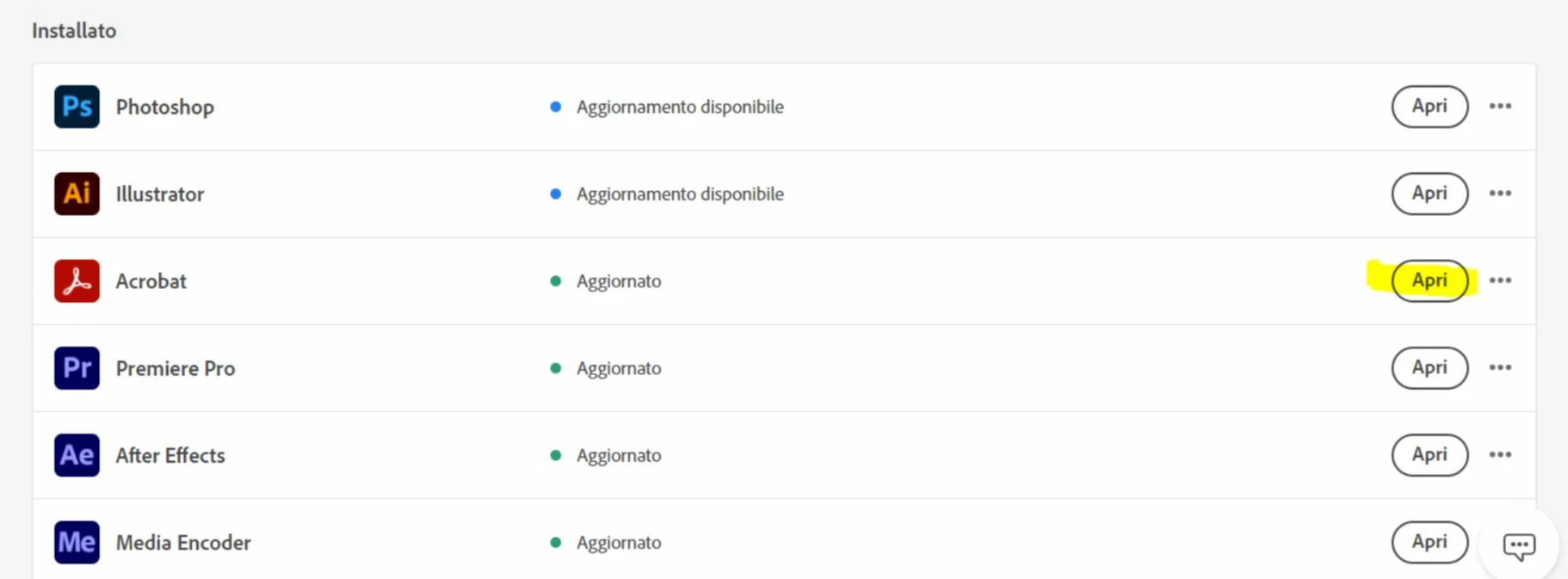
My company provided me with a new computer and I can’t install Adobe Acrobat Pro.

  • July 30, 2024
  • 3 replies
  • 568 views

When I click open it, it doesnt work! It is like I already have it in my PC but I dont.  
This topic has been closed for replies.
Correct answer S_S

Hi @Christyn.Gonzalez,


Hope you are doing well. Sorry for the experience.


Please run the Acrobat cleaner tool https://www.adobe.com/devnet-docs/acrobatetk/tools/Labs/cleaner.html, reboot the computer once, and install the application using the direct link https://helpx.adobe.com/acrobat/kb/acrobat-dc-downloads.html and see if that works for you.


-Souvik

3 replies

Community Manager
August 16, 2024

Hi @Christyn.Gonzalez,

Following up to check if your issue is resolved or not. Let us know we will be happy to assist. 

~Tariq

S_S
Community Manager
S_SCommunity ManagerCorrect answer
Community Manager
August 11, 2024

Hi @Christyn.Gonzalez,


Hope you are doing well. Sorry for the experience.


Please run the Acrobat cleaner tool https://www.adobe.com/devnet-docs/acrobatetk/tools/Labs/cleaner.html, reboot the computer once, and install the application using the direct link https://helpx.adobe.com/acrobat/kb/acrobat-dc-downloads.html and see if that works for you.


-Souvik

creative explorer
Community Expert
Community Expert
July 30, 2024

@Christyn.Gonzalez By any chance is Adobe CC installed on the old PC, and on an another device (maybe a laptop, or colleague) plus the new PC?

Adobe CC allows you to install the software on multiple devices, but you can only activate it on two at a time. As you have Adobe CC on your old computer and want to use it on your new one, you'll need to deactivate it on one of the computers to proceed. Also, you are NOT allowed to share licenses—is not recommended and is against the terms of service. 

m
