
Participant
November 2, 2018
Answered

My screen rendered colors in Acrobat are wrong.

  • November 2, 2018
  • 3 replies
  • 15505 views

For the last couple of months my version of acrobat has been rendering colors incorrectly. CMYK color builds are showing as rgb and often just wrong in general (reds appear as black or backgrounds drop out for example) The file is still correct and will print out as it should but it makes reviewing pdfs a real problem as they are now all unreliable. It is only happening on my one machine but its where I do all my work.

I am using creative cloud and acrobat seems to be all up to date.

Examples: How a file should look
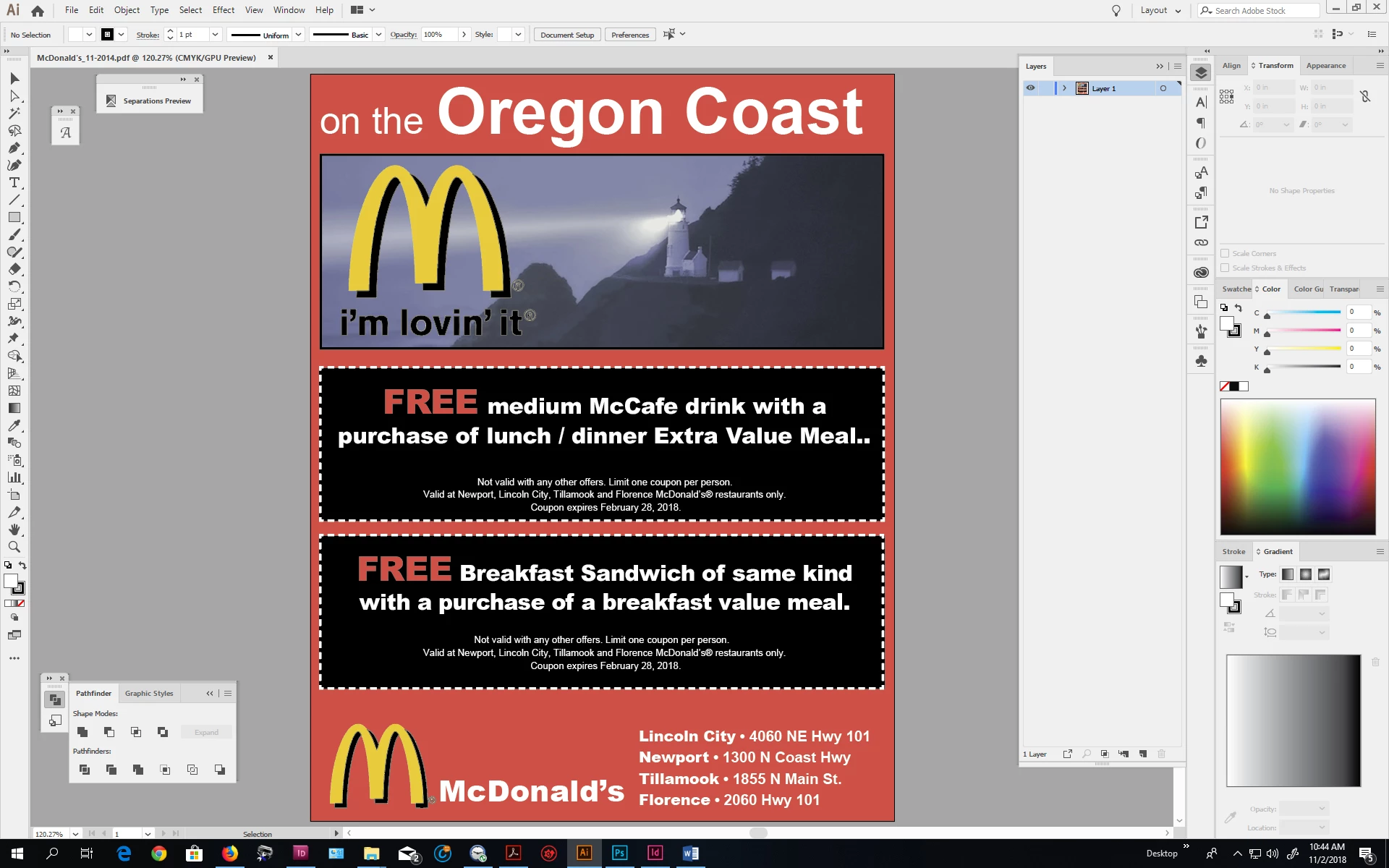
Vs. What I see in acrobat
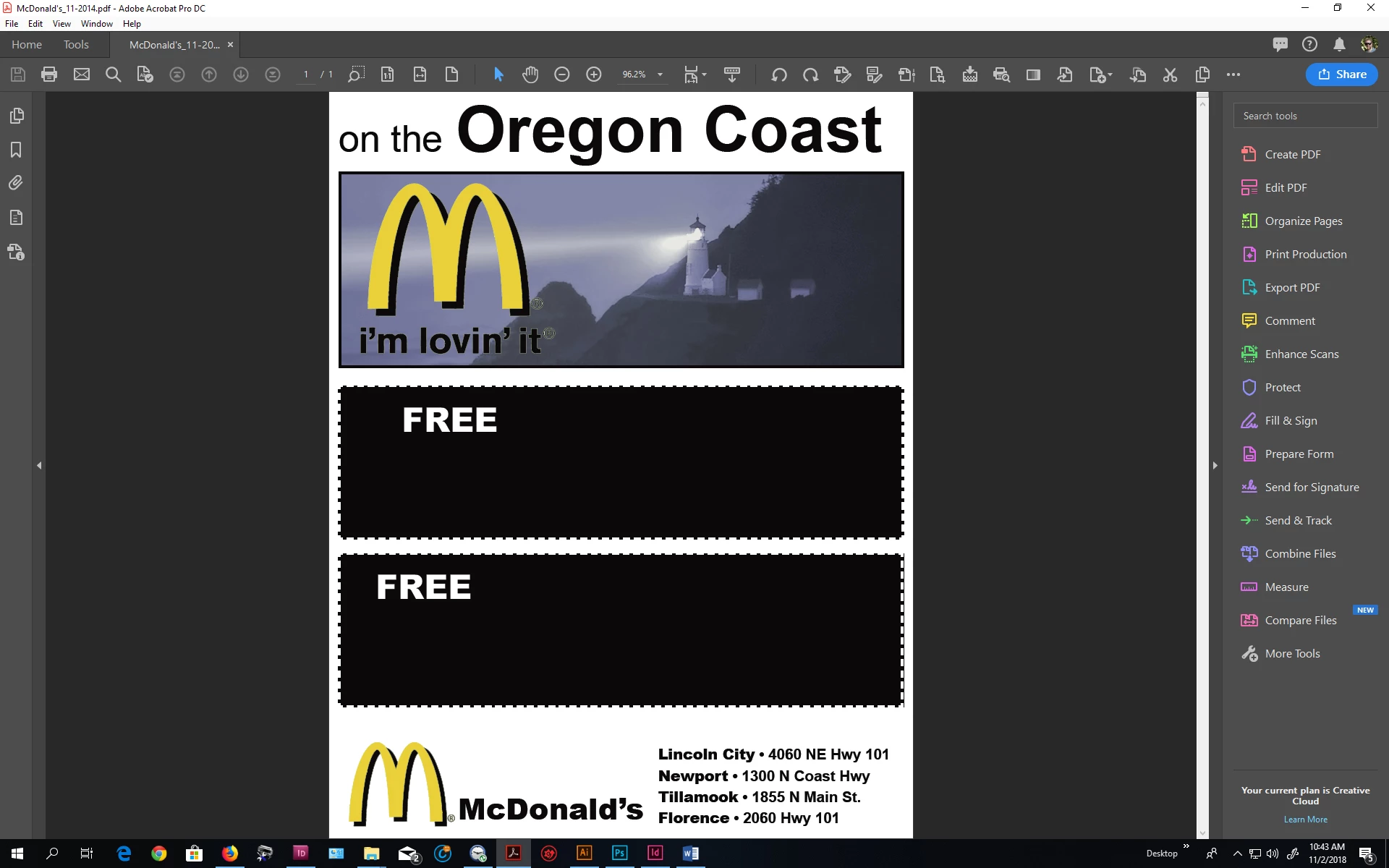
This topic has been closed for replies.
Correct answer Dov Isaacs

You might want to start up Acrobat and check your Preferences (Ctrl-K) and check under Accessibility and make sure that you haven't enabled the Replace Document Colors option. Those options could cause the symptoms you are experiencing.

          - Dov

3 replies

Dov Isaacs
Dov IsaacsCorrect answer
Legend
November 5, 2018

You might want to start up Acrobat and check your Preferences (Ctrl-K) and check under Accessibility and make sure that you haven't enabled the Replace Document Colors option. Those options could cause the symptoms you are experiencing.

          - Dov

- Dov Isaacs, former Adobe Principal Scientist (April 30, 1990 - May 30, 2021)
Document Geek
Community Expert
Community Expert
November 5, 2018
Legend
November 2, 2018

Hmm, so Acrobatvus able to do it right. What is your Overprint Preview setting? Does it make a difference if you change it?

Legend
November 2, 2018

That’s clearly wrong but why do you describe it as RGB tather than CMYK?

How is the red colour defined in AI?

What does Output Preview show?

Participant
November 2, 2018

I describe it as an rgb build since my blacks (designated as 100%K in the native file) appear as a color build black.

The reds are designated as 0, 100, 100, 0. Depeding on the instance they can appear as color build black or white. (As shown in the example above.)

Output preview shows everything correctly. As I said, it all prints correctly and it only renders wrong on my one computer but that happens to be my main workstation. It gets to be annoying having to take a customers pdf to a different machine to preview it and check seperations.

This is the case with all pdf's no matter the source.

I am at a total loss here.