
Known Participant
March 14, 2021
Question

Need a script to grey out a portion of the form when box is checked

  • March 14, 2021
  • 4 replies
  • 3056 views

I'm creating a large categorized checklist form for new employee training.

Sections of the checklist will not apply based on various scenarios.

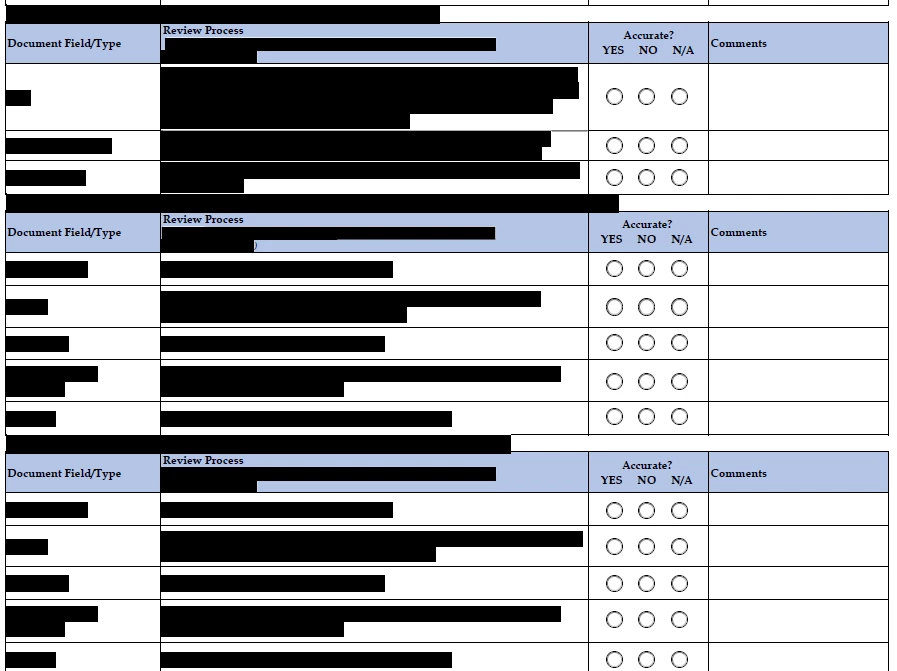
I'd like to create a checkbox that will grey out a section of the checkist when the trainee determines that this specific section doesn't apply. I'm not deadset on the "check box/greyed section" option, but something that will provide the same visual cue.  I'm including a sample of the form.

Any thoughts or solutions please?


This topic has been closed for replies.

4 replies

Thom Parker
Community Expert
Community Expert
March 14, 2021

I've done this several times on PDF forms. Here's the process

1. Add a rectangle annotation over the area to be grayed out. 

2. Set the color of the rectangle background and opacity to provide the grayed out appearance you want. The rectangle must be "locked" so the user can't move or resize it. 

3. Add code to the MouseUp on the check box to hide/show both the rectangle and any form fields that are under the rectanlge. Form fields cannot be shown at the same time as the rectangle, since they are supposed to be inactive. Also the popup text box for the rectangle needs to be suppressed, so the script should also do this.


Thom Parker - Software Developer at PDFScriptingUse the Acrobat JavaScript Reference early and often
Taya5E88Author
Known Participant
March 16, 2021

Thank you Thom! When I'm adding the code to check box properties, should the rectangle annotation come up as an option to show/hide? 

Can you direct me to a current self-help tool for scripting? I feel like i'm a helpless, never-ending spewer of questions. I'm trying to do my own research, but it's crazy time consuming when i'm not sure what/where the best source is.

try67
Community Expert
Community Expert
March 14, 2021

There's no easy way of doing it. You will need to create an individual field (such as a button or a read-only text field) for each "grayed out" section, hide it, and then show it when you want to block out that area.

I would recommend using one large field to cover the entire section, instead of doing it one line at a time. That would make your work much easier.

Nancy OShea
Community Expert
Community Expert
March 14, 2021

Why not keep the section hidden until the appropriate box IS checked to open it?  This is called a conditional form.


HTML & jQuery:

https://jsfiddle.net/NancyO/nFPuW/


Nancy O'Shea— Product User & Community Expert
Taya5E88Author
Known Participant
March 14, 2021

That was my thought as well.  But, the Trainer wants all sections to be visable until the Trainee is able to determine whether it's applicable or not.  Initially the trainer wanted the trainee to make a Yes/No/NA selection for EVERY single line (over 500), even if the entire section didn't apply.  However, the trainees are pleading for an alternative option, which is what i'm trying to provide.

Nancy OShea
Community Expert
Community Expert
March 14, 2021

I think all trainers should be required to take their own tests.  Humans have the attention span of goldfish.  Too much information at once is counterproductive.


Good luck!


Nancy O'Shea— Product User & Community Expert
John T Smith
Community Expert
Community Expert
March 14, 2021
Taya5E88Author
Known Participant
March 14, 2021

Adobe Acrobat Pro DC