
Need help trying to figure out a problem with the fonts on a pdf not displaying when opened in Illustrator...
Hi all
ok brief description of my situation
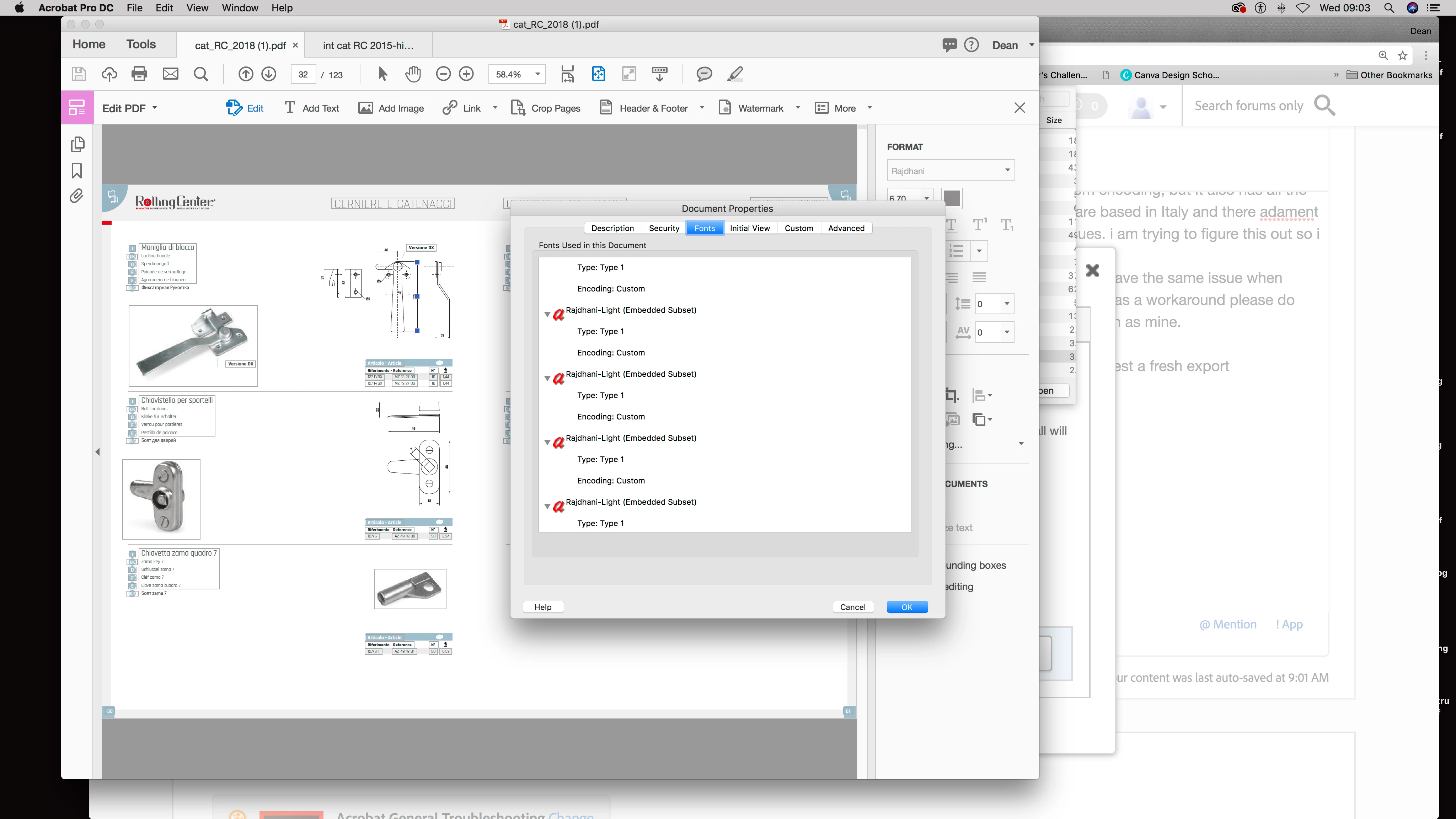
I am currently trying to open pages from a pdf in Illustrator so i can extract product technical tables (sorry i might have put this in the wrong forum) the issue i am having is all text in the document shows as squares with a cross inside them, even when i try and change the fonts to say Time or Arial the glyphs remain the same just in the style of the new typeface, its like all information on what the characters should be is not present. In Acrobat the fonts display correctly, but i have noticed that in the properties>fonts tab a lot of the fonts are showing as "Custom" encoding, could this be the reason why when opened in Illustrator all font information is lost and does not display any standard characters?
I have tried to open the file on a different Mac, i have installed all the main fonts (FF Din family and Rajdhani) but the problem persists so it suggests its an export error focused on the custom encoding of the fonts. I have an older version of the catalogue and it opens fine in Illustrator with no issues at all. there are some fonts with custom encoding but they also have a duplicate with Ansi, Identity-H or Built-In encoding, the problem document has a lot of custom encoding, but it also has all the Rajdhani fonts showing as Built-In encoding which i would have suspected would work fine but does not. The company i work for are based in Italy and there adament that there is no issue with the pdf on their end, The document was created in Quark and has been for many years and i have no issues. i am trying to figure this out so i can go back to them with a solution, but as of yet im still in limbo with it. This is a link to the dloadable version of the document http://www.rollingcenter.com/siteImages/catalogs/cat_RC_2018.pdf if any body can help by taking a look and seeing if they have the same issue when opening a page from the document in Illustrator and reporting back that would be appreciated or if anyone has had a similar issue and has a workaround please do share, I have searched for quite a bit about this issue online and there are a few articles on it online but none are the exact same situation as mine.
Any help or advice welcome, I'd like to be able to confirm it is a problem with the export so i can repot this back to the Itallians and request a fresh export.
I have attached an image of the error as seen in illustrator too.
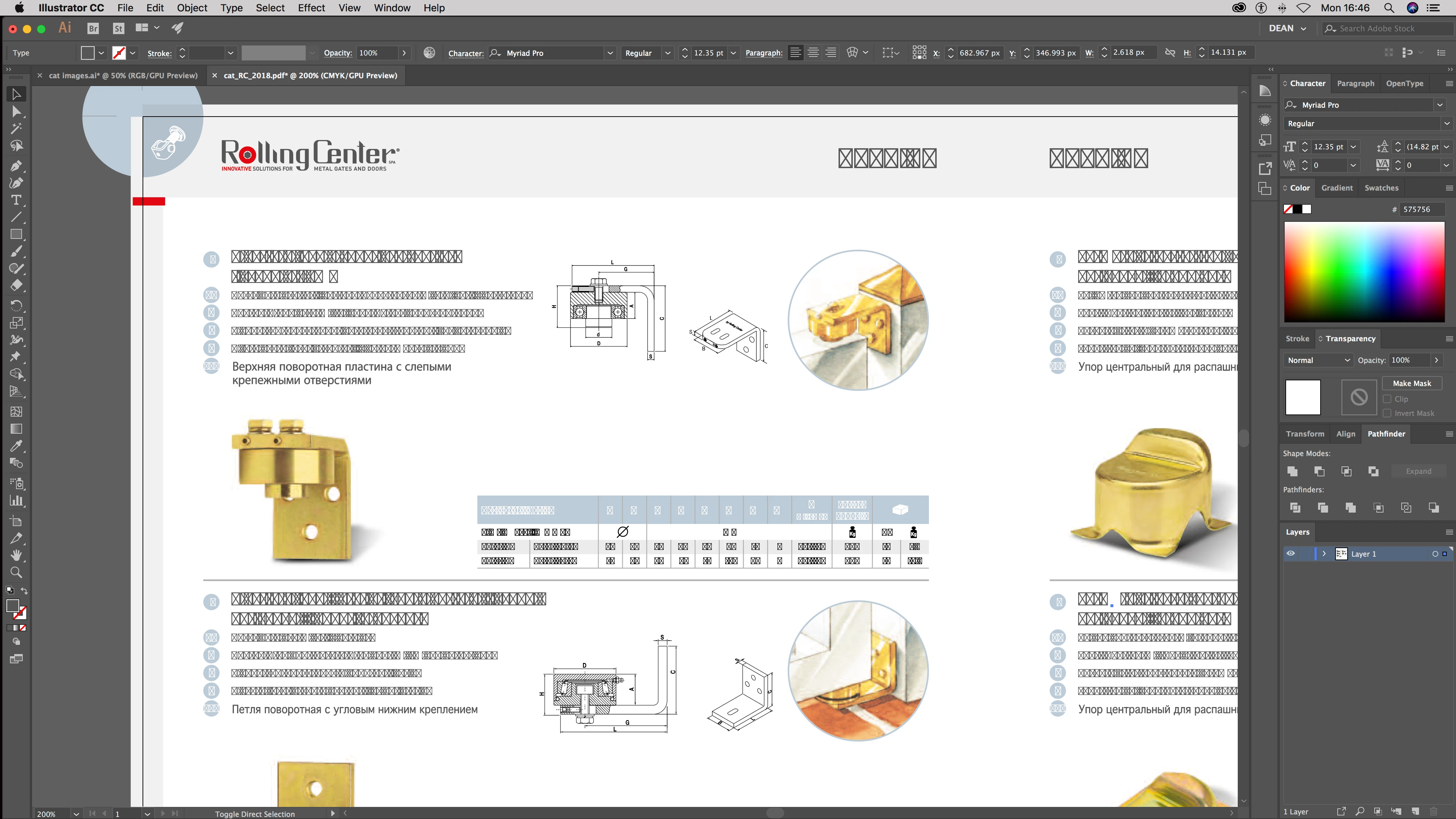
and an image showing the types of encoding for the fonts, which shows as Roman and Custom for the same fonts (see images)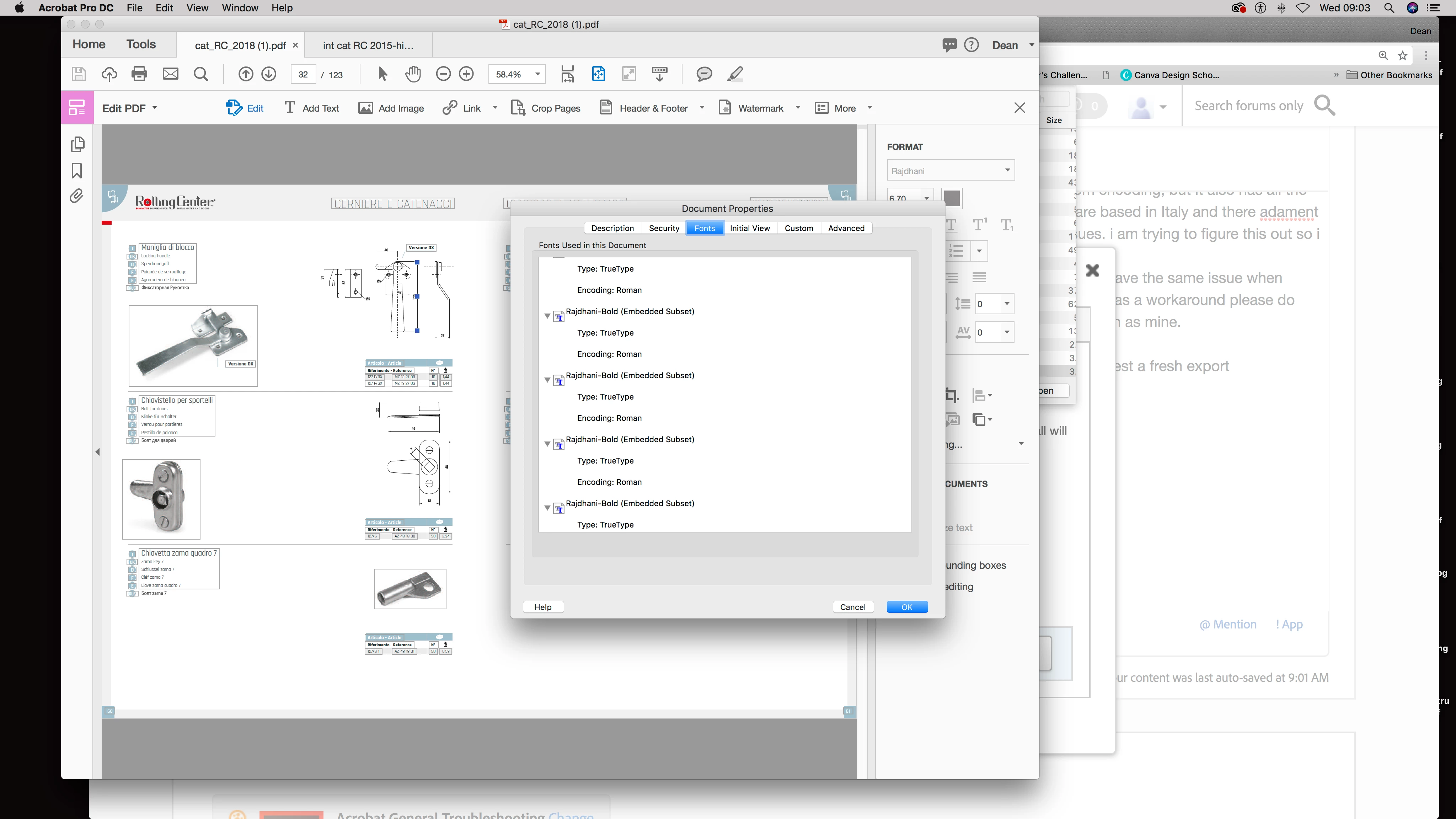
Thanks for reading, any help welcome as I'm at a loss to explain and work around this issue.
Dean
 AdChoices