
Known Participant
April 15, 2024
Question

Need Javascript for shrinking document

  • April 15, 2024
  • 2 replies
  • 1525 views

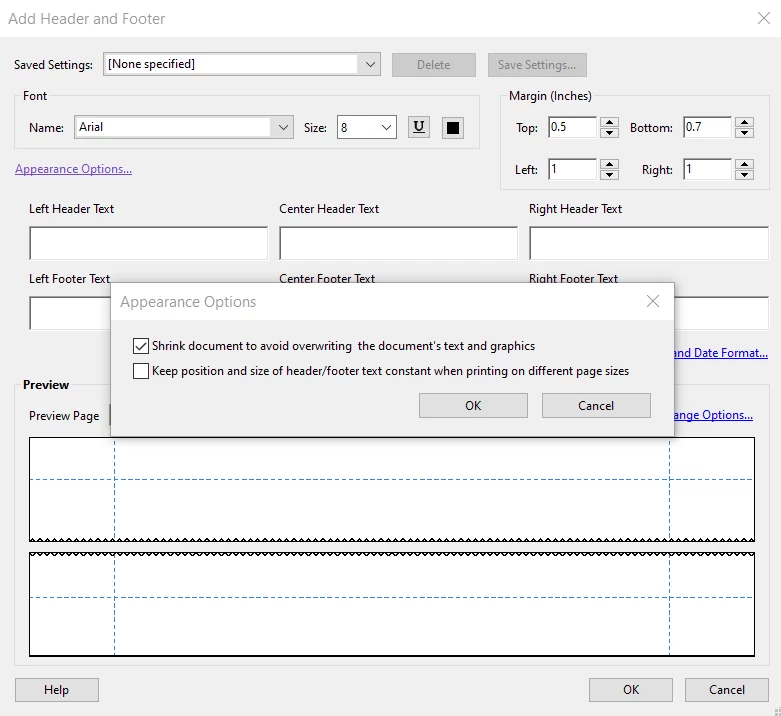
Is there a way to achieve shrinking the appearance of a pdf document using javascript? I am bascially trying to achieve the function available in the Add Header and Footer action (shown below) in javascript instead of the action.  I looked in the Adobe Acrobat API reference guide but only see examples related to making pdf fit to page. I am using Windows 10 and Adobe Acrobat Pro.


This topic has been closed for replies.

2 replies

try67
Community Expert
Community Expert
April 15, 2024

Scaling can also be achieved using the Preflight tool, which can be triggered using a script. However, it has to be a fixed size. It can't automatically decide what size to scale the pages to based on the white margins of the page, like the Add Header and Footer tool can.

Thom Parker
Community Expert
Community Expert
April 15, 2024

Good one, I always forget about preflight. Yeah Callas!!


Thom Parker - Software Developer at PDFScriptingUse the Acrobat JavaScript Reference early and often
Thom Parker
Community Expert
Community Expert
April 15, 2024

Yes, there is a way to do this. There is no functionality in the Acrobat JavaScript model for directly scaling page content. But there are a couple of techniques. Both button fields and watermarks scale images. The watermark technique is the simplest, but like most complex operations in JS, it has a weirdness.


Create a new page of the desired size. The page dimensions must of course maintain the original aspect ratio. Then use the watermark function to place the source page content over new page.  The issue with this technique is that watermarks are also OCG layers. To use this technique to scale all pages in a document will require renaming the OCG layer.


You can read about OCGs and the watermark function here:

http://acrobatusers.com/tutorials/create_use_layers


Thom Parker - Software Developer at PDFScriptingUse the Acrobat JavaScript Reference early and often
suemo22Author
Known Participant
April 15, 2024

Thank you for your reply. I will look into this. Out of curiousity, is there an action that accomplishes this? I know the "Add Header and Footer" action accomplishes this but the downfall is that it removes any existing header and footer, which I don't want it to do. Thanks in advance.


Sue

Thom Parker
Community Expert
Community Expert
April 15, 2024

Any built-in function that might do something useful as a side affect is not reliable for performing that side affect as your main use of the fuction.  So no, I don't know of any other Acrobat feature that might scale pages nor would I suggest using one if I did. 


Thom Parker - Software Developer at PDFScriptingUse the Acrobat JavaScript Reference early and often