
Participating Frequently
September 4, 2022
Question

Net.HTTP.request - Return Query Result to Form Field

  • September 4, 2022
  • 1 reply
  • 1367 views

Using the excellent code examples found on Thom Parkers www.pdfscripting.com site I created a PDF form that calculates a URL for a Net.HTTP.request to a PHP file that queries a MySQL database for a specific price.


The attached screenshot shows the form with results in the console for 3 queries with different sets of  parameters assembled from the drop-down meus. 
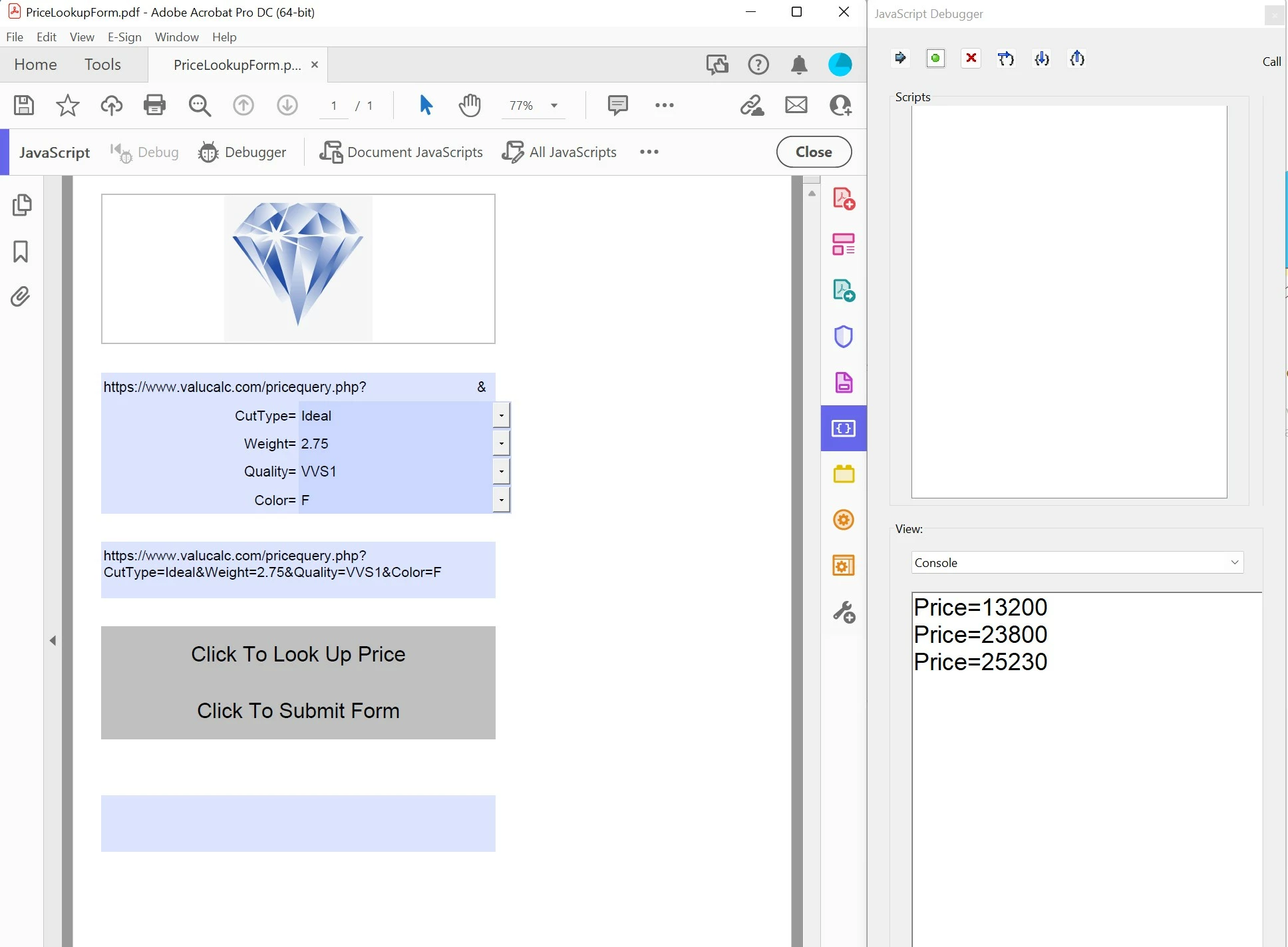


My question is how do I take the value that is being written to the console and insert it in to a form field so it can be used in further calculations. 


The example scripts can be found in the "Load Remote Data with HTTP" section in this post...

https://www.pdfscripting.com/members/Acquiring_Raw_File_Data.cfm#Scripts

This topic has been closed for replies.

1 reply

Legend
September 4, 2022

The usual way is to set the value attribute of a field object obtained by name with getField.

Participating Frequently
September 4, 2022

Exactly. I tried the "this.getField("QueryResult").value = util.stringFromStream(oStream) approach but no joy. I think it has to do with not being able to reference the target field using the "this" keyword in a function that is in in the Folder Level automation file below...


var GetRemoteDataFile = app.trustedFunction(function(cFileURL, OnHttpResponse, OnHttpError)
{
app.beginPriv();

function ResponseHandler(oRequest, cURL, oException, aHeaders)
{
if(oException)
{
if(arguments.callee.OnError && (typeof(arguments.callee.OnError) == "function"))
arguments.callee.OnError(oException);
}
else if(arguments.callee.OnResponse && (typeof(arguments.callee.OnResponse ) == "function"))
arguments.callee.OnResponse(oRequest);

};

ResponseHandler.OnResponse = OnHttpResponse;
ResponseHandler.OnError = OnHttpError;

Net.HTTP.request({cVerb:"GET",cURL:cFileURL, oHandler:{response:ResponseHandler} });

app.endPriv();
});

function OnMyReturn(oStream)
{
console.println("Price=" + util.stringFromStream(oStream));
}
function OnMyError(oExcept)
{
console.println("** ERROR #" + oExcept.error + ": " + oExcept.msg);
}

Participating Frequently
September 4, 2022

Also, thanks for your earlier response. I read your reply to an earlier question...

How can I connect to an API and import JSON or XML... - Adobe Support Community - 9221891

...where you wrote "The response from the request is passed to the function you define. So, msg, url and e are defined in that function - and nowhere else. If you want to read those values later you have to copy them somewhere." which sounds like my issue. 

Any idea how to do that from a funcion contained in a Folder Level automation script?