mikeyjames1967
Participating Frequently
September 9, 2022
Answered

"New Acrobat" - Bookmarks, Thumbnails now forced to right side - Why?

  • September 9, 2022
  • 14 replies
  • 15829 views

Hey All,

Any idea why the designers felt the need to swap the sides where tools appear in the "New Acrobat"? I find it very annoying to be working on a large document and having the bookmarks and thumbnails on the right-hand side and there seems to be no way to get it back to the left. 


Why is it that companies like Adobe and Microsoft, etc. feel it is a clever idea to force changes on people for no apparent reason. All this does is make the product feel awkward to use and annoy customers. We have been using Acrobat with bookmarks and thumbnails on the left for a long time and it feels unnatural and weird. 


I know if we use it long enough, we will get used to it, but why should we have to? I would understand if there were massive productivity gains for sticking with it, but there isn't, it's a forced change for nothing other than some designer thought it looks good.


At least give us an option about what side we want tools on. 


I hope someone at Adobe reads this and passes on the feedback.


Mick


[moderator corrected a typo as of OP's request]

Correct answer JR Boulay

14 replies

Tiger_words
Inspiring
February 24, 2025

It certainly is annoying when designers force unwanted changes on us. Keep in mind, if the designers stopped working they'd be out of a job so they kind of have to redo things. It's an annoying and counterproductive dynamic.

Participating Frequently
June 20, 2025
quote

It's an annoying and counterproductive dynamic.


By @Tiger_words

They could make it cleaner without needing to move things to opposite sides. The New Acrobat would work and look the same way with the tools and bookmarks where they were.

Participant
October 17, 2024

Probably the same type of people who said you HAVE to get a mRNA shot in your arm to keep working and take the contaminated with bacterial DNA into your body. Just believe us, it's for your own good.

mikeyjames1967
Participating Frequently
March 6, 2024

Hi All,

Anyone not happy with the change should go to user voice and add their vote and add a comment if you like.


User Voice - Fixed Position of Bookmarks 


Bevi Chagnon - PubCom.com
Legend
March 6, 2024
|    Bevi Chagnon   |  Designer, Trainer, & Technologist for Accessible Documents ||    PubCom |    Classes & Books for Accessible InDesign, PDFs & MS Office |
Participant
March 5, 2024

Hi, I have spent a lot of time searching how we can get the thumbnails back to the left side of the screen and have simply not found it. This is extremely annoying as I'm used to focuss on the right side of the screen, because that's how it works in all my other programmes. I have no clue why this has changed and even less why we don't get the chance to adjust this.
My work goes a lot slower now. Disappointed by this change.
Heidi

Bevi Chagnon - PubCom.com
Legend
March 5, 2024

Hi @Dusanima,

You can disable the new Acrobat interface and get the toolbars back to where they were in the classic interface.


On Windows:

  1. File (or the 3-horizontal bars called a hamburger menu)
  2. Disable New Acrobat


On Mac:

  1. View menu
  2. Disable New Acrobat


That should give you what you need.


|    Bevi Chagnon   |  Designer, Trainer, & Technologist for Accessible Documents ||    PubCom |    Classes & Books for Accessible InDesign, PDFs & MS Office |
Participant
March 11, 2024

Dear Bevi Chagnon, you are a lifesaver!
Thank you so much! 🙂

JR Boulay
Community Expert
JR BoulayCommunity ExpertCorrect answer
Community Expert
October 22, 2023

Acrobate du PDF, InDesigner et Photoshopographe
Participating Frequently
October 22, 2023

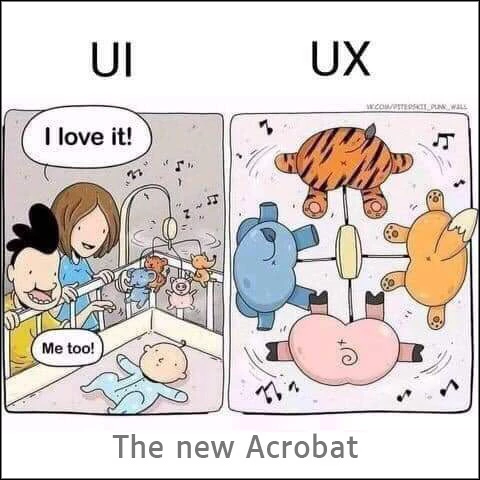
It's a failure in UX design that the only response to a common complaint is, "disable our new design." Most modern software allows some degree of customization, and a layout that has been popular for over a decade across all PDF readers is not one that should be altered without the option for customization. 

Abambo
Community Expert
Community Expert
October 22, 2023
quote

It's a failure in UX design that the only response to a common complaint is, "disable our new design." Most modern software allows some degree of customization, and a layout that has been popular for over a decade across all PDF readers is not one that should be altered without the option for customization. 


By @Shridhar29252301vh6w


Go to Uservoice and let your voice heard. https://acrobat.uservoice.com/

ABAMBO | Hard- and Software Engineer | Photographer
Participating Frequently
October 22, 2023

Thanks, didn't know there was a place for that but good to know 

Participant
September 29, 2023

You can switch to previous version.

Navigate to Menu and Restore previous version

Participant
September 21, 2023

my company force-updated my software and this has been driving me up the wall! why would i want to look to the right for bookmarks? makes no sense for me - of all things, that is one thing one should be able to "flip" from right to left or vice versa depending on comfort/the language they are reading in. I'd prefer my "tools" on the right, too.

JR Boulay
Community Expert
Community Expert
September 20, 2023

Yes I've never seen any reader software (PDF, eBook, ePub, etc.) with the bookmarks panel on the right.
It's so anti-ergonomic that it should seem obvious, even to Acrobat developers.

Acrobate du PDF, InDesigner et Photoshopographe
Abambo
Community Expert
Community Expert
October 22, 2023
quote

Yes I've never seen any reader software (PDF, eBook, ePub, etc.) with the bookmarks panel on the right.
It's so anti-ergonomic that it should seem obvious, even to Acrobat developers.


By @JR Boulay

Some ten years ago, I was involved in a website design (as a “consultant”). The probably very expensive user interface experts had found out that having the website menus to the right was more ergonomic. Don't argue with experts.

ABAMBO | Hard- and Software Engineer | Photographer
Participant
September 20, 2023

Figured out how to revert Adobe view to previous version. There was an option under the menu in the top left corner that says Disable new Acrobat.