

Kathy5FFA
Inspiring
July 13, 2023
Question

New Acrobat Version - Marked Set By Comments

  • July 13, 2023
  • 1 reply
  • 1071 views

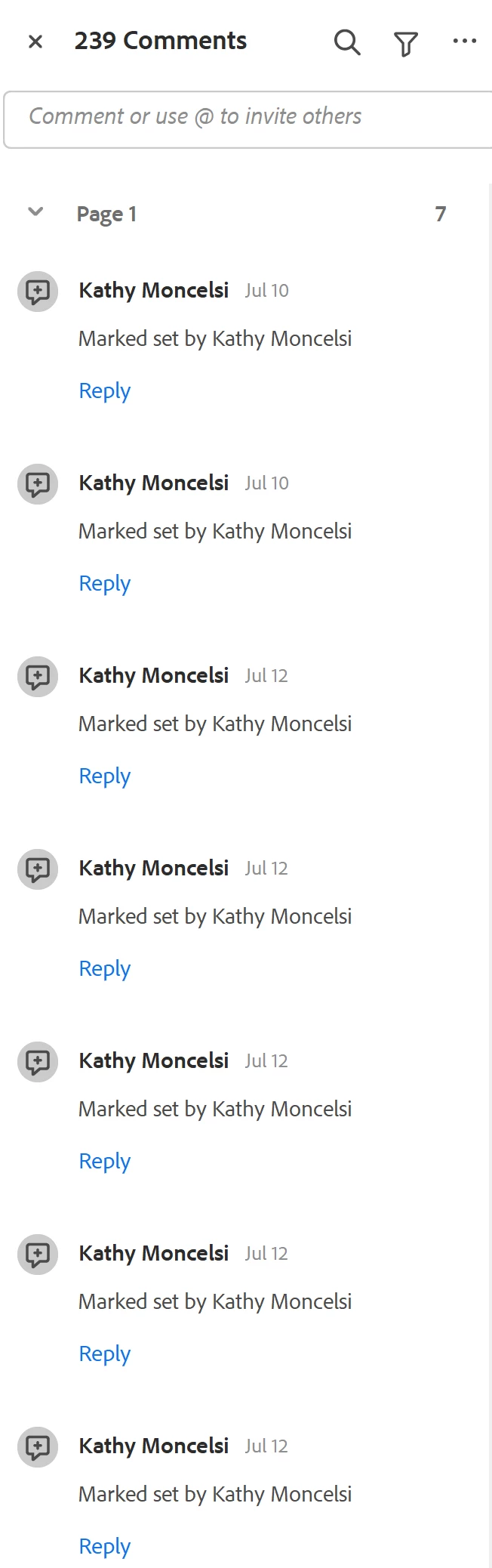
Hello. I just updated to the newest Acrobat version. I work with multiple Acrobat users and we comment back and forth in the pdfs. Now when I send them a clean pdf, it seems to be pulling comments that I check marked in previous versions and lists them in the comments as "Marked Set By [me]". There are literally hundreds of them in there and it makes it difficult to find and add new comments. They all need to be deleted every time. Is there a setting that can turn that off so it doesn't pull in all the "Marked as Set" comments? Thank you!
This topic has been closed for replies.

1 reply

mariahweyne
Inspiring
July 14, 2023

Check your preferences for the comments.  Edit-Preferences-Comments

Kathy5FFA
Kathy5FFAAuthor
Inspiring
July 14, 2023

I already looked in the Commenting section of Preferences, but didn't see anything that looked relevant. @mariahweyne could you give me a specific setting you know of that I can change?


mariahweyne
Inspiring
July 14, 2023

Found this in the forums - 

Click on the Funnel icon and choose which status you want to filter out. You have to have at least one comment

with a status set to other than None in order for that option to be available.