


Participant
July 21, 2025
Question

New update fails to recognize embedded fonts

  • July 21, 2025
  • 3 replies
  • 464 views

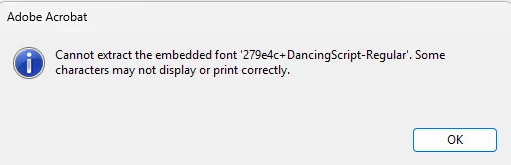
After the new release update, specific embedded fonts were not recognized. Complete words and sometimes random letters are missing.  I can't change the font in the software that creates the PDFs  and it worked up until 7/17/25
 

3 replies

Participant
July 22, 2025

Ravi,

Thanks for the quick response. We are on the Continuous Release | Version 2025.001.20577 | 64-bit

I've attached a sample file.

Best,
Bruce J. Pfannenstiel
[Personal info removed by Adobe moderator]

AnandSri
Legend
August 23, 2025

Hello @lawrecourse


I hope you are doing well, and we apologize for the delayed response and the trouble. 


I am following up to check if you are still experiencing the issue with the latest version of Acrobat 25.001.20630, Planned update, Aug 18, 2025. Check for any pending updates from the Menu > help > check for updates, install the updates, restart the app and the machine, and try again.


If the issue persists, please upload the sample file to a cloud storage service and share the link with us. In the previous post, no file was attached. 


Thanks,

Anand Sri | Acrobat Community Team
Meet Acrobat Studio

Adobe Employee
July 22, 2025

Hi @lawrecourse 


Thanks for reporting this issue to Adobe. Will it be possible for you to share a test PDF with us, which show this error, for investigation. And do share the Acrobat version you have on the machine.


Regards

Ravi

creative explorer
Community Expert
Community Expert
July 21, 2025

@lawrecourse  a possibility, is that the update itself didn't install correctly, leading to corrupted program files that are now mishandling fonts. Acrobat usually handles embedded fonts independently, a new update could introduce a conflict with a specific system font or a color profile, especially if the embedded font is custom or less common. Have you tried installing  the specific embedded font on your computer — it could absolutely could help resolve the problem, even if the font is supposed to be embedded in the PDF. After installing the font, it's crucial to restart Adobe Acrobat and ideally your entire computer to ensure the operating system and all applications register the newly installed font. Open the problematic PDF again in Acrobat and check if the missing words/letters are now displayed correctly.

m