
Question
No access to Document Cloud
Opening Acrobat Reader Pro on my Windows PC today, I had a nasty surprise: the My Documents option under Home was gone: I couldn't find a way to access my Cloud documents!
I closed the app, restarted the computer, and tried again. Same problem.
I uninstalled Reader and tried to reinstall it, but was met with "ERROR: DW003: Third party payload installer Adobe Acrobat\Setup.exe failed with exit code: 1603." Figured out how to bypass that (included information only in case it helps diagnose my lack-of-document-cloud problem), and reinstalled Reader, but I still don't have the option to access my Cloud Documents.
I'm connected to the Internet, and I'm signed in to my Adobe account through Reader.
Suggestions?
Thanks!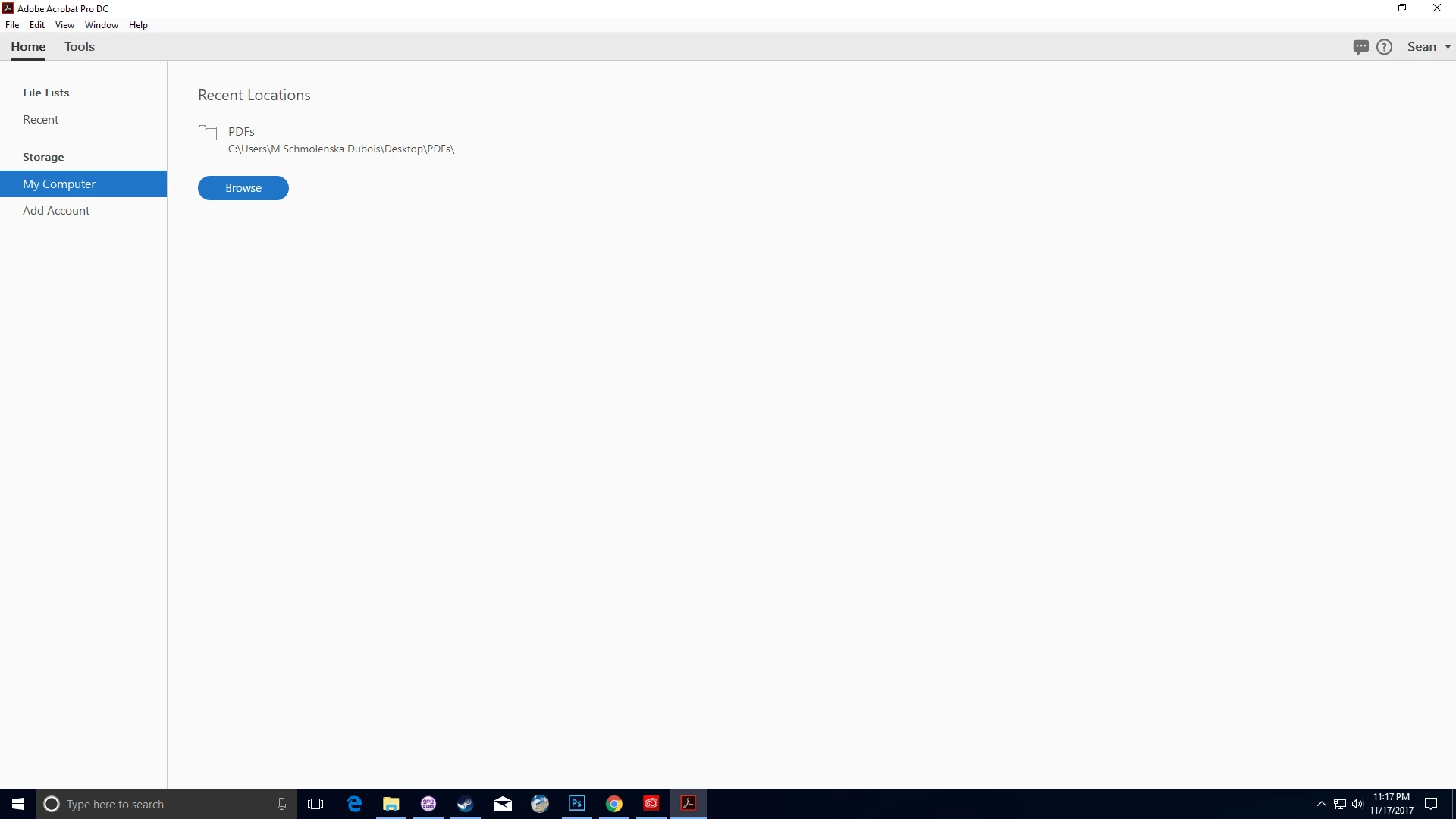
 AdChoices