
No default mail client - cannot send mail out of Acrobat Pro X
OK - seriously pulling my hair out on this one!! I have searched and tried just about everything I can find online. Yes, my default email app is set to Outlook. I have changed registry to add every fix I could find. I have updated, I have repaired, restarted. I have uninstalled and re-installed Acrobat. Nothing seems to work!!
I had no issues with Adobe Acrobat X version 10.1.1 until my computer crashed about 2 months ago and had to re-install everything. Running Windows 10, 64 bit, Outlook Office 365 - which I was running before the crash.
I cannot send any pdfs directly out of Acrobat - get the following errors...
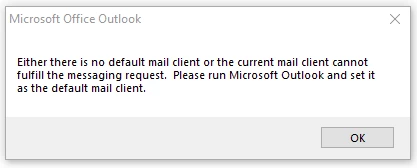
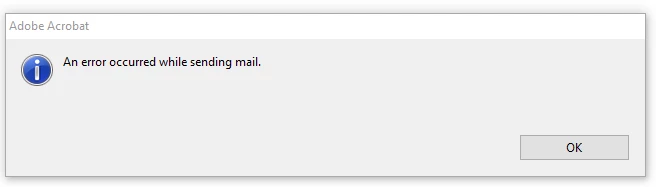
Beyond changing any more registry entries.. I wonder if this might have anything to do with anything?
In default app settings by file types, on mapimail it will not let me choose any app, no apps available in store.
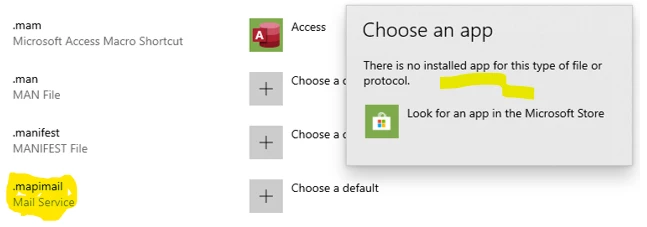
Any help will be much appreciated!!!! I send files directly out of Acrobat/Outlook all day and now have to open new mail and attach instead of just clicking send email in Acrobat.
 AdChoices