
Participant
September 12, 2023
Answered

No Edit PDF Option

  • September 12, 2023
  • 2 replies
  • 2994 views

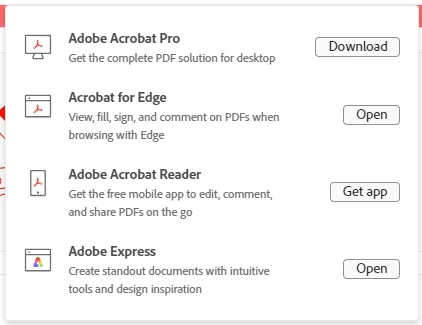
In my Adobe Subscription I see only Acrobat Reader and not Acrobat Pro. Opening Acrobat Reader I do not see the "Edit PDF" option. I tried downloading Acrobat Pro but when completed it just brought me back to the Acrobat page. And I still don't see the Edit PDF option on any PDFs I open.


This topic has been closed for replies.
Correct answer ricks77280613

I unstalleda nnd reinstalled and the Edit PDF feature now appears. 🙂

2 replies

ricks77280613AuthorCorrect answer
Participant
September 20, 2023

I unstalleda nnd reinstalled and the Edit PDF feature now appears. 🙂

gary_sc
Community Expert
Community Expert
September 12, 2023

Some people prefer to have both the Reader and Pro on their system, but that is not required. If you can download the Pro version, then do so. If you wish to edit files, you must have the Pro version. Plus, you can set your system so that when you double-click on a PDF, it will open in either the Reader or Pro — you must choose.

try67
Community Expert
Community Expert
September 12, 2023

The installer for Reader and Acrobat is the same now. It switched from one to the other based on your license, so downloading something else won't help if the subscription is not recognized.