


br92018778
Participant
September 26, 2022
Answered

Nom de page pdf

  • September 26, 2022
  • 1 reply
  • 474 views

Bonjour à tous ! 


Je cherche à me faciliter le travail un maximum sur Adobe Acrobat Pro DC. J'ai des fichiers PDF que j'ai combiné, et certains sont dans le mauvais ordres. Je peux les remettres dans l'ordre avec l'outils "Organiser les pages". 

Le probléme est que je n'ai pas accés au nom de ses pages pour me faciliter l'organisation. ( Nom de page et non de document ) 

Alors que je suis pratiquement sûr que les pdf's gardent le nom des pages en mémoires, car ma liseuse sur mes fichiers pdf, me marque le nom des pages. 

Quelqu'un saurais comment afficher cette informations ? 


Merci
This topic has been closed for replies.
Correct answer try67

Not sure what you mean by "page name"... Pages have numbers, or labels. Maybe it's the latter.

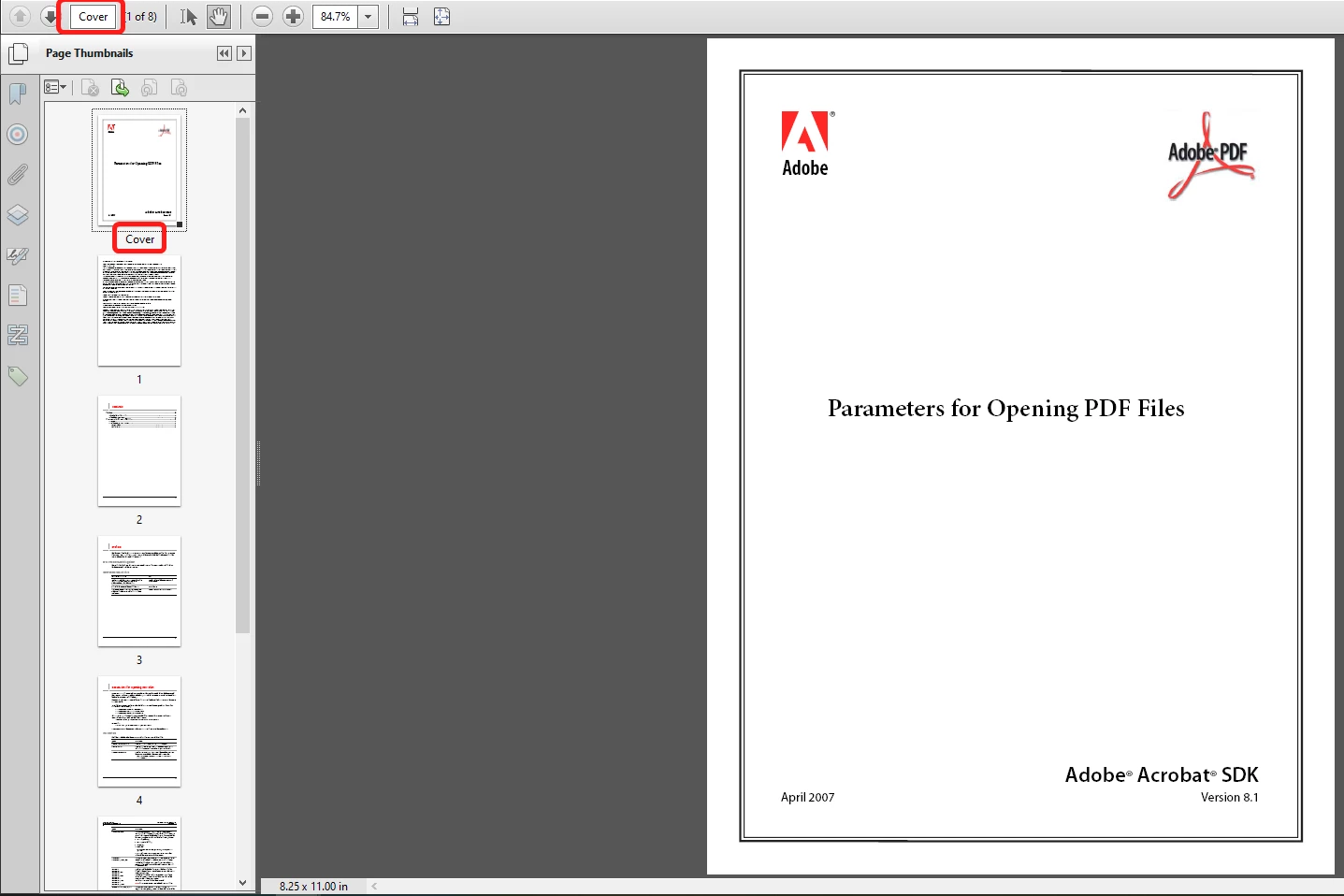
If so, it should appear both in the Pages panel on the left, under the page's thumbnail, as well as in the browse widget at the top.

For example, the first page in this file is labelled "Cover":


1 reply

try67
Community Expert
try67Community ExpertCorrect answer
Community Expert
September 26, 2022

Not sure what you mean by "page name"... Pages have numbers, or labels. Maybe it's the latter.

If so, it should appear both in the Pages panel on the left, under the page's thumbnail, as well as in the browse widget at the top.

For example, the first page in this file is labelled "Cover":


br92018778
Participant
September 26, 2022

Hello try67 and thank you for you're answers ! I asked in french and you take time to answers me it's very cool ! 

Yes thats it ! Not the labels but he's save as "Signet" like "Bookmark" ? 

My work it gonna be more easy ! 

Thank you !