3 replies

AkanchhaS8194121
Legend
Aug 8, 2023 9:57 PM UTC

Hi @Ricardo3155186962a8 


Hope you are doing well.

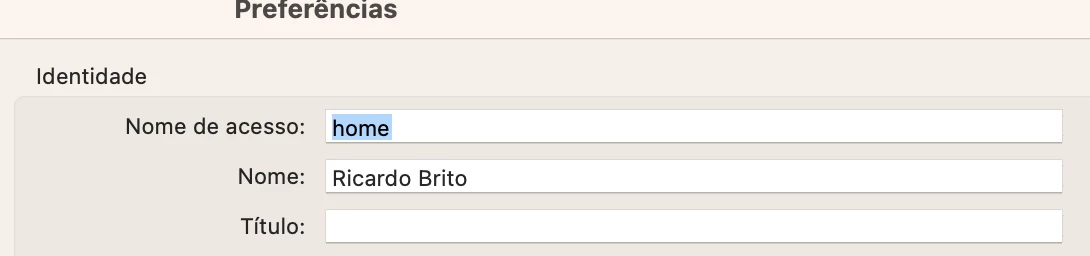
The screenshot looks like you are under Acrobat's Preferences and trying to change the settings for "Identity."

"Login name" is automatically taken from whatever you have set on your computer. If you want to change that, you need to change the User Name for your Computer or account on that computer.

You can change the Name and Title easily.


Thanks,

Aknchha

Translate
Participant
Feb 6, 2025 5:16 PM UTC

onde devo atualizar isso no meu computador pra que seja atualizado dentro do Adobe?


Translate
AnandSri
Legend
Mar 10, 2025 1:38 PM UTC

Hello,


I hope you're doing well, and we apologize for the delayed response and the trouble.


If you want to change the login or identity name in the Acrobat app, it is automatically taken from the name set on your computer. To modify it, you need to update the User Name for your computer or account.

Additionally, you can add more details in Preferences:

  • Windows: Go to Menu > Preferences > Identity and enter the details.
  • Mac: Go to Acrobat > Preferences > Identity and update the information.


I hope this helps.

Thanks,

Anand Sri.

Translate